Best habit tracker apps for iPhone
Most habit apps run on one number: the streak. It’s a great hook for the first few weeks, and it’s also why so many people quit. Miss one Tuesday, watch 41 turn into 0, and the app that was cheering you on starts to feel like a scorecard you’ve already lost.
The research on habits is kinder than the counter. In a study at University College London, Phillippa Lally and colleagues followed 96 volunteers building a new daily habit. It took a median of 66 days for the behavior to become close to automatic, anywhere from 18 to 254 days depending on the person and the habit, and missing a single day didn’t materially set anyone back. So the app you want makes logging take a second, fills in what your iPhone or Apple Watch already knows, and doesn’t punish you for a bad week.
For most iPhone owners, that’s Streaks: $5.99 once, no subscription and no account, with an Apple Watch app, interactive widgets, and more than 80 kinds of Apple Health data that can tick habits off for you. If you’d rather start free, HabitKit covers a few habits at no cost and sells a lifetime upgrade for $29.99. And if streaks stress you out, (Not Boring) Habits and Finch are built around not keeping score.
Quick picks



What actually separates them
Every app here sends reminders and keeps some kind of history. The differences that decide it are elsewhere:
- Logging without opening the app. You’ll tick habits off a few hundred times a year, so it counts for more than any feature list. Streaks, Habitify, Do Habits, and Productive have Apple Watch apps; HabitKit, Way of Life, Finch, and (Not Boring) Habits don’t.
- Apple Health. If your habits are steps, workouts, sleep, or mindful minutes, an app that reads Health logs them for you. Streaks does this best, Habitify does it on its top plan, and Do Habits can fill in a steps habit.
- What a missed day costs. Some apps reset a streak to zero, some let you skip or pause, and some don’t count streaks at all. Pick the one that matches how you react to a slip.
- How you pay. Prices run from free, to a few dollars once, to $80 a year, and a cheap app can still lock its best feature behind a plan.
Key facts
9 productsLicenses, requirements, and starting prices. Prices as of November 2026.
- License
- Proprietary, paid one-time purchase
- Runs on
- iPhone
- iPad
- Apple Watch
- Mac
- Apple Vision Pro
- Needs
- iOS 17.6 or later
- watchOS 10.0 or later
- iPadOS 17.6 or later
- macOS 14.6 or later
- Price
- From $5.99 one-time
- License
- Unknown
- Runs on
- iPhone
- Android
- Needs
- iOS 15.0 or later
- Price
- From a free plan or $1.99/month or $11.99/year or $29.99 one-time
- License
- Proprietary
- Runs on
- iPhone
- iPad
- Mac
- Apple Watch
- Apple Vision
- Android
- Wear OS
- Windows
- Web
- Needs
- iOS 16.2 or later
- watchOS 10.6 or later
- iPadOS 16.2 or later
- macOS 11.0 or later
- Price
- From a free plan or $29.99/year or $8.99/month or $119.99 one-time
- License
- Proprietary
- Runs on
- iPhone
- Apple Watch
- Needs
- iOS 16.0 or later
- watchOS 9.0 or later for the Apple Watch app
- Price
- Free plan
- License
- Proprietary
- Runs on
- iPhone
- iPad
- Apple Vision
- Needs
- iOS 18.0 or later
- iPadOS 18.0 or later
- visionOS 2.0 or later
- Price
- From a free plan or $14.99/year or $59.99 one-time or $7.99/month
- License
- Unknown
- Runs on
- iPhone
- Mac (Apple silicon)
- Apple Vision
- Android
- Needs
- iOS 17.6 or later
- macOS 13 or later with an Apple M1 chip or later
- License
- Unknown
- Runs on
- iPhone
- iPad
- Apple Vision
- Android
- Needs
- iOS 15.6 or later
- Price
- Free plan
- License
- Proprietary
- Runs on
- iPhone
- iPad
- Apple Watch
- Apple Vision
- Android
- Needs
- iOS 14.0 or later
- watchOS 7.0 or later
- License
- Open source (see repository LICENSE), open source
- Runs on
- Web
- iPhone
- Android
- Needs
- iOS 17.6 or later
- Price
- From a free plan or $5.00/month


Streaks
Best for most iPhone and Apple Watch users
#1 5.0/5
Streaks is the app to beat if you live on an iPhone and wear an Apple Watch. Each habit is a ring on a grid of up to 24, and you can complete one from an interactive Home Screen or Lock Screen widget, a Watch complication, Siri, or the Action button, without opening the app.
The Apple Health link is what sets it apart. Set a habit like “walk 8,000 steps,” “work out,” “sleep 7 hours,” or “meditate 10 minutes,” and Streaks fills it in as the data arrives from your Watch or phone. It can complete habits from more than 80 kinds of Health data and writes some back, like water and mindful minutes. If your habits are mostly about moving and sleeping, many of them can log themselves.
Schedules are flexible: chosen days, a few times a week or month, or every few days, plus timed habits that show a countdown on the Lock Screen and negative habits for things you’re cutting back on. The downside is in the name. Miss a scheduled day and that habit’s streak goes back to zero, so give each habit only the days you can keep, and let days off stay days off.
It’s a one-time purchase, shareable through Family Sharing, and it covers iPhone, iPad, Apple Watch, and Mac. There’s no account: habits sync through your own iCloud, and its privacy label lists only crash data. The trade-offs are that it’s Apple-only and there’s no free version to try first.
What it does
- Up to 24 habits, each with its own streak
- Completes habits from more than 80 kinds of Apple Health data
- Interactive Home Screen and Lock Screen widgets, Watch complications, Siri and Shortcuts
- Timed habits and negative habits to break
- Completion rates, history, notes and CSV export
Pros
- One purchase covers iPhone, iPad, Apple Watch and Mac
- Steps, workouts, sleep and mindful minutes log themselves
- No account, with habits kept in your own iCloud
- Quick to log from anywhere on the phone or watch
Cons
- A missed scheduled day resets that habit's streak to zero
- No free version or trial
- Apple devices only
- Skip if:
- You need your habits on an Android phone or a Windows PC
HabitKit
Free to start, with a grid of your progress
#2 3.8/5
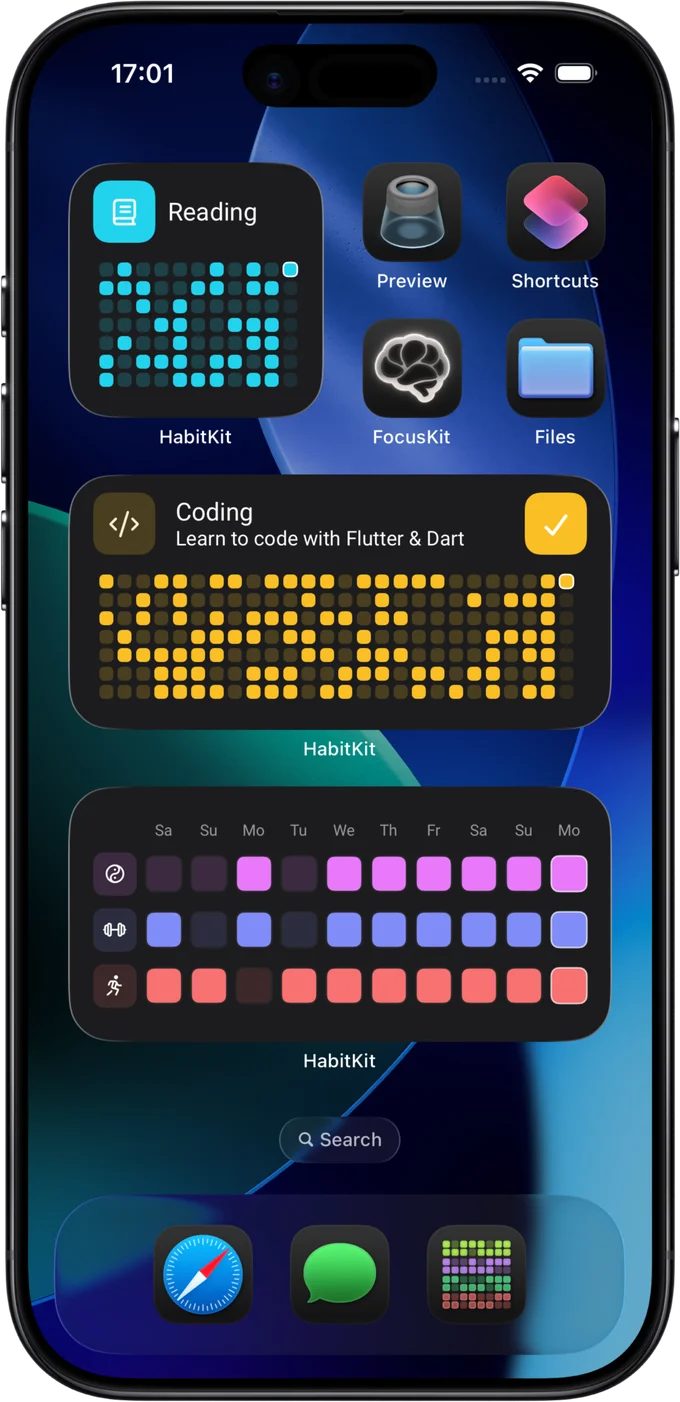
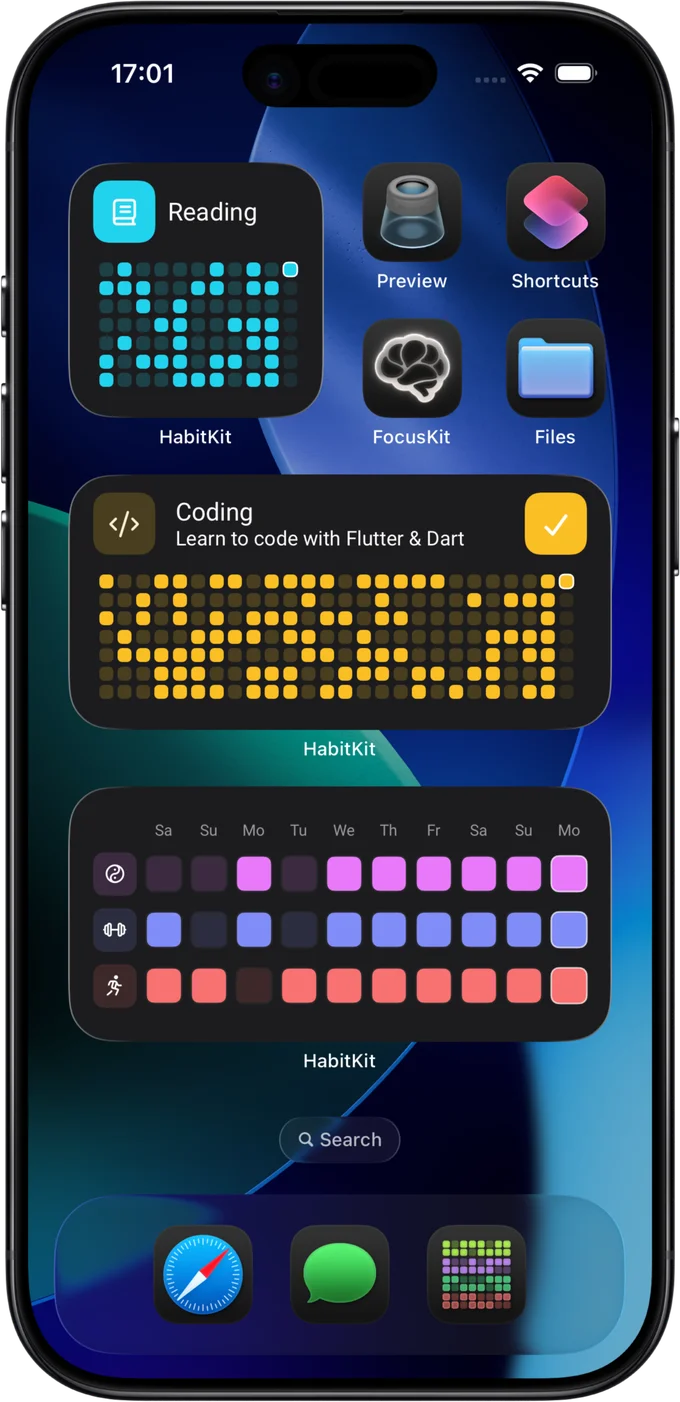
HabitKit is for people who like to see their progress. Every habit gets a grid of colored tiles, one per day, like a GitHub contribution chart, and watching a year fill in is a quiet, steady kind of motivation. It’s the work of one developer, and its paid version is one of the cheapest here.
It’s also forgiving about missed days. You can set a habit for chosen days, every few days, or a number of times per week or month, and days a habit isn’t due never break its streak. Weekly and monthly goals can count their streak in weeks or months, so one lazy Sunday doesn’t wipe out a good month. Habits can be yes or no, counted (glasses, pages), measured in your own units (km, liters), or something you’re quitting.
The gaps are on the Apple side. There’s no Apple Watch app and no Apple Health connection, so a workout won’t tick itself off unless you build a Shortcuts automation for it. Siri, Shortcuts, and a “Log habit” button for Control Center, the Lock Screen, and the Action button cover quick logging, but the Home Screen widgets, the nicest way to see your grids, need Pro.
The free version holds a few habits with streaks, the calendar, notes, reminders, and backups. Pro adds unlimited habits, widgets, and charts for $1.99 a month, $11.99 a year, or $29.99 once. There’s no account and your data stays on the phone, with a daily iCloud backup. That backup isn’t a live sync, though, so HabitKit doesn’t keep an iPad or a second phone up to date.
What it does
- A grid of days for every habit
- Chosen days, every few days, or weekly and monthly targets
- Counted, measured and quit habits
- Siri, Shortcuts and a Log habit button for the Lock Screen and Control Center
- Widgets, charts and unlimited habits with Pro
Pros
- Days a habit isn't due never break its streak
- Pro is cheap, with a lifetime option
- No account, with data kept on your phone
- Also on Android
Cons
- No Apple Watch app and no Apple Health connection
- Home Screen widgets need Pro
- No live sync between devices
- Skip if:
- You want workouts and steps to log themselves
Habitify
For tracking on Android, Windows or the web too
#3 3.6/5
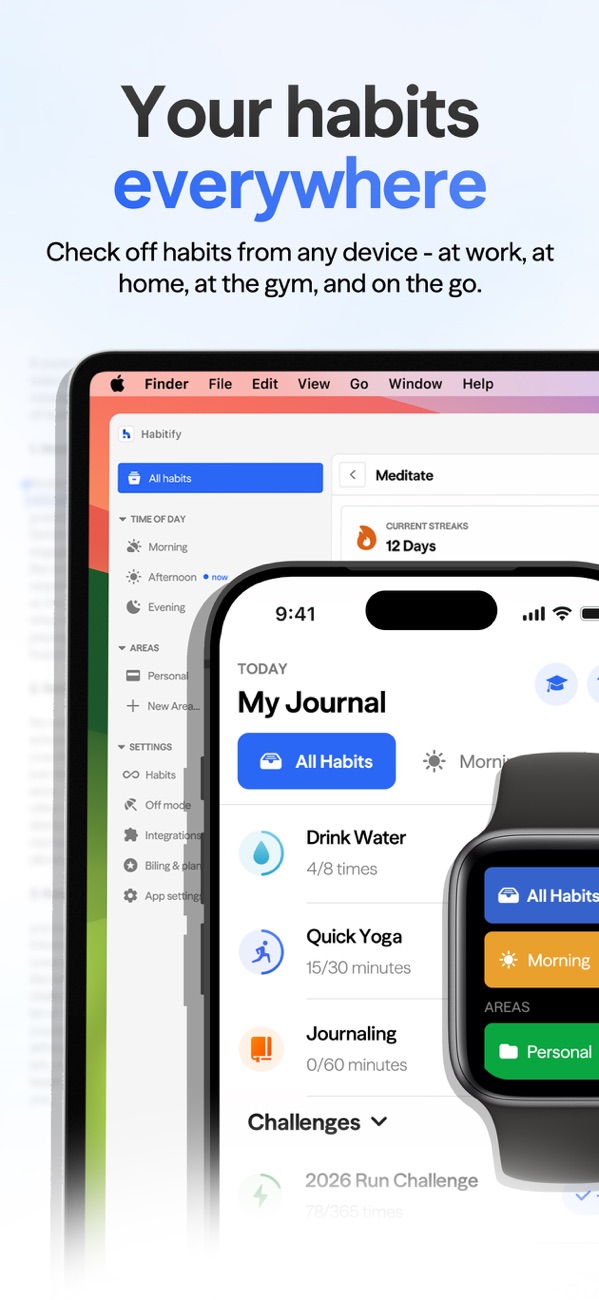
Habitify is the pick when your habits can’t live only on an iPhone. It runs on iPhone, iPad, Mac, and Apple Watch, plus Android, Wear OS, Windows, and the web, all syncing through Habitify’s servers. Neither Streaks nor HabitKit can follow you to a Windows PC or a browser.
It’s also the most organized tracker here. Habits sit in morning, afternoon, and evening groups or areas you create, goals can be yes or no, timed, or counted, and each day can be marked done, skipped, or missed. Notes come with a mood log, and the charts go further than most, down to which time of day you actually do things.
The price is where it loses people. The free plan holds three habits. Plus, at $29.99 a year, removes that cap, but Apple Health sync, the Off Mode that pauses habits while you’re sick or traveling, and the Zapier and API connections are all in Pro, at $49.99 a year or $119.99 once. Streaks gives you Apple Health for a one-time $5.99.
All that structure also takes upkeep. If you want three habits and a checkmark, Habitify gives you more app than you need.
What it does
- Apps for iPhone, iPad, Mac, Apple Watch, Android, Windows and the web
- Habits grouped by time of day or your own areas
- Done, skipped or missed for each day, plus a pause mode on Pro
- Apple Health, Fitbit and Strava auto-logging on Pro
- Completion charts, trends by time of day, notes and a mood log
Pros
- Syncs across Apple and non-Apple devices
- Detailed charts
- Timed and counted goals
Cons
- Free plan holds only three habits
- Apple Health and the pause mode need Pro at $49.99 a year
- More setup and upkeep than simpler apps
- Choose if:
- You switch between an iPhone and an Android phone, a Windows PC or a browser
Do Habits: Get It Done
Habits you repeat several times a day
#4 3.4/5
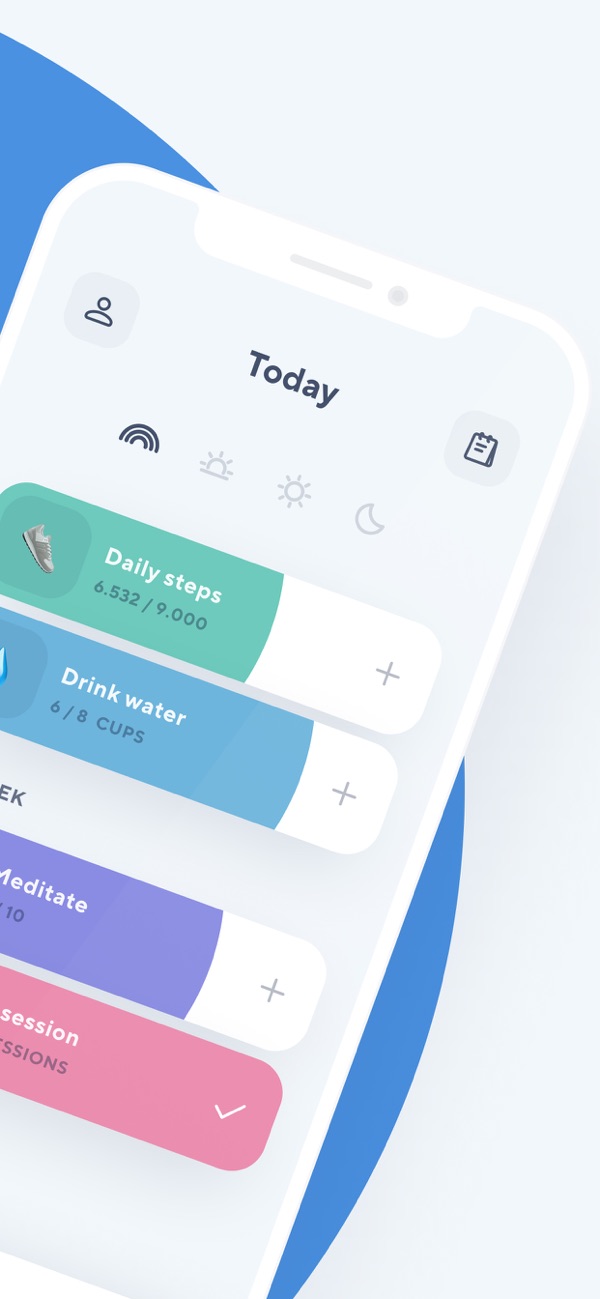
Do Habits, formerly called Done, is best at counting. A goal can be several times a day (drink water 8 times), and goals can be weekly, monthly, or yearly. Skip Days and Vacation Mode keep a streak alive through a rest day or a trip.
It covers the Apple basics: an Apple Watch app with complications, a Home Screen widget, Shortcuts and Siri, and a steps habit that can fill in from Apple Health, a much narrower link than Streaks has. A journal note per habit and CSV export round it out.
The weak spots are polish and a confusing price list. Its App Store rating is the lowest of the apps here, and the few reviews are mostly old. The free version holds three habits, and the US store lists Premium at several prices, from a $19.99 lifetime option to $59.99 a year.
What it does
- Goals several times a day, or per week, month or year
- Skip Days and Vacation Mode that protect streaks
- Apple Watch app, widget and Shortcuts
- A steps habit that fills in from Apple Health
- Journal notes and CSV export
Pros
- Good for habits you repeat through the day, like water or stretching
- Rest days and trips don't break streaks
Cons
- A much narrower Apple Health link than Streaks
- Free version holds three habits
- Lowest App Store rating of the apps here
(Not Boring) Habits
No streaks, no guilt, and a lot of polish
#5 3.3/5
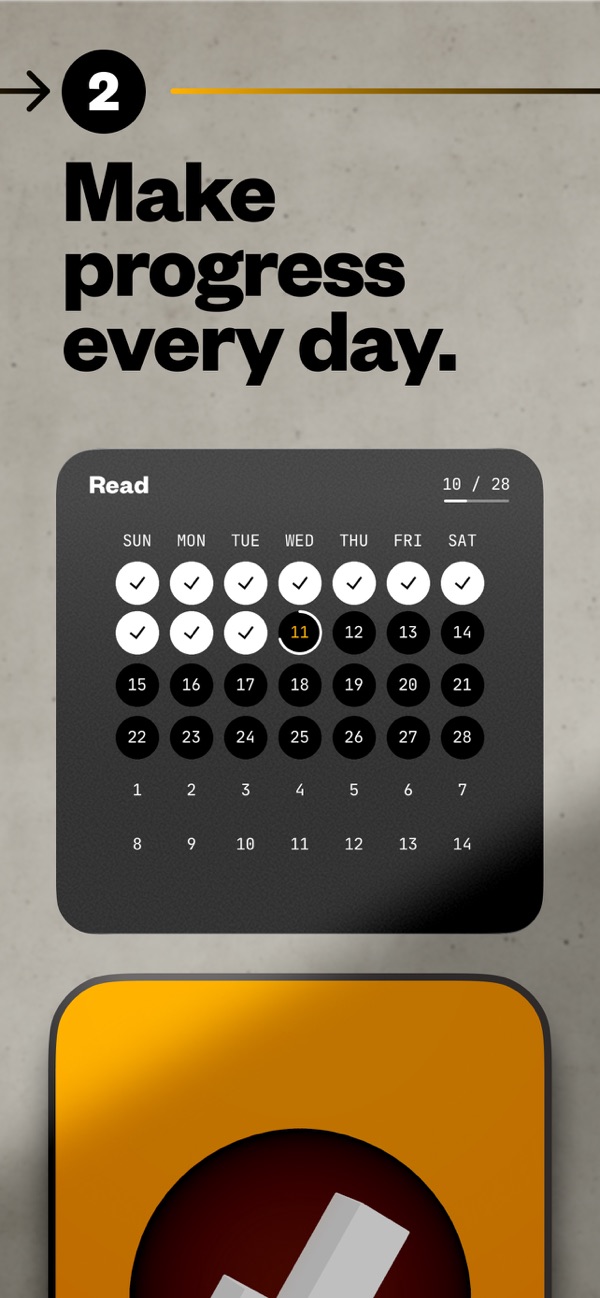
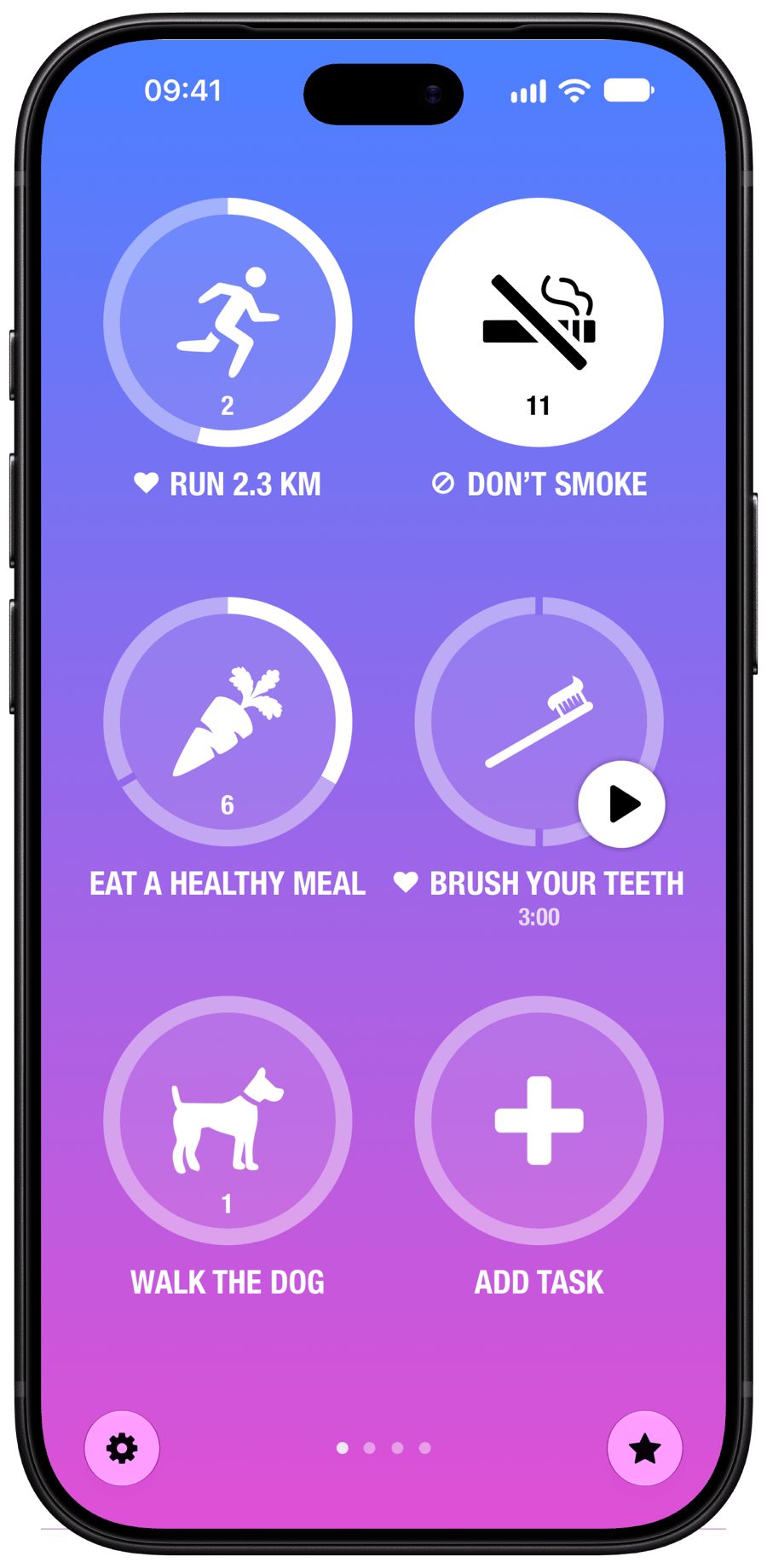
(Not Boring) Habits throws the streak out. Its idea is that a habit takes 60 repetitions to stick, and it doesn’t matter if you miss a day, only that you get to 60. Each check-in builds a 3D trophy, level by level, with haptics and sound. It comes from the studio behind the Apple Design Award-winning Not Boring apps, and it’s the best-looking app here.
It has grown into a real tracker, with several check-ins a day, daily number goals (10 of 30 minutes), habits to break, weekly to yearly recaps, and heatmap widgets. It’s still built around daily repetitions rather than weekly schedules, and there’s no Apple Watch app, so it suits a few habits you do most days more than a full routine.
It’s free, with Habits Plus at $14.99 a year or $59.99 once, or the Super membership that covers all of the studio’s apps. The App Store privacy label says the developer collects no data at all.
What it does
- 60 repetitions per habit instead of a streak
- 3D progression, haptics and sound for every check-in
- Several check-ins a day and daily number goals
- Weekly, monthly and yearly recaps, plus heatmap widgets
Pros
- A missed day costs nothing
- Beautifully made
- Developer's privacy label says no data is collected
- Lifetime Plus option
Cons
- No Apple Watch app
- Built for daily habits more than weekly schedules
- Choose if:
- A broken streak is the thing that makes you give up
Way of Life
Green, red or skip, with charts to match
#6 3.3/5
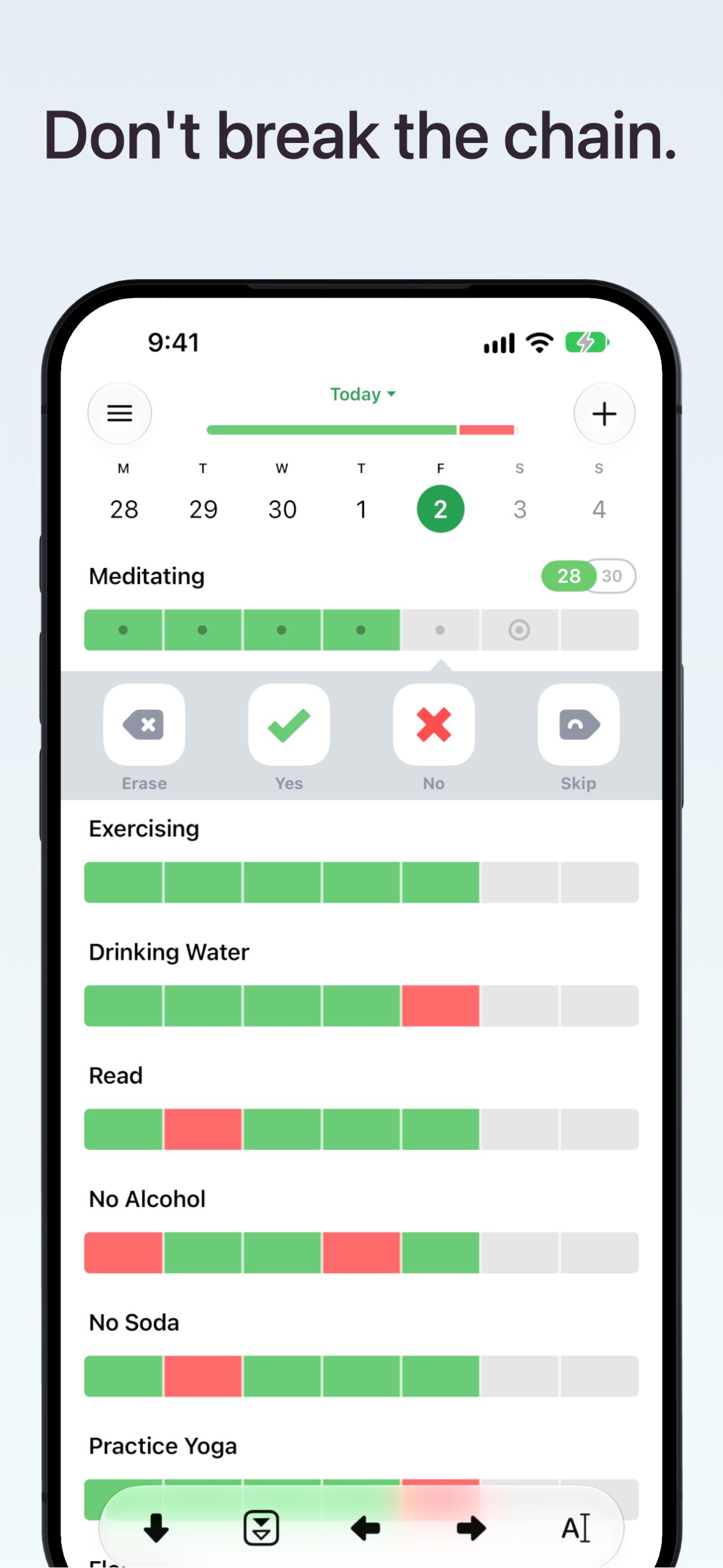
Way of Life has been around since 2010. Each day you mark a habit green (done), red (not done), or skip, which makes it the most candid app here about bad habits: you see exactly how many red days you had this month. The charts are the deepest on the list, with trend lines, pie charts, a chart of which weekdays you slip, a note on any entry, and export to CSV, Excel, or JSON.
It’s simple to the point of bare. There’s no Apple Watch app, no Apple Health link, and no iPad app, and it doesn’t sync between devices; you back it up to the cloud storage of your choice instead. There’s no account, and your data stays on the phone.
The free version caps how many habits you can track. Premium removes the cap, and the US store lists it at several prices between $4.99 and $29.99.
What it does
- Done, not done or skip for each habit each day
- Chains, a weekly and monthly scoreboard, and trend charts
- A note on any entry
- Export to CSV, Excel or JSON
Pros
- Fast to log a whole day
- Clear about bad days as well as good ones
- No account, with data kept on your phone
Cons
- No Apple Watch app or Apple Health link
- No sync between devices and no iPad app
Finch: Self-Care Pet
Gentle self-care with a virtual pet
#7 3.3/5
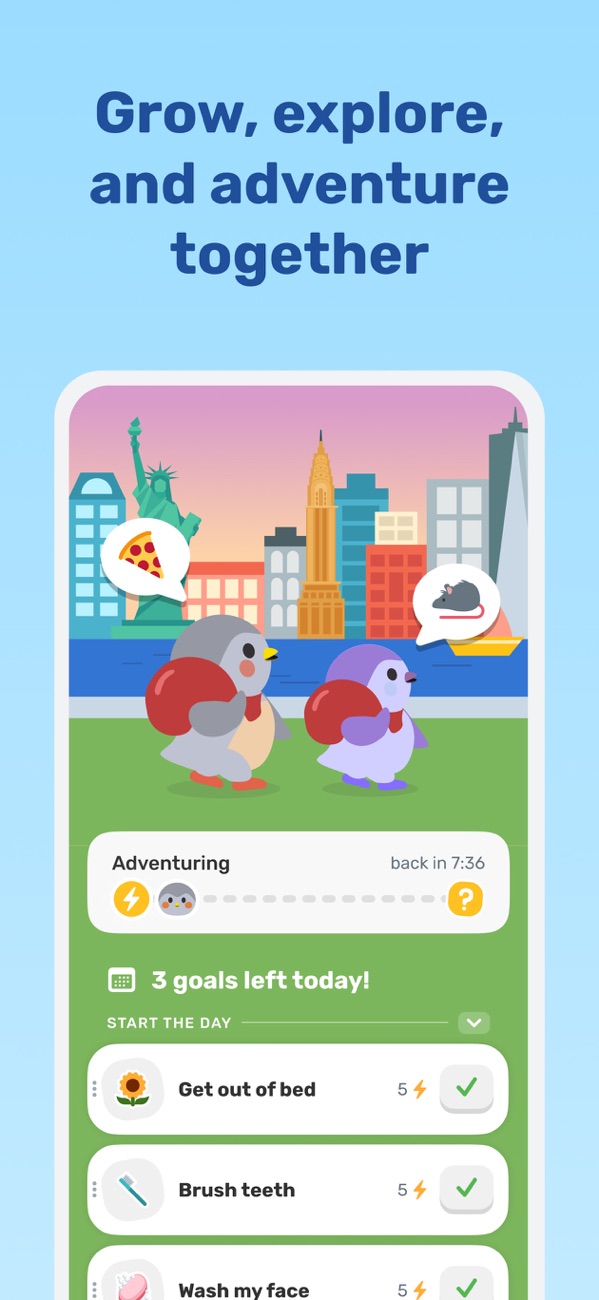
Finch is a self-care app with habit tracking tucked inside. You raise a small bird, and every goal you tick off, mood check-in, journal entry, or breathing exercise gives it energy for its adventures. It has hundreds of thousands of App Store ratings, more than every other app here combined, and it suits anyone dealing with anxiety or depression, because a missed goal costs you nothing. As one App Store reviewer put it, you don’t get “made to feel bad” for skipping one.
The goal list is free; Finch Plus adds more exercises, shop items, and journal prompts rather than tracking features. As a tracker it’s light. There’s no Apple Watch app, the stats are mostly mood trends, and a two-year user noticed that friends earned the bird’s rewards by ticking goals they hadn’t done. Its privacy label also lists your user ID and what you write as linked to you, which is worth weighing for an app that holds your moods and journal.
What it does
- A virtual bird that grows as you complete goals
- Goal list, mood check-ins and mood trends
- Guided journaling and breathing exercises
- Goals shared with friends
Pros
- Missed goals carry no penalty
- Goal tracking is free
- Gentle on bad days
Cons
- Light on habit stats and schedules
- No Apple Watch app
- Rewards are easy to earn without doing the goal
- Choose if:
- You want self-care and mood tracking as much as habit tracking
Productive - Habit Tracker
Routines planned by time of day
#8 2.6/5
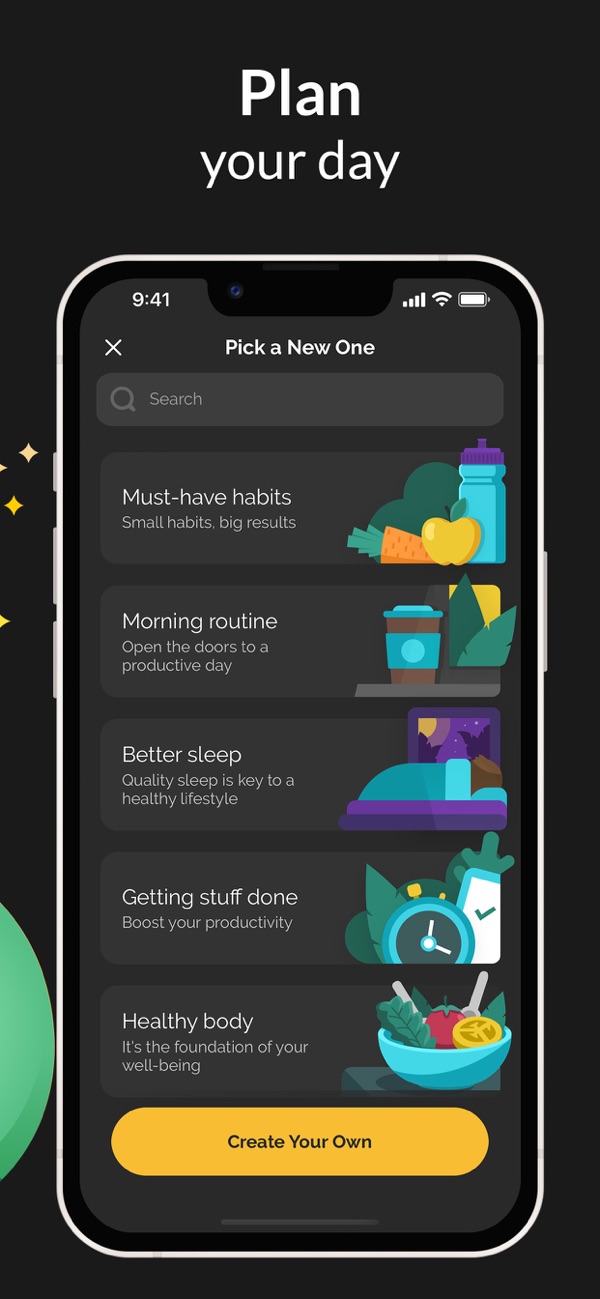
Productive sorts your habits into morning, afternoon, and evening, adds guided challenges and programs, and doesn’t count a habit as missed until the day is over. It has an Apple Watch app and widgets, and its design is simple.
It’s still the hardest app here to recommend. Premium runs $10.99 a month or up to $79.99 a year, the free version keeps pushing you to upgrade, and its privacy label that says purchases, contact info, and identifiers may be used to track you across other companies’ apps.
What it does
- Habits grouped by morning, afternoon and evening
- Guided challenges and programs
- Apple Watch app and widgets
- Location-based reminders on Premium
Pros
- Calm, simple day view
- A habit isn't marked missed until the day ends
Cons
- Up to $79.99 a year, with frequent upgrade prompts
- Privacy label allows tracking across other companies' apps
- The free version is capped and keeps pushing upgrades
Habitica
Turns habits into a role-playing game
#9 2.6/5
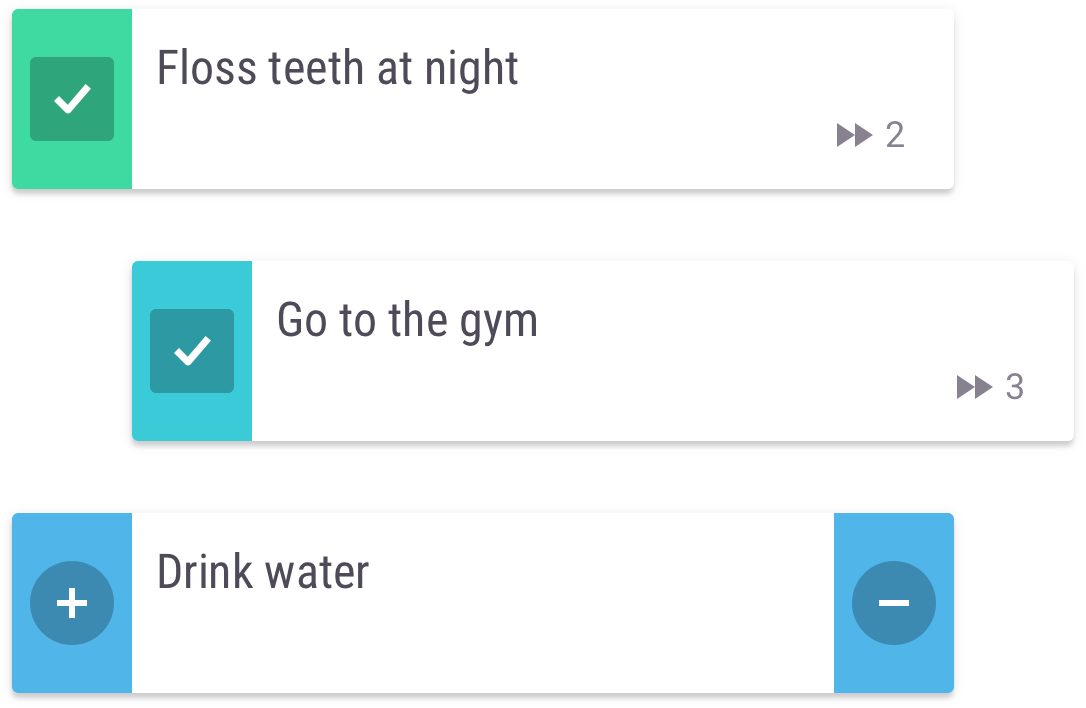
Habitica turns your habits and to-dos into a retro role-playing game. Checking things off earns gold and experience for your avatar, and missing a Daily costs health. Join a party with friends and missed Dailies hurt the whole group during quests, which is real accountability for some people and too much pressure for others. When you’re sick or away, resting in the Inn pauses the damage.
It’s free, and the $5-a-month subscription adds mostly cosmetic extras. The downsides are a steep learning curve, an account on Habitica’s servers, no Apple Health link, and little in the way of charts on the phone; full exports come from the website. It’s the right app for people who’d play a game anyway, and the wrong one for everyone who wants a quick checkmark.
What it does
- Habits, repeating Dailies and to-dos in one app
- Gold, experience, gear and pets for checking things off
- Parties and quests with friends
- Web, iPhone and Android with sync
Pros
- Free, with no habit limit
- Friends add real accountability
Cons
- Missing a Daily costs health, the opposite of forgiving
- Steep learning curve
- Needs an account on Habitica's servers
- Choose if:
- You'd keep a habit for an avatar more than for a checkmark
Do you need an app at all?
Before paying, it’s fair to ask whether Apple’s own apps are enough. Two get close:
- Reminders handles the schedule. Repeating reminders can run daily, on chosen weekdays, every few days, or monthly, and you can tick them off from a widget or your Watch. But a finished repeating reminder just rolls to its next date. There’s no streak, no chart, and no way to see how often you actually did it, and that record is what a habit tracker adds.
- The Fitness app already tracks three habits if you wear an Apple Watch: move, exercise, and stand, with awards for streaks of closing your rings. If moving more is your only goal, it may be all you need.
For anything else, from reading to quitting a habit, a dedicated tracker is worth the few dollars.
1–5 per criterion · select a score for its reasoning and any sources
| # | Product | Overall | Pleasant and motivating every day , counts double | Quick logging | Flexible schedules and forgiveness | Apple Health auto-tracking | Cost for the full app | Stats and history | Privacy |
|---|---|---|---|---|---|---|---|---|---|
| 1 | Streaks | 5.0 | 5 | 5 | 5 | 5 | 5 | 5 | 5 |
| 2 | HabitKit | 3.8 | 4 | 3 | 5 | 2 | 4 | 4 | 4 |
| 3 | Habitify | 3.6 | 4 | 4 | 4 | 4 | 2 | 4 | 3 |
| 4 | Do Habits: Get It Done | 3.4* | 3 | 4 | 4 | 3 | unknown | 4 | 3 |
| 5 | (Not Boring) Habits | 3.3 | 4 | 2 | 3 | 1 | 4 | 3 | 5 |
| 6 | Way of Life | 3.3* | 4 | 2 | 3 | 1 | unknown | 5 | 4 |
| 7 | Finch: Self-Care Pet | 3.3* | 4 | 2 | 3 | unknown | 5 | 3 | 2 |
| 8 | Productive - Habit Tracker | 2.6* | 3 | 4 | 3 | unknown | 1 | 3 | 1 |
| 9 | Habitica | 2.6 | 3 | 2 | 3 | 1 | 5 | 2 | 2 |
Equal displayed overall scores are ordered by the earlier criteria; a known score comes before an unknown score. Identical scores use alphabetical order.
×2 = counts double in the overall score, ×½ = counts half.
? = unknown. * = the overall score averages only the known criteria.
How each criterion is scored
Pleasant and motivating every day
Counts double in the overall score: A habit tracker only works while you keep opening it, and whether it feels good to use day after day is the reason people give for sticking with one app or dropping it.
How good the app is to come back to every day for months: how clear and attractive it is, how quickly a newcomer gets going, and whether its way of motivating you (streaks, a pet, a game, progress grids, or gentle no-penalty feedback) keeps people using it rather than nagging, confusing or guilt-tripping them. Judged from what reviewers and long-time users agree on, App Store ratings and how many people give them, awards, and how the app works.
- 5 Among the best-loved and best-designed habit apps on iPhone, praised widely by reviewers and long-time users
- 4 Well liked and well designed, with minor or narrow complaints
- 3 Pleasant enough, with clear drawbacks users mention, such as a busy layout, heavy upgrade prompts or a style many people find too much
- 2 Works, but rough, dated or confusing, with frequent complaints or a middling rating
- 1 Not built for habits, with no streaks, progress or feedback to keep you going
Quick logging
How fast you can mark a habit done without opening the app: interactive Home Screen and Lock Screen widgets, an Apple Watch app with complications, notification actions, Siri and Shortcuts, Control Center or the Action button.
- 5 Interactive Home Screen and Lock Screen widgets, an Apple Watch app with complications, and Shortcuts
- 4 Both an Apple Watch app and widgets, with gaps such as no Lock Screen widget or widgets that can't check off
- 3 Check off from either interactive widgets or an Apple Watch app, but not both
- 2 Widgets that show progress or open the app, and perhaps Siri or Shortcuts, but no way to check off from the Home Screen or Watch
- 1 Only by opening the app
Flexible schedules and forgiveness
How well habit goals fit a real week: specific days, "3 times a week" or monthly targets, skip or rest days and pauses that don't wipe out your progress, counted or timed goals (8 glasses, 20 minutes), and habits you're trying to break.
- 5 Chosen days and weekly or monthly targets, skips or pauses that keep progress, counted and timed goals, and habits to break
- 4 Most of the toolkit, missing one piece such as a way to skip a day without losing a streak
- 3 Chosen days plus one or two of weekly targets, skips or pauses that keep progress, counted goals, or habits to break
- 2 Daily or chosen days, with little else
- 1 Daily check-offs only
Apple Health auto-tracking
Whether data your iPhone or Apple Watch already records in Apple Health (steps, workouts, sleep, mindful minutes, water and so on) can complete a habit for you, so you don't log it twice. Counts what the plan scored under cost includes.
- 5 Dozens of Health data types complete habits automatically
- 4 The main kinds (steps, workouts, sleep, mindful minutes), but on a paid tier or with a short list
- 3 One or two kinds of Health data, such as steps
- 2 Only through Shortcuts automations you build yourself
- 1 No connection to Apple Health
Cost for the full app
What you pay a year for unlimited habits and the features scored in the other criteria, using the regular US App Store price. A one-time purchase is compared by its price; a free app counts as free when its free version has unlimited habits and the tracking features.
- 5 Free with unlimited habits, or a one-time price under $10
- 4 Under $15 a year, or a one-time price of $10 to $35
- 3 $15 to $35 a year, or a one-time price of $35 to $70
- 2 $35 to $60 a year, or a one-time price over $70
- 1 More than $60 a year
Stats and history
What the app shows you about your past: calendars and grids, completion rates, charts and trends, notes on each entry, and whether you can export your data.
- 5 Detailed charts and trends, notes on entries, and export to a spreadsheet file
- 4 Completion rates, charts and history, with notes or export
- 3 Calendar or grid history plus some charts, but little detail or no export
- 2 A streak count or simple history, with no real charts
- 1 No history beyond today's list
Privacy
Where your habit data lives and what the developer collects: whether you need an account, whether data stays on your device or in your own iCloud rather than the developer's servers, and what the App Store privacy label says is collected, linked to you or used for tracking.
- 5 No account, data on your device or in your iCloud, and almost nothing collected
- 4 No account, data on your device or your own cloud, with some analytics collected
- 3 An account or the developer's cloud, but little linked to you and no tracking
- 2 An account on the developer's servers, with data linked to your identity
- 1 Data used to track you across other companies' apps or for advertising
How to choose
- You have an Apple Watch and want things to log themselves: Streaks. Nothing else here reads Apple Health as well, and it’s a one-time purchase.
- You won’t pay: HabitKit’s free version for a few habits. If you want unlimited habits for free, Finch and Habitica don’t cap them, as long as you like a pet or a game.
- You hate subscriptions: Streaks, or HabitKit’s lifetime Pro if you want its grids. (Not Boring) Habits also sells a lifetime Plus.
- You also use Android, Windows, or a browser: Habitify, and budget for Pro if you want Apple Health.
- A broken streak makes you quit: (Not Boring) Habits or Finch. HabitKit with weekly goals is a gentler middle ground.
- You want the data: Way of Life for charts and exports on one phone, Habitify for charts across devices.
- You want a game: Habitica.
The verdict
Streaks wins for most iPhone owners because it removes the two things that kill habit apps: the effort of logging and the cost of keeping it. Your Watch fills in workouts, steps, and sleep, the widgets handle the rest, and $5.99 is the whole bill. Its one real flaw is the streak itself. Set habits for the days you’ll actually do them, and that flaw mostly disappears.
HabitKit is the better choice if you’d rather start free, prefer a grid to a counter, or want weekly goals that shrug off a lazy day, as long as you can live without the Watch and Apple Health. Habitify costs much more, but it’s the one to pick when your habits need to follow you onto Android, Windows, or the web.
If streaks have made you quit before, don’t fight it. (Not Boring) Habits and Finch drop the counter, and given that one missed day barely matters to building a habit, that’s a reasonable trade for most people.
Frequently asked questions
Will my habits move to a new iPhone?
With most of these apps, yes. Streaks syncs through your own iCloud, and HabitKit backs up to iCloud once a day and finds that backup when you set up a new phone. Habitify and Habitica keep your habits on their servers, so signing in brings them back. Way of Life backs up to the cloud storage you choose and also exports to CSV, Excel, or JSON.
Can I use the same habit tracker on iPhone and Android?
Habitify is the easiest, since it syncs across iPhone, Android, Windows, and the web, and Habitica syncs through its servers too. HabitKit and Way of Life have Android apps, but they don’t sync live with your iPhone, and HabitKit’s Pro purchase doesn’t move between the two stores automatically. Streaks is Apple-only.