Google Tasks
Free to-do list app from Google that syncs with Gmail and Google Calendar
Our verdict
#5 of 8 in Free to-do list apps · Simplest choice for Gmail and Google Calendar users
What it does
- Tasks inside Gmail and Google Calendar
- Turn an email into a task that links back to it
- Dated tasks on your Google Calendar, with a start time and length on a computer
Pros
- Nothing to learn and no limits a person reaches
- Tasks beside your meetings on Google Calendar
Cons
- No list sharing with other personal accounts
- No tags or saved filters
- Tasks with subtasks can't repeat
- Choose if:
- Your day already runs through Gmail and Google Calendar
- Skip if:
- You need to share lists with a partner
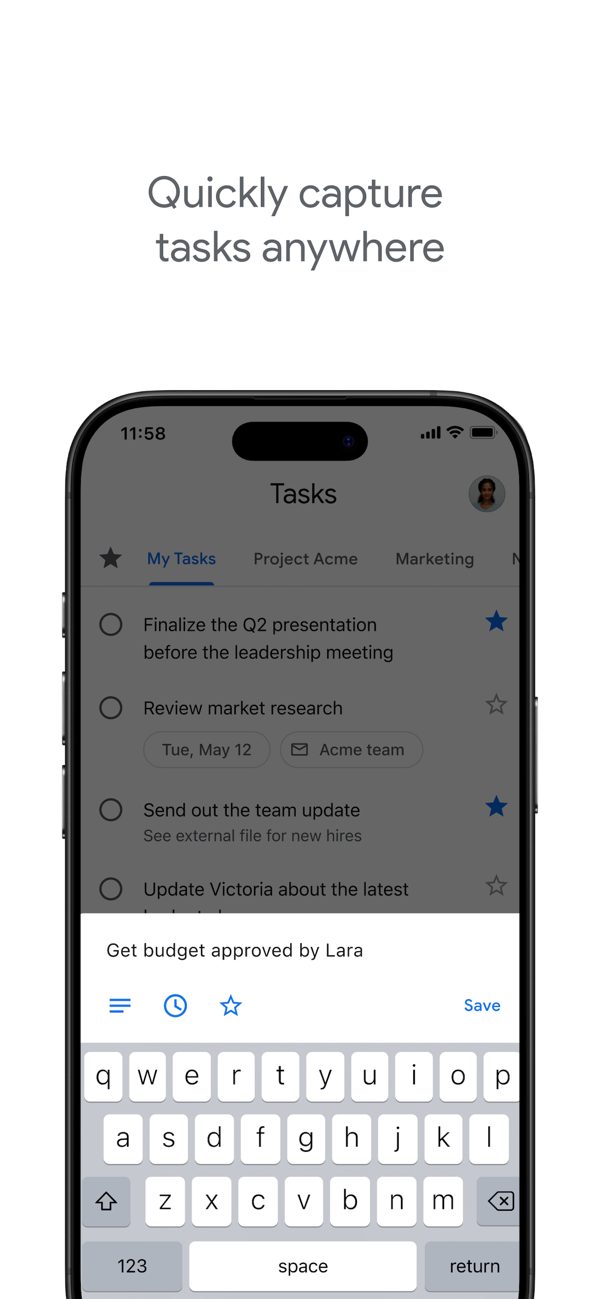
Google Tasks is a free to-do list app from Google. It holds task lists with due dates, details, subtasks and drag-and-drop ordering, and tasks also appear in the side panels of Gmail and Google Calendar on the web. Tasks can be created from emails in Gmail, and Google Workspace accounts can assign tasks in Chat spaces and Docs. The iPhone app (iOS 17 or later) also runs on iPad and needs a Google account. It is a proprietary service from Google with no paid plan.
What users say
Evidence ↓Reviewers and App Store users agree that Tasks is simple, free and syncs well with Gmail and Calendar, and the US App Store shows 4.8 out of 5 from 108K ratings. The criticism is also consistent across a 2026 Android Authority writer, a 2023 Expert Reviews review and App Store reviewers. The app lacks location reminders, sharing, filtering and a today view, and App Store users miss list reordering and subtasks on recurring tasks. These are individual reviewers, not a sampled measure.
Rankings and alternatives
- Free to-do list apps #5 of 8 Simplest choice for Gmail and Google Calendar users
- Todoist #1 Fastest capture and best free sharing
- TickTick #2 Most features on a free plan
- Microsoft To Do #3 Free with no limits or upgrade prompts
- To-do list apps for iPhone #10 of 10 Simple tasks inside Gmail and Google Calendar
- Apple Reminders #3 Free and already on your iPhone
- Things 3 #5 The most polished app, bought once
- Any.do #6 Daily planning with WhatsApp reminders

Free to-do list apps scores
Evaluated Nov 17, 2026 Evidence ↓- Pleasant and quick to use · counts double 4
4/5 means: Clean and easy to pick up, with minor complaints such as busy screens or upgrade prompts
Reviewers and App Store users (4.8 from 108K ratings) praise its simplicity and speed; it is clean but bare, and users miss list reordering and a today view.
- Same tasks on every device, free · counts double 4
4/5 means: Apps for both iPhone and Android plus a full web version, but no Windows or Mac apps
Android and iPhone apps plus a full web version (tasks.google.com, Gmail and Calendar panels) where tasks can be added, edited and completed; no Windows or Mac app.
- Reminders and repeating tasks, free 3
3/5 means: Time alerts and flexible repeats, but no location alerts and nothing that rings until you act
Notifications at a set time on phone and web, and repeats by day, week, month or year with end options, but no location alerts and no repeat counted from completion; tasks with subtasks can't repeat. Google says nudges keep prompting until done, which is a vendor claim.
- What the free plan holds back 5
5/5 means: Everything is free, with no caps a person hits, no ads and no upgrade prompts
Entirely free with no paid tier; caps of 100,000 tasks and 20,000 open tasks per list are not reached by normal use. No ads or upgrade prompts found, though absence of ads was not explicitly confirmed.
- Fast capture 3
3/5 means: Several shortcuts (widgets, voice, sharing), but dates are picked by hand
Add to Tasks from Gmail, Shift+T, Assistant voice reminders saved as tasks, and home screen widgets (one list at a time), but dates are picked by hand; no typed natural-language dates found.
- Organizing lots of tasks 3
3/5 means: Lists with subtasks, plus a few of tags, sections, groups or built-in smart lists
Multiple lists, one level of subtasks, stars, drag ordering and a deadline field, but no tags, no saved filters and no sections or folders.
- Planning your day and week 4
4/5 means: Today and upcoming views plus tasks on a calendar or your events beside them, but no time blocking
Tasks with dates appear in Google Calendar beside events, but there is no Today or upcoming view in the app itself. Tasks can also be given a time and planned duration in Calendar, which is close to time blocking; scored 4 because the Tasks app itself lacks dated views and block scheduling is done in Calendar.
- Sharing lists for free · counts half 1
1/5 means: No shared lists on the free plan
No list sharing for personal accounts; assigning is limited to Chat spaces, and Docs assignment needs Workspace. Chat space tasks for personal accounts are unconfirmed.
iPhone to-do list apps scores
Evaluated Nov 17, 2026 Evidence ↓- Pleasant and quick to use · counts double 3
3/5 means: Easy enough, but bare, dated or pushy, with clear rough edges reviewers and users mention
Reviewers and App Store users agree it is simple and easy (4.8 from 108K US ratings), but reviewers also call it very basic, with no Today view inside the app, and users complain about list reordering and recurring-task glitches. Easy but bare is the scale's middle level.
- Fast capture 2
2/5 means: Manual entry plus one or two shortcuts, with no typed dates
Typed dates are not supported, so dates are picked by hand. Gmail email-to-task is a real shortcut. Widgets, Siri and Shortcuts are not documented in the pages read, and no Apple Watch app is known; the score rests partly on general knowledge.
- Reminders that get your attention 2
2/5 means: Time alerts with simple daily, weekly or monthly repeats
Due-date and time notifications with simple repeating tasks. There are no location reminders and nothing that repeats until you act; recurring tasks cannot combine with subtasks. Exactly how flexible the repeats are rests on general knowledge.
- Organizing lots of tasks 2
2/5 means: Lists and subtasks, with little else
Multiple lists, subtasks, details and stars. There are no tags, filters or separate start dates, and lists cannot be reordered.
- Planning your day and week 4
4/5 means: Today and upcoming views with calendar events beside tasks, or tasks shown on a calendar, but no time blocking
Tasks with dates and times show on Google Calendar beside events, but there is no time blocking and no today view in the Tasks app itself.
- Devices it works on 4
4/5 means: Apple devices plus a web version or Windows or Android apps with clear gaps, or broad coverage missing a Mac or Watch app
iPhone, iPad, Android and the web through Gmail and Calendar. There is no Mac, Windows or Apple Watch app that the pages mention.
- Cost over three years 5
5/5 means: Free, with nothing held back
Free with a Google account and no paid plan found.
- Sharing lists with others · counts half 1
1/5 means: No shared lists
Personal accounts cannot share tasks or lists. Assigning tasks in Chat spaces and Docs needs Workspace accounts, which is outside this personal setup.
Pricing
- Free Free Free with a Google account. The App Store lists the price as Free. Workspace work or school accounts are controlled by an administrator.
Prices checked Nov 17, 2026.
Evidence and sources
What users say
Summary 5 quotes
-
Requires iOS 17.0 or later.
apps.apple.com/us/app/google-tasks-get-things-done/id1353634006 · checked -
Create a task directly from an email • View your tasks in the side panel of Gmail • Trace a task back to its source email Stay on track with due dates and notifications • Set a due date for every task to help you achieve your goals • Organize your tasks by date or prioritize using drag-and-drop • Receive due date notification reminders to keep your tasks on track
apps.apple.com/us/app/google-tasks-get-things-done/id1353634006 · checked -
One of the most frustrating for me is the lack of sharing. I recently wanted to share a weekend to-do list with my partner, only to realize that Google Tasks doesn’t allow this. You can’t share individual tasks, task lists, or anything in the app — it’s all restricted to your specific Google account.
Android Authority writer, reviewer who has used Google Tasks daily for a couple of years · androidauthority.com/google-tasks-bad-to-do-list-app-still-use-why-3712518 · published · checked -
For what it’s worth, I do like the simplistic nature of Google Tasks. To-do list apps that are overly complicated just don’t work for my brain, so the simpler the better. And this is a big part of why Tasks is a good fit for me. I can organize my tasks into different sections, set reminders for specific times, add extra details, and create sub-tasks if needed.
Android Authority writer, reviewer who has used Google Tasks daily for a couple of years · androidauthority.com/google-tasks-bad-to-do-list-app-still-use-why-3712518 · published · checked -
Still, for an easy-to-use list app that integrates with all your devices and syncs between them, Google Tasks can’t be beaten.
expertreviews.co.uk/technology/software-services/google-tasks-review · published · checked
Free to-do list apps scores
Pleasant and quick to use 4 quotes
-
Requires iOS 17.0 or later.
apps.apple.com/us/app/google-tasks-get-things-done/id1353634006 · checked -
For what it’s worth, I do like the simplistic nature of Google Tasks. To-do list apps that are overly complicated just don’t work for my brain, so the simpler the better. And this is a big part of why Tasks is a good fit for me. I can organize my tasks into different sections, set reminders for specific times, add extra details, and create sub-tasks if needed.
Android Authority writer, reviewer who has used Google Tasks daily for a couple of years · androidauthority.com/google-tasks-bad-to-do-list-app-still-use-why-3712518 · published · checked -
Still, for an easy-to-use list app that integrates with all your devices and syncs between them, Google Tasks can’t be beaten.
expertreviews.co.uk/technology/software-services/google-tasks-review · published · checked -
The only thing that I dislike is that you can’t rearrange the actual list order. Unfortunately, once the lists are made, they are static.
apps.apple.com/us/app/google-tasks-get-things-done/id1353634006 · checked
Same tasks on every device, free 4 quotes
-
Requires iOS 17.0 or later.
apps.apple.com/us/app/google-tasks-get-things-done/id1353634006 · checked -
From your computer, you can access Tasks in Calendar in your browser.
support.google.com/tasks/answer/7675772 · checked -
You can access Google Tasks in a few different ways. You can visit tasks.google.com in your web browser, or quickly access it in the side panel of Workspace apps like Gmail, Calendar, Chat and Drive.
workspace.google.com/intl/en_GB/products/tasks · checked -
No. On a computer you use Google Tasks in the browser, at tasks.google.com, in Google Calendar, or from the side panel in Gmail, Chat, Drive, and Docs. The standalone apps exist only for Android and iOS.
2sync.com/blog/google-tasks-complete-guide · published · checked
Reminders and repeating tasks, free 5 quotes
-
One of the most frustrating for me is the lack of sharing. I recently wanted to share a weekend to-do list with my partner, only to realize that Google Tasks doesn’t allow this. You can’t share individual tasks, task lists, or anything in the app — it’s all restricted to your specific Google account.
Android Authority writer, reviewer who has used Google Tasks daily for a couple of years · androidauthority.com/google-tasks-bad-to-do-list-app-still-use-why-3712518 · published · checked -
Under “Repeats every,” select day, week, month, or year.
support.google.com/tasks/answer/12132599 · checked -
Shared tasks and subtasks can’t be set to repeat.
support.google.com/tasks/answer/12132599 · checked -
Tasks with subtasks can't repeat.
support.google.com/tasks/answer/7675838 · checked -
If you add a date and time to your task, you get notifications at the scheduled date and time. Tasks with a date also appear in the Calendar app. For tasks without a time, notifications appear at 9 AM.
support.google.com/tasks/answer/7675838 · checked
What the free plan holds back 1 quote
-
Across all your lists, you can create up to 100,000 tasks. For any list, you can create up to 20,000 uncompleted tasks.
support.google.com/tasks/answer/7675838 · checked
Fast capture 3 quotes
-
Create a task directly from an email • View your tasks in the side panel of Gmail • Trace a task back to its source email Stay on track with due dates and notifications • Set a due date for every task to help you achieve your goals • Organize your tasks by date or prioritize using drag-and-drop • Receive due date notification reminders to keep your tasks on track
apps.apple.com/us/app/google-tasks-get-things-done/id1353634006 · checked -
You can star a task, and a list sorts by My order, Date, Deadline, Starred recently, or Title, but none of those is a priority level.
2sync.com/blog/google-tasks-complete-guide · published · checked -
Google no longer keeps them apart. Calendar and Assistant reminders moved into Google Tasks in 2023, and Google Keep reminders followed in the second half of 2025, so a reminder you set now is saved as a task and shows on your Calendar grid.
2sync.com/blog/google-tasks-complete-guide · published · checked
Organizing lots of tasks 1 quote
-
You can star a task, and a list sorts by My order, Date, Deadline, Starred recently, or Title, but none of those is a priority level.
2sync.com/blog/google-tasks-complete-guide · published · checked
Planning your day and week 3 quotes
-
One of the most frustrating for me is the lack of sharing. I recently wanted to share a weekend to-do list with my partner, only to realize that Google Tasks doesn’t allow this. You can’t share individual tasks, task lists, or anything in the app — it’s all restricted to your specific Google account.
Android Authority writer, reviewer who has used Google Tasks daily for a couple of years · androidauthority.com/google-tasks-bad-to-do-list-app-still-use-why-3712518 · published · checked -
You can access Google Tasks in a few different ways. You can visit tasks.google.com in your web browser, or quickly access it in the side panel of Workspace apps like Gmail, Calendar, Chat and Drive.
workspace.google.com/intl/en_GB/products/tasks · checked -
Tasks with a date also appear on your calendar.
support.google.com/tasks/answer/7675838 · checked
Sharing lists for free 4 quotes
-
One of the most frustrating for me is the lack of sharing. I recently wanted to share a weekend to-do list with my partner, only to realize that Google Tasks doesn’t allow this. You can’t share individual tasks, task lists, or anything in the app — it’s all restricted to your specific Google account.
Android Authority writer, reviewer who has used Google Tasks daily for a couple of years · androidauthority.com/google-tasks-bad-to-do-list-app-still-use-why-3712518 · published · checked -
In Chat, create a task based on a direct message or create and assign group tasks in a space.
support.google.com/tasks/answer/7675772 · checked -
Important: You can only add tasks from Google Docs if you have an eligible Google Workspace plan.
support.google.com/tasks/answer/7675838 · checked -
You can star a task, and a list sorts by My order, Date, Deadline, Starred recently, or Title, but none of those is a priority level.
2sync.com/blog/google-tasks-complete-guide · published · checked
iPhone to-do list apps scores
Pleasant and quick to use 5 quotes
-
Requires iOS 17.0 or later.
apps.apple.com/us/app/google-tasks-get-things-done/id1353634006 · checked -
For what it’s worth, I do like the simplistic nature of Google Tasks. To-do list apps that are overly complicated just don’t work for my brain, so the simpler the better. And this is a big part of why Tasks is a good fit for me. I can organize my tasks into different sections, set reminders for specific times, add extra details, and create sub-tasks if needed.
Android Authority writer, reviewer who has used Google Tasks daily for a couple of years · androidauthority.com/google-tasks-bad-to-do-list-app-still-use-why-3712518 · published · checked -
Still, for an easy-to-use list app that integrates with all your devices and syncs between them, Google Tasks can’t be beaten.
expertreviews.co.uk/technology/software-services/google-tasks-review · published · checked -
The only thing that I dislike is that you can’t rearrange the actual list order. Unfortunately, once the lists are made, they are static.
apps.apple.com/us/app/google-tasks-get-things-done/id1353634006 · checked -
Like everything but can’t create subtasks and repeat a task at same time
tmclifton95$, App Store reviewer · apps.apple.com/us/app/google-tasks-get-things-done/id1353634006 · published · checked
Fast capture 2 quotes
-
Create a task directly from an email • View your tasks in the side panel of Gmail • Trace a task back to its source email Stay on track with due dates and notifications • Set a due date for every task to help you achieve your goals • Organize your tasks by date or prioritize using drag-and-drop • Receive due date notification reminders to keep your tasks on track
apps.apple.com/us/app/google-tasks-get-things-done/id1353634006 · checked -
One of the most frustrating for me is the lack of sharing. I recently wanted to share a weekend to-do list with my partner, only to realize that Google Tasks doesn’t allow this. You can’t share individual tasks, task lists, or anything in the app — it’s all restricted to your specific Google account.
Android Authority writer, reviewer who has used Google Tasks daily for a couple of years · androidauthority.com/google-tasks-bad-to-do-list-app-still-use-why-3712518 · published · checked
Reminders that get your attention 4 quotes
-
Create a task directly from an email • View your tasks in the side panel of Gmail • Trace a task back to its source email Stay on track with due dates and notifications • Set a due date for every task to help you achieve your goals • Organize your tasks by date or prioritize using drag-and-drop • Receive due date notification reminders to keep your tasks on track
apps.apple.com/us/app/google-tasks-get-things-done/id1353634006 · checked -
One of the most frustrating for me is the lack of sharing. I recently wanted to share a weekend to-do list with my partner, only to realize that Google Tasks doesn’t allow this. You can’t share individual tasks, task lists, or anything in the app — it’s all restricted to your specific Google account.
Android Authority writer, reviewer who has used Google Tasks daily for a couple of years · androidauthority.com/google-tasks-bad-to-do-list-app-still-use-why-3712518 · published · checked -
For what it’s worth, I do like the simplistic nature of Google Tasks. To-do list apps that are overly complicated just don’t work for my brain, so the simpler the better. And this is a big part of why Tasks is a good fit for me. I can organize my tasks into different sections, set reminders for specific times, add extra details, and create sub-tasks if needed.
Android Authority writer, reviewer who has used Google Tasks daily for a couple of years · androidauthority.com/google-tasks-bad-to-do-list-app-still-use-why-3712518 · published · checked -
Like everything but can’t create subtasks and repeat a task at same time
tmclifton95$, App Store reviewer · apps.apple.com/us/app/google-tasks-get-things-done/id1353634006 · published · checked
Organizing lots of tasks 3 quotes
-
Create a task directly from an email • View your tasks in the side panel of Gmail • Trace a task back to its source email Stay on track with due dates and notifications • Set a due date for every task to help you achieve your goals • Organize your tasks by date or prioritize using drag-and-drop • Receive due date notification reminders to keep your tasks on track
apps.apple.com/us/app/google-tasks-get-things-done/id1353634006 · checked -
One of the most frustrating for me is the lack of sharing. I recently wanted to share a weekend to-do list with my partner, only to realize that Google Tasks doesn’t allow this. You can’t share individual tasks, task lists, or anything in the app — it’s all restricted to your specific Google account.
Android Authority writer, reviewer who has used Google Tasks daily for a couple of years · androidauthority.com/google-tasks-bad-to-do-list-app-still-use-why-3712518 · published · checked -
The only thing that I dislike is that you can’t rearrange the actual list order. Unfortunately, once the lists are made, they are static.
apps.apple.com/us/app/google-tasks-get-things-done/id1353634006 · checked
Planning your day and week 2 quotes
-
One of the most frustrating for me is the lack of sharing. I recently wanted to share a weekend to-do list with my partner, only to realize that Google Tasks doesn’t allow this. You can’t share individual tasks, task lists, or anything in the app — it’s all restricted to your specific Google account.
Android Authority writer, reviewer who has used Google Tasks daily for a couple of years · androidauthority.com/google-tasks-bad-to-do-list-app-still-use-why-3712518 · published · checked -
Like everything but can’t create subtasks and repeat a task at same time
tmclifton95$, App Store reviewer · apps.apple.com/us/app/google-tasks-get-things-done/id1353634006 · published · checked
Devices it works on 3 quotes
-
Requires iOS 17.0 or later.
apps.apple.com/us/app/google-tasks-get-things-done/id1353634006 · checked -
From your computer, you can access Tasks in Calendar in your browser.
support.google.com/tasks/answer/7675772 · checked -
It comes pre-packaged in the Google Workspace – it’s in the side tab of your Gmail screen – and even comes pre-installed on some Android phones. iPhone users can download the app easily from the App Store.
expertreviews.co.uk/technology/software-services/google-tasks-review · published · checked
Cost over three years 1 quote
-
Requires iOS 17.0 or later.
apps.apple.com/us/app/google-tasks-get-things-done/id1353634006 · checked
Sharing lists with others 2 quotes
-
One of the most frustrating for me is the lack of sharing. I recently wanted to share a weekend to-do list with my partner, only to realize that Google Tasks doesn’t allow this. You can’t share individual tasks, task lists, or anything in the app — it’s all restricted to your specific Google account.
Android Authority writer, reviewer who has used Google Tasks daily for a couple of years · androidauthority.com/google-tasks-bad-to-do-list-app-still-use-why-3712518 · published · checked -
In Chat, create a task based on a direct message or create and assign group tasks in a space.
support.google.com/tasks/answer/7675772 · checked
Facts
Runs on 3 quotes
-
Requires iOS 17.0 or later.
apps.apple.com/us/app/google-tasks-get-things-done/id1353634006 · checked -
From your computer, you can access Tasks in Calendar in your browser.
support.google.com/tasks/answer/7675772 · checked -
It comes pre-packaged in the Google Workspace – it’s in the side tab of your Gmail screen – and even comes pre-installed on some Android phones. iPhone users can download the app easily from the App Store.
expertreviews.co.uk/technology/software-services/google-tasks-review · published · checked
Needs 1 quote
-
Requires iOS 17.0 or later.
apps.apple.com/us/app/google-tasks-get-things-done/id1353634006 · checked
Pricing
apps.apple.com/us/app/google-tasks-get-things-done/id1353634006 · checked