TickTick
To-do list and calendar app with reminders, habits and a Pomodoro timer, free with a Premium upgrade
Our verdict
#2 of 8 in Free to-do list apps · Most features on a free plan
What it does
- Basic calendar view, Kanban board and Eisenhower matrix on the free plan
- Habit tracker for 5 habits and a Pomodoro timer
- Typed dates and times when you add a task
- Apps for Android, iPhone, Windows, Mac, and the web
Pros
- A calendar view of your tasks without paying
- Polished, quick apps on every platform
- Habits and tasks in one place
Cons
- 9 lists and 99 tasks per list on the free plan
- Shared lists hold only two people for free
- Frequent prompts to upgrade
- Choose if:
- You want to plan your week on a calendar and track a few habits for free
- Skip if:
- You share chores with more than one other person
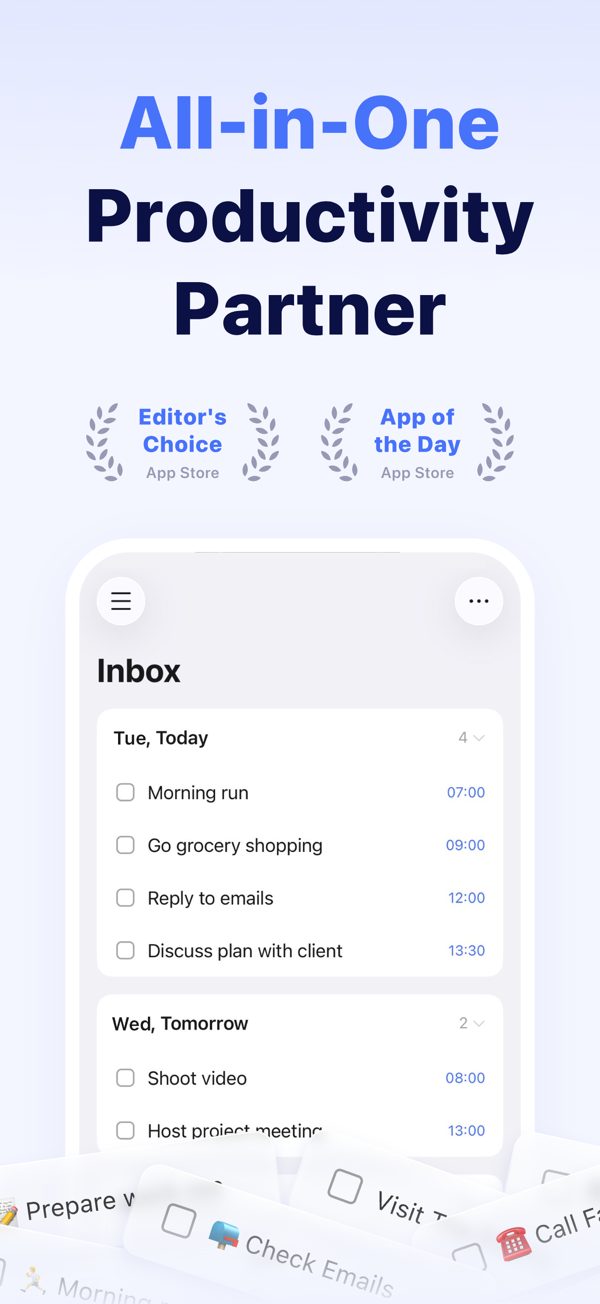
TickTick is a to-do list and calendar app from Appest Limited that runs on iPhone, iPad, Apple Watch, Mac, Windows, Android and the web, with cloud sync between them. It covers lists, folders, tags, subtasks, priorities, time and location reminders, recurring tasks, widgets, Siri, voice and email capture, Kanban and Eisenhower matrix views, a Pomodoro timer and a habit tracker. The free plan is capped at 9 lists, 99 tasks per list and 2 reminders per task, and Premium adds higher limits, full calendar views, calendar subscriptions, custom smart lists and larger shared lists. It is proprietary software.
What users say
Evidence ↓Reviewers and App Store users mostly praise the interface and the amount of features for the price, and Apple gave it an Editors' Choice. Critical points are frequent upgrade prompts on the free plan, a mobile app that one reviewer finds less complete than the web version, and a learning curve that one long-term user says is longer than most because of the many features. Each view comes from a single reviewer or user, so how widely they are shared is not established.
Rankings and alternatives
- Free to-do list apps #2 of 8 Most features on a free plan
- Todoist #1 Fastest capture and best free sharing
- Microsoft To Do #3 Free with no limits or upgrade prompts
- Apple Reminders #4 Free pick if everything you own is Apple
- To-do list apps for iPhone #2 of 10 Calendar, habits, and focus timer in one app
- Things 3 #5 The most polished app, bought once
- Any.do #6 Daily planning with WhatsApp reminders
- Structured - Daily Planner #7 Time blocking on a visual timeline

Free to-do list apps scores
Evaluated Nov 17, 2026 Evidence ↓- Pleasant and quick to use · counts double 5
5/5 means: Among the best-regarded to-do apps for design and ease, praised widely by reviewers and long-time users
Apple Editors' Choice, a 4.9 App Store rating and reviewers calling it among the best designed and easiest apps. A busy feature set gives it a longer learning curve for some, and one reviewer finds the mobile app less complete than web; upgrade prompts are scored under free-limits rather than here.
- Same tasks on every device, free · counts double 5
5/5 means: Apps for Android, iPhone, Windows and Mac, plus a web version
Free includes cross-platform sync, with iPhone, Android, Windows, Mac and web apps (plus Apple Watch). The Windows, Mac and Android apps are from knowledge of the product; only the App Store and Free-plan sync were read on this run.
- Reminders and repeating tasks, free 4
4/5 means: Time alerts and flexible repeats, plus either location alerts or alerts that ring until you act
Free has time reminders (2 per task) and recurring tasks with custom rules; location reminders on iOS and Android are not listed as Premium. Constant (keep-ringing) reminders are Premium. Whether repeat-after-completion is free was not confirmed, and the plan for location reminders is inferred.
- What the free plan holds back 3
3/5 means: The core works, but caps on lists, projects or tasks that busy people hit, or a wanted view held back, with upgrade prompts
Caps of 9 lists, 99 tasks per list, 2 reminders, 1 attachment a day, and Premium-only filters, task duration, timeline and full calendar views, with many upgrade prompts reported. No ads were found.
- Fast capture 5
5/5 means: One typed line sets date, repeat and list or tags, plus widgets, voice, sharing and email or a browser extension
Free has typed natural-language dates, widgets (basic), Siri and voice input, email-to-task, share sheet and browser extension. The exact free scope of email-to-task and widgets was not confirmed.
- Organizing lots of tasks 4
4/5 means: Most of the toolkit, missing one big piece such as saved custom filters
Free has lists, folders, tags, subtasks, priorities and Kanban; saved filters and smart lists are Premium.
- Planning your day and week 4
4/5 means: Today and upcoming views plus tasks on a calendar or your events beside them, but no time blocking
Free has Today and upcoming views and a basic calendar view, and imports device calendars; task duration (time blocking) and the timeline view are Premium. Which calendar views Free includes is not documented.
- Sharing lists for free · counts half 3
3/5 means: Shared lists that everyone can edit, without assigning tasks, or fuller sharing capped at one other person per list
Free allows shared lists with only 2 members (owner plus one), which the scale puts at 3 however full the sharing is; comments are free. Assignment on free is from knowledge of the product and was not confirmed on a page.
iPhone to-do list apps scores
Evaluated Nov 17, 2026 Evidence ↓- Pleasant and quick to use · counts double 4
4/5 means: Clean and easy to pick up, with minor complaints such as busy screens or upgrade prompts
Rated 4.9 from 47K App Store ratings, Editors' Choice, and praised for design by reviewers. Held back by frequent upgrade prompts and one long-term user's view that the many features mean a longer learning curve than most.
- Fast capture 5
5/5 means: One typed line sets date, repeat and list or tags, plus widgets, Siri or Shortcuts, the share sheet and a Watch app
Typed natural-language dates, repeats, lists, tags and priorities from one line (from product knowledge; a reviewer confirms smart date parsing exists), plus widgets, Siri, AI voice entry, email-to-task and an Apple Watch app. The share sheet rests on product knowledge, not a saved quote.
- Reminders that get your attention 4
4/5 means: Time alerts and flexible repeats, plus either location alerts or alerts that repeat or ring until you act
Time and location reminders, up to 5 per task on Premium, and flexible recurrence including custom and after-completion repeats. Persistent alarms that ring until you act are documented only for habits, so not scored as a task feature.
- Organizing lots of tasks 5
5/5 means: Projects in folders or areas, sections, tags, subtasks, start or defer dates, and saved filters or custom views
On Premium, 299 lists in folders, tags, subtasks and checklists, priorities, start and end dates, and custom smart lists with saved filters. Sections and folders rest on product knowledge.
- Planning your day and week 5
5/5 means: All of 4 plus a calendar grid with time blocking
On Premium, full calendar views (month, week, day) with tasks and subscribed or local calendar events, Today and upcoming smart lists, and drag-and-drop time blocking with durations. Calendar views and durations are Premium-only, per a 2020 vendor blog.
- Devices it works on 5
5/5 means: Full apps on iPhone, iPad, Mac, Watch, Windows, Android and the web
iPhone, iPad, Apple Watch and visionOS apps, plus Mac, Windows, Android and web apps with cloud sync. Mac, Windows and Android apps rest on product knowledge and a user comment. No sync-reliability reports were gathered.
- Cost over three years 2
2/5 means: $100 to $200
Premium yearly is $49.99 on the US App Store, so three years cost $149.97 (49.99 x 3). The Mac and Windows apps use the same subscription. The $35.99 price in older reviews is out of date.
- Sharing lists with others · counts half 5
5/5 means: Shared lists with assigned tasks and comments on tasks
Premium shared lists of up to 29 members, task assignment in shared lists and comments on tasks. Assignment and comments rest mostly on product knowledge; the free plan allows only 2 members.
Pricing
- Free Free Capped at 9 lists, 99 tasks per list, 2 reminders per task, 19 checklist items per task, 5 habits, 1 attachment per day and 2 members per shared list, per TickTick's upgrade page. Includes List and Kanban views, typed natural-language dates, recurring tasks, tags, subtasks, comments, priorities and cross-platform sync. Basic calendar view only; duration, constant reminder, filters, timeline view, email reminders and AI features are Premium.
- Premium (annual) $49.99 /year US App Store in-app purchase, billed once a year, about 4.17 a month (49.99 / 12). 299 lists, 999 tasks per list, 5 reminders per task, full calendar views, calendar subscriptions, custom smart lists, 29-member shared lists.
- Premium (monthly) $4.99 /month US App Store in-app purchase. 12 months cost 59.88 (4.99 x 12), about 20 percent more than the annual plan.
Prices checked Nov 17, 2026.
Evidence and sources
What users say
Summary 7 quotes
-
Put it right to work as a refined (and visually pleasing) to-do list, or make use of power features like its Eisenhower Matrix, which automatically plots your tasks on a chart in terms of urgency and importance, or the built-in Pomodoro timer
apps.apple.com/us/app/ticktick-to-do-list-calendar/id626144601 · checked -
This app is simple yet has just the right amount of advanced features if you need to use them but without making the app too complicated to deal with.
nickname123, App Store reviewer · apps.apple.com/us/app/ticktick-to-do-list-calendar/id626144601 · published · checked -
The only thing that needs to be changed is when they ask you to login everytime you refresh or whenever, some people like me don’t want to login or be tied to some cloud server, they want to use the app as is
nickname123, App Store reviewer · apps.apple.com/us/app/ticktick-to-do-list-calendar/id626144601 · published · checked -
However, if you use TickTick as intended, as a lightweight task manager with some advanced functions, you’ll quickly find you’re dealing with one of the best designed and most easy-to-use apps out there.
Fergus O'Sullivan, reviewer at Cloudwards · cloudwards.net/ticktick-review · published · checked -
Still, though, you can’t escape the feeling that the web version is the “real” TickTick: there are more options there, and the mobile version, as good as it is, just feels like a port.
Fergus O'Sullivan, reviewer at Cloudwards · cloudwards.net/ticktick-review · published · checked -
You’ll often see upgrade messages when attempting to use paid features on the free plan, but it’s really just a minor annoyance.
Fergus O'Sullivan, reviewer at Cloudwards · cloudwards.net/ticktick-review · published · checked -
Over the past almost a decade I’ve tried endless similar apps and journals, organizers, list and task keepers alike, and I have never found anything even resembling TickTick, which contrary to the publishers post here has a longer learning curve than most, but that is simply because it is so packed with features that even many months later of using it full-time one can still get pleasantly surprised to discover yet another amazing feature.
Alen, commenter on the Cloudwards review, user for about a year · cloudwards.net/ticktick-review · published · checked
Free to-do list apps scores
Pleasant and quick to use 7 quotes
-
4.9
apps.apple.com/us/app/ticktick-to-do-list-calendar/id626144601 · checked -
Put it right to work as a refined (and visually pleasing) to-do list, or make use of power features like its Eisenhower Matrix, which automatically plots your tasks on a chart in terms of urgency and importance, or the built-in Pomodoro timer
apps.apple.com/us/app/ticktick-to-do-list-calendar/id626144601 · checked -
This app is simple yet has just the right amount of advanced features if you need to use them but without making the app too complicated to deal with.
nickname123, App Store reviewer · apps.apple.com/us/app/ticktick-to-do-list-calendar/id626144601 · published · checked -
However, if you use TickTick as intended, as a lightweight task manager with some advanced functions, you’ll quickly find you’re dealing with one of the best designed and most easy-to-use apps out there.
Fergus O'Sullivan, reviewer at Cloudwards · cloudwards.net/ticktick-review · published · checked -
Still, though, you can’t escape the feeling that the web version is the “real” TickTick: there are more options there, and the mobile version, as good as it is, just feels like a port.
Fergus O'Sullivan, reviewer at Cloudwards · cloudwards.net/ticktick-review · published · checked -
You’ll often see upgrade messages when attempting to use paid features on the free plan, but it’s really just a minor annoyance.
Fergus O'Sullivan, reviewer at Cloudwards · cloudwards.net/ticktick-review · published · checked -
Over the past almost a decade I’ve tried endless similar apps and journals, organizers, list and task keepers alike, and I have never found anything even resembling TickTick, which contrary to the publishers post here has a longer learning curve than most, but that is simply because it is so packed with features that even many months later of using it full-time one can still get pleasantly surprised to discover yet another amazing feature.
Alen, commenter on the Cloudwards review, user for about a year · cloudwards.net/ticktick-review · published · checked
Same tasks on every device, free 2 quotes
-
Apple Watch Requires watchOS 9.0 or later.
apps.apple.com/us/app/ticktick-to-do-list-calendar/id626144601 · checked -
9 Lists, 99 Tasks per list List & Kanban Views NLP Task Reminders Cross-Platform Sync
ticktick.com/upgrade · checked
Reminders and repeating tasks, free 6 quotes
-
9 Lists, 99 Tasks per list List & Kanban Views NLP Task Reminders Cross-Platform Sync
ticktick.com/upgrade · checked -
Task Reminders25 Member Count229 Habit Count5299 Countdown Count5299
ticktick.com/upgrade · checked -
Duration · Constant Reminder · Checklist Item Reminder · List/Task Activities · Filter · Timeline View · Integrations
ticktick.com/upgrade · checked -
The "Location Reminder" feature is currently only available on iOS and Android applications.
help.ticktick.com/articles/7055782395743567872 · checked -
After enabling Constant Reminder, notifications will keep ringing until you complete the task.
ticktick.com/features · checked -
Set flexible recurring rules (weekly, monthly, yearly, or custom) so you never miss a deadline.
ticktick.com/features · checked
What the free plan holds back 4 quotes
-
You’ll often see upgrade messages when attempting to use paid features on the free plan, but it’s really just a minor annoyance.
Fergus O'Sullivan, reviewer at Cloudwards · cloudwards.net/ticktick-review · published · checked -
9 Lists, 99 Tasks per list List & Kanban Views NLP Task Reminders Cross-Platform Sync
ticktick.com/upgrade · checked -
Task Reminders25 Member Count229 Habit Count5299 Countdown Count5299
ticktick.com/upgrade · checked -
Duration · Constant Reminder · Checklist Item Reminder · List/Task Activities · Filter · Timeline View · Integrations
ticktick.com/upgrade · checked
Fast capture 2 quotes
-
Use Siri to create tasks more quickly and easily - Use the Pomo Timer to stay focused - Set goals to build habits - Add tasks by voice with AI - TickTick MCP - Reminders based on time or location
apps.apple.com/us/app/ticktick-to-do-list-calendar/id626144601 · checked -
9 Lists, 99 Tasks per list List & Kanban Views NLP Task Reminders Cross-Platform Sync
ticktick.com/upgrade · checked
Organizing lots of tasks 2 quotes
-
9 Lists, 99 Tasks per list List & Kanban Views NLP Task Reminders Cross-Platform Sync
ticktick.com/upgrade · checked -
Duration · Constant Reminder · Checklist Item Reminder · List/Task Activities · Filter · Timeline View · Integrations
ticktick.com/upgrade · checked
Planning your day and week 3 quotes
-
Free users only have the access to the list view, while premium can enjoy them all!
TickTick, vendor blog · blog.ticktick.com/2020/10/30/ticktick-premium-101 · published · checked -
9 Lists, 99 Tasks per list List & Kanban Views NLP Task Reminders Cross-Platform Sync
ticktick.com/upgrade · checked -
Duration · Constant Reminder · Checklist Item Reminder · List/Task Activities · Filter · Timeline View · Integrations
ticktick.com/upgrade · checked
Sharing lists for free 3 quotes
-
List count · 299 · 9 Task count · 999 · 99 Reminder count · 5 (per task) · 2 (per task) Check Item count · 199 · 19 Habit count · 299 · 5 Members of a shared list · 30 (including the owner) · 2 (including the owner)
TickTick, vendor blog · blog.ticktick.com/2020/10/30/ticktick-premium-101 · published · checked -
Task Reminders25 Member Count229 Habit Count5299 Countdown Count5299
ticktick.com/upgrade · checked -
Duration · Constant Reminder · Checklist Item Reminder · List/Task Activities · Filter · Timeline View · Integrations
ticktick.com/upgrade · checked
iPhone to-do list apps scores
Pleasant and quick to use 5 quotes
-
4.9
apps.apple.com/us/app/ticktick-to-do-list-calendar/id626144601 · checked -
Put it right to work as a refined (and visually pleasing) to-do list, or make use of power features like its Eisenhower Matrix, which automatically plots your tasks on a chart in terms of urgency and importance, or the built-in Pomodoro timer
apps.apple.com/us/app/ticktick-to-do-list-calendar/id626144601 · checked -
However, if you use TickTick as intended, as a lightweight task manager with some advanced functions, you’ll quickly find you’re dealing with one of the best designed and most easy-to-use apps out there.
Fergus O'Sullivan, reviewer at Cloudwards · cloudwards.net/ticktick-review · published · checked -
You’ll often see upgrade messages when attempting to use paid features on the free plan, but it’s really just a minor annoyance.
Fergus O'Sullivan, reviewer at Cloudwards · cloudwards.net/ticktick-review · published · checked -
Over the past almost a decade I’ve tried endless similar apps and journals, organizers, list and task keepers alike, and I have never found anything even resembling TickTick, which contrary to the publishers post here has a longer learning curve than most, but that is simply because it is so packed with features that even many months later of using it full-time one can still get pleasantly surprised to discover yet another amazing feature.
Alen, commenter on the Cloudwards review, user for about a year · cloudwards.net/ticktick-review · published · checked
Fast capture 2 quotes
-
Use Siri to create tasks more quickly and easily - Use the Pomo Timer to stay focused - Set goals to build habits - Add tasks by voice with AI - TickTick MCP - Reminders based on time or location
apps.apple.com/us/app/ticktick-to-do-list-calendar/id626144601 · checked -
Apple Watch Requires watchOS 9.0 or later.
apps.apple.com/us/app/ticktick-to-do-list-calendar/id626144601 · checked
Reminders that get your attention 3 quotes
-
Use Siri to create tasks more quickly and easily - Use the Pomo Timer to stay focused - Set goals to build habits - Add tasks by voice with AI - TickTick MCP - Reminders based on time or location
apps.apple.com/us/app/ticktick-to-do-list-calendar/id626144601 · checked -
More lists and tasks: 299 lists, 999 tasks in each list, 199 checklist items in each task - Add up to 5 reminders to each task - Share a task list with up to 29 members for better collaboration - Upload up to 199 attachments every day - Subscribe to calendars in TickTick - Full access to calendar views - Custom Smart Lists - Track up to 299 habits - Create up to 299 countdowns
apps.apple.com/us/app/ticktick-to-do-list-calendar/id626144601 · checked -
List count · 299 · 9 Task count · 999 · 99 Reminder count · 5 (per task) · 2 (per task) Check Item count · 199 · 19 Habit count · 299 · 5 Members of a shared list · 30 (including the owner) · 2 (including the owner)
TickTick, vendor blog · blog.ticktick.com/2020/10/30/ticktick-premium-101 · published · checked
Organizing lots of tasks 3 quotes
-
More lists and tasks: 299 lists, 999 tasks in each list, 199 checklist items in each task - Add up to 5 reminders to each task - Share a task list with up to 29 members for better collaboration - Upload up to 199 attachments every day - Subscribe to calendars in TickTick - Full access to calendar views - Custom Smart Lists - Track up to 299 habits - Create up to 299 countdowns
apps.apple.com/us/app/ticktick-to-do-list-calendar/id626144601 · checked -
List count · 299 · 9 Task count · 999 · 99 Reminder count · 5 (per task) · 2 (per task) Check Item count · 199 · 19 Habit count · 299 · 5 Members of a shared list · 30 (including the owner) · 2 (including the owner)
TickTick, vendor blog · blog.ticktick.com/2020/10/30/ticktick-premium-101 · published · checked -
Premium users can set a duration (both start and end time) to a task, while a free account only has access to the due date.
TickTick, vendor blog · blog.ticktick.com/2020/10/30/ticktick-premium-101 · published · checked
Planning your day and week 4 quotes
-
More lists and tasks: 299 lists, 999 tasks in each list, 199 checklist items in each task - Add up to 5 reminders to each task - Share a task list with up to 29 members for better collaboration - Upload up to 199 attachments every day - Subscribe to calendars in TickTick - Full access to calendar views - Custom Smart Lists - Track up to 299 habits - Create up to 299 countdowns
apps.apple.com/us/app/ticktick-to-do-list-calendar/id626144601 · checked -
The free plan relies on Google Calendar, much like Any.do and Todoist do, but upgrading gives you access to a built-in version that blows Google’s offering out of the water.
Fergus O'Sullivan, reviewer at Cloudwards · cloudwards.net/ticktick-review · published · checked -
Free users only have the access to the list view, while premium can enjoy them all!
TickTick, vendor blog · blog.ticktick.com/2020/10/30/ticktick-premium-101 · published · checked -
Premium users can set a duration (both start and end time) to a task, while a free account only has access to the due date.
TickTick, vendor blog · blog.ticktick.com/2020/10/30/ticktick-premium-101 · published · checked
Devices it works on 2 quotes
-
Apple Watch Requires watchOS 9.0 or later.
apps.apple.com/us/app/ticktick-to-do-list-calendar/id626144601 · checked -
Over the past almost a decade I’ve tried endless similar apps and journals, organizers, list and task keepers alike, and I have never found anything even resembling TickTick, which contrary to the publishers post here has a longer learning curve than most, but that is simply because it is so packed with features that even many months later of using it full-time one can still get pleasantly surprised to discover yet another amazing feature.
Alen, commenter on the Cloudwards review, user for about a year · cloudwards.net/ticktick-review · published · checked
Cost over three years 1 quote
-
Annual TickTick Premium $49.99
apps.apple.com/us/app/ticktick-to-do-list-calendar/id626144601 · checked
Sharing lists with others 3 quotes
-
Use Siri to create tasks more quickly and easily - Use the Pomo Timer to stay focused - Set goals to build habits - Add tasks by voice with AI - TickTick MCP - Reminders based on time or location
apps.apple.com/us/app/ticktick-to-do-list-calendar/id626144601 · checked -
More lists and tasks: 299 lists, 999 tasks in each list, 199 checklist items in each task - Add up to 5 reminders to each task - Share a task list with up to 29 members for better collaboration - Upload up to 199 attachments every day - Subscribe to calendars in TickTick - Full access to calendar views - Custom Smart Lists - Track up to 299 habits - Create up to 299 countdowns
apps.apple.com/us/app/ticktick-to-do-list-calendar/id626144601 · checked -
List count · 299 · 9 Task count · 999 · 99 Reminder count · 5 (per task) · 2 (per task) Check Item count · 199 · 19 Habit count · 299 · 5 Members of a shared list · 30 (including the owner) · 2 (including the owner)
TickTick, vendor blog · blog.ticktick.com/2020/10/30/ticktick-premium-101 · published · checked
Facts
License 1 quote
-
Appest Limited
apps.apple.com/us/app/ticktick-to-do-list-calendar/id626144601 · checked
Runs on 2 quotes
-
Apple Watch Requires watchOS 9.0 or later.
apps.apple.com/us/app/ticktick-to-do-list-calendar/id626144601 · checked -
Over the past almost a decade I’ve tried endless similar apps and journals, organizers, list and task keepers alike, and I have never found anything even resembling TickTick, which contrary to the publishers post here has a longer learning curve than most, but that is simply because it is so packed with features that even many months later of using it full-time one can still get pleasantly surprised to discover yet another amazing feature.
Alen, commenter on the Cloudwards review, user for about a year · cloudwards.net/ticktick-review · published · checked
More from the sources
Pricing 2 quotes
-
Monthly TickTick Premium $4.99
apps.apple.com/us/app/ticktick-to-do-list-calendar/id626144601 · checked -
Annual plan for US$49.99 (less than US$4.17/month)
ticktick.com/upgrade · checked
Limits and known issues 2 quotes
-
It also pledges not to sell your data and to delete all your information within a week of deleting your account.
Fergus O'Sullivan, reviewer at Cloudwards · cloudwards.net/ticktick-review · published · checked -
TickTick will never sell your personal data to a third party, and we will never share data with third parties without your permission.
ticktick.com/privacy · checked
Pricing
ticktick.com/upgrade · checked