Best to-do list apps for iPhone
Every iPhone already ships with a to-do app, and it’s better than its reputation. Apple Reminders has tags, sections, smart lists, shared lists where you can assign tasks, and an “urgent” setting that rings like an alarm even when your phone is on silent. So the question isn’t which app has a list and a checkbox. It’s what a paid or third-party app gives you that Reminders doesn’t, and whether that’s worth it for you.
For most people who want more, Todoist is the one to get. It has the fastest way to type a task in, works the same on your iPhone, your Mac, a Windows PC, or an Android phone, and lets you share a project with your partner on the free plan. If you live entirely on Apple devices and want the nicest app to look at all day, Things 3 costs one payment instead of a subscription. And if you don’t want to pay at all, stay with Reminders: it’s free and good enough for most personal lists.
Quick picks
The question that splits the field: Apple-only or everywhere?
Before features, decide where your tasks have to show up. Reminders, Things, OmniFocus, and Due run on iPhone, iPad, Mac, and Apple Watch, and that’s it (Reminders also has a basic version at icloud.com you can open in any browser). If you use a Windows PC at work, an Android tablet, or you share lists with someone on Android, that settles it: look at Todoist, TickTick, Microsoft To Do, or Any.do, which have apps everywhere.
The second split is how you pay. Things, Due, and OmniFocus sell one-time licenses. Todoist, TickTick, and Any.do are free with limits and charge a yearly subscription for the rest. Reminders, Microsoft To Do, and Google Tasks cost nothing at all.
Key facts
10 productsLicenses, requirements, and starting prices. Prices as of November 2026.
- License
- Unknown
- Runs on
- iPhone
- iPad
- Apple Watch
- Mac
- Windows
- Android
- Web
- Needs
- iOS 17.0 or later
- Price
- From a free plan or $5.00/month
- License
- Proprietary
- Runs on
- iOS 15.5 or later
- iPadOS 15.5 or later
- watchOS 9.0 or later
- visionOS 1.0 or later
- Windows
- Android
- Web
- Needs
- Unknown
- Price
- From a free plan or $49.99/year or $4.99/month
- License
- Proprietary (Apple)
- Runs on
- iPhone
- iPad
- Mac
- Apple Watch
- Apple Vision Pro
- Needs
- iCloud account for sync
- Price
- Free plan
- License
- Unknown
- Runs on
- iPhone
- iPad
- Apple Watch
- Mac
- Windows
- Android
- Web
- Needs
- iOS 17.6 or later
- Microsoft account
- Price
- Free plan
- License
- Proprietary
- Runs on
- iPhone
- Apple Watch
- iPad
- Mac
- Apple Vision Pro
- Needs
- iOS 16.4 or later
- macOS 13.3 or later
- watchOS 9.1 or later
- Price
- From $9.99 one-time
- License
- Unknown
- Runs on
- iPhone
- iPad
- Apple Watch
- Mac
- Windows
- Android
- Web
- Needs
- iOS 15.0 or later
- Price
- From a free plan or $4.99/month
- License
- Unknown
- Runs on
- iPhone
- iPad
- Apple Watch
- Mac
- Apple Vision
- Android (fewer features)
- Web (fewer features)
- Needs
- iOS 18.0 or later
- License
- Unknown
- Runs on
- iPhone
- iPad
- Apple Watch
- Mac (sold separately)
- Apple Vision
- Needs
- iOS 18 or later
- iPadOS 18 or later
- watchOS 10 or later
- Price
- From $7.99 one-time
- License
- Proprietary
- Runs on
- iPhone
- iPad
- Mac
- Apple Watch
- Apple Vision Pro
- Web browser (subscription only)
- Needs
- iOS 18.2 or later
- macOS 15.2 or later
- Price
- From $74.99 one-time or $99.99/year or $9.99/month
- License
- Unknown
- Runs on
- iPhone
- iPad
- Android
- Web
- Needs
- iOS 17.0 or later
- iPadOS 17.0 or later
- Price
- Free plan
Todoist
Best all-rounder across iPhone, Windows, and Android
#1 4.3/5
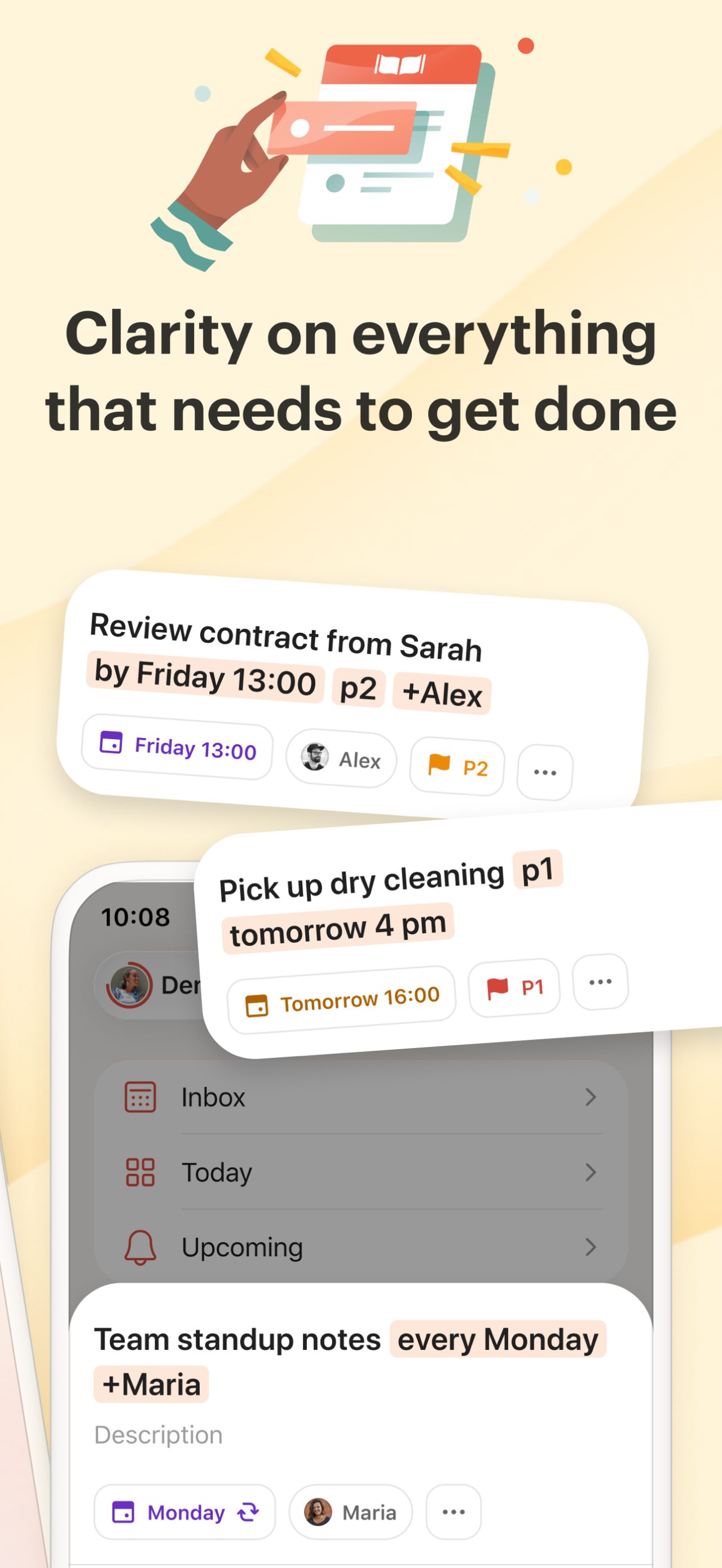
Todoist’s party trick is the Quick Add box. You type “Submit report every Friday at 4pm #Work” and it reads the date, the repeat, and the project out of the sentence, highlighting each as it recognizes it, so you never touch a date picker. On iPhone you can do the same from a home screen widget, Siri, the share sheet, or your Apple Watch, and Ramble lets you just talk and turns what you said into tasks. Only TickTick comes close to getting a thought out of your head and into the right project this fast.
It’s also the app that travels best. The same projects, with the same look, are on every phone, tablet, and computer you’re likely to own, plus any browser, so a work PC or an Android-using partner isn’t a problem. Shared projects, assigned tasks, and comments work on the free plan, with up to five people in each project.
The free plan is where you should start, but know its limits: five projects, three saved filters, and no calendar layout. Pro ($60 a year, or $7 a month) gives you 300 projects and 150 filters, the calendar layout, task durations for time blocking, deadlines separate from due dates, and custom reminders. On iOS 26 and later, Todoist can also make a reminder ring as a full-screen alarm that cuts through silent mode.
Todoist has no separate start dates, so a task can’t stay hidden until it’s relevant the way it can in Things or OmniFocus. Its list view can also feel busy once labels, priorities, and dates pile up on every row. It can’t import straight from Apple Reminders; moving over means pasting your lists in as text.
What it does
- Quick Add that reads dates, repeats, projects, and labels from one typed line
- Apps for iPhone, iPad, Watch, Mac, Windows, Android, and the web
- Shared projects with assigned tasks and comments
- Calendar layout, task durations, and deadlines on Pro
Pros
- The fastest capture of any app here
- Works the same on every device you're likely to own
- Sharing and assigning tasks work on the free plan
Cons
- The free plan stops at five projects and has no calendar layout
- No start dates for hiding tasks until they matter
- Busy list rows once you use labels and priorities heavily
- Skip if:
- You only use Apple devices and would rather pay once than every year
TickTick
Calendar, habits, and focus timer in one app
#2 4.3/5
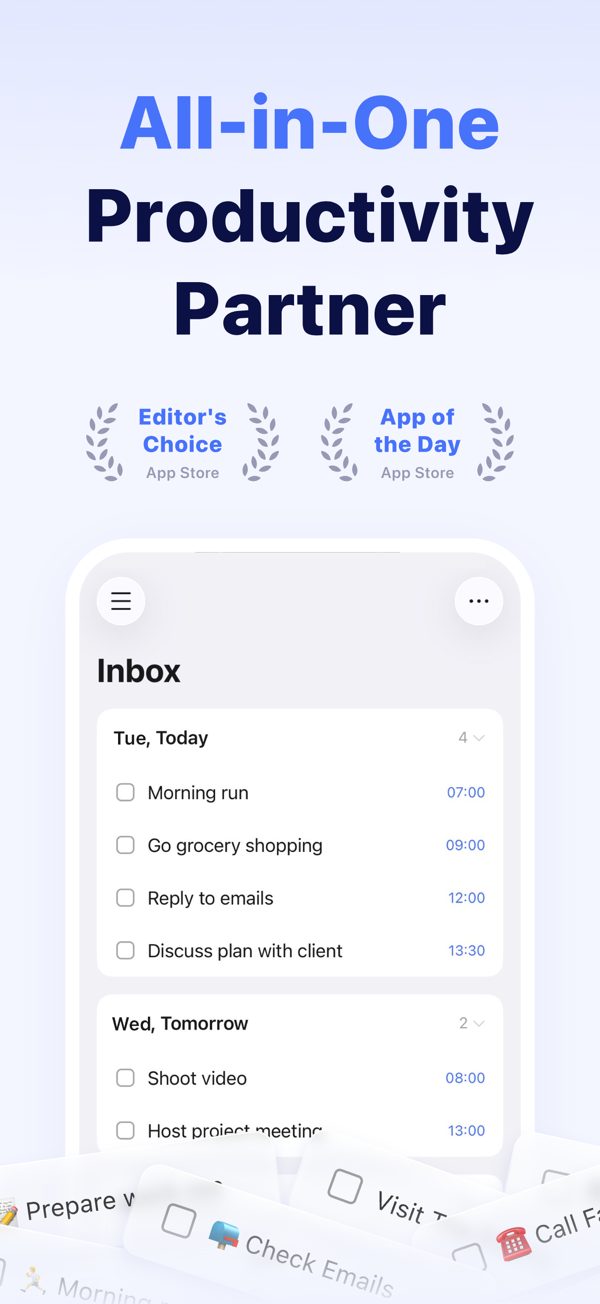
TickTick does nearly everything Todoist does and then keeps going: a calendar with day, week, and month views where you drag tasks into time slots, an Eisenhower matrix that sorts tasks by urgent and important, a Pomodoro focus timer, a habit tracker, and countdowns. It puts your lists, time blocking, habits, and focus sessions in one app. Premium costs $49.99 a year, less than Todoist Pro.
The two are close, so the choice comes down to how you plan. TickTick’s calendar is the better planner, with real time blocking and the ability to show other calendars you subscribe to. Todoist’s typing is a little smarter and its screens are calmer. TickTick puts more on every screen, and on the free plan you’ll keep meeting prompts to upgrade when you tap a Premium feature.
The free plan is generous for one person: lists, tags, subtasks, reminders, and repeating tasks all work, with a cap of nine lists. Calendar views, task durations, and custom smart lists need Premium, and a shared list on the free plan holds only you and one other person (Premium raises that to 29 members).
TickTick’s App Store privacy disclosure lists your name, email, and usage data among the information it collects, with some used for its own marketing. That’s not unusual for a free app, but it’s a reason some people pick another one.
What it does
- Calendar views with drag-and-drop time blocking on Premium
- Built-in Pomodoro timer, habit tracker, and countdowns
- Eisenhower matrix view
- Apps for iPhone, iPad, Watch, Mac, Windows, Android, and the web
Pros
- Calendar planning and time blocking in the same app as your lists
- Replaces separate habit and focus-timer apps
- Premium costs less a year than Todoist Pro
Cons
- Busier screens and frequent upgrade prompts on the free plan
- Calendar views and time blocking need Premium
- Free shared lists hold only two people
- Choose if:
- You plan your day on a calendar and want tasks in the same place
Apple Reminders
Free and already on your iPhone
#3 4.2/5
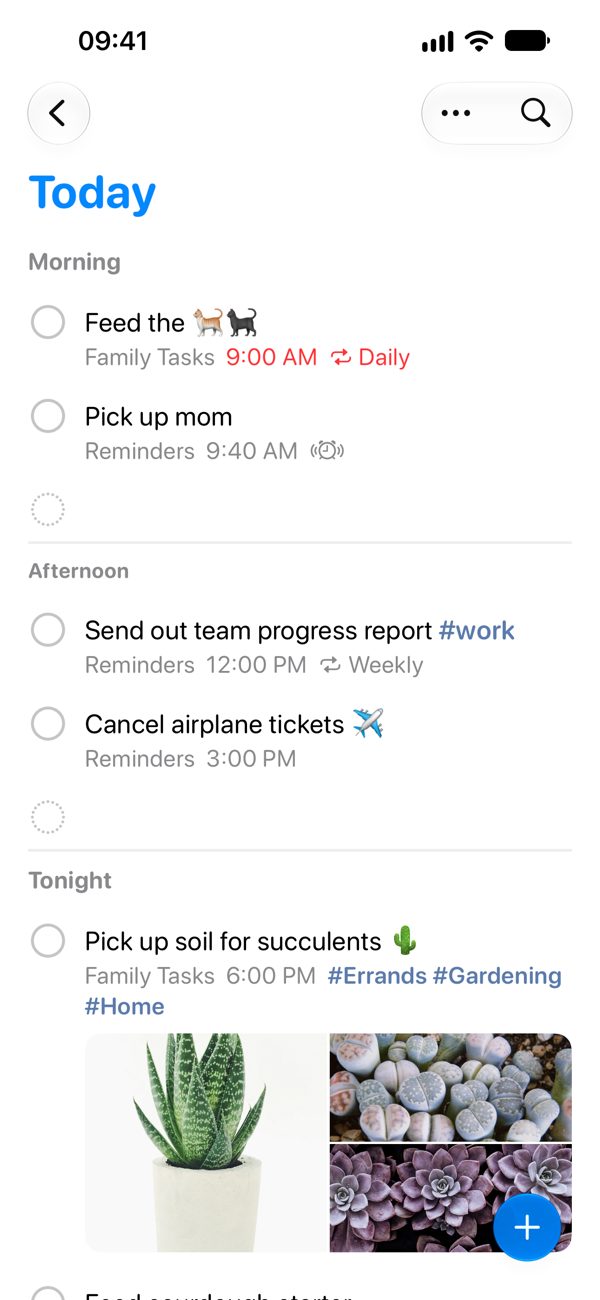
Reminders covers more than a simple checklist. It sorts tasks into lists and groups, splits a list into sections or shows it as columns, adds tags and flags, and builds smart lists that collect tasks by tag, date, or list from everywhere. Today is split into morning, afternoon, and tonight, and dragging a task into one of those sets its reminder. Dated reminders also show up in the Calendar app next to your events.
Reminders is also the best app here at getting your attention without anything extra to install. A reminder can fire at a time, when you arrive somewhere or leave, when you get into your car, or the next time you message a particular person. Mark one urgent and it rings like an alarm at its due time, with snooze and a slider to stop it, even with the phone muted or a Focus on.
Capture is good rather than great. Siri works with Reminders natively, so “remind me to call Mom at six” just works, and there’s a Control Center button, a lock screen button, and widgets. But typing “call Mom tomorrow 6pm” into the app only gets you the date. It won’t pick a list or priority the way Todoist’s or TickTick’s typing does.
Sharing is free and works well, as long as everyone is on Apple devices: people on a shared list can add, complete, and assign reminders to each other. The flip side: there’s no Windows or Android app, and the icloud.com version is fine for checking a list from a PC but not for living in.
What it does
- Lists, groups, sections, tags, flags, and custom smart lists
- Time, location, and "when I message this person" reminders
- Urgent reminders that ring like an alarm through silent mode
- Free shared lists with tasks assigned to people
Pros
- Free, built in, and synced through iCloud
- Siri, Control Center, and Apple Watch capture work out of the box
- More ways to trigger a reminder than any other app here
Cons
- Typing a task sets only the date, not the list or priority
- No Windows or Android app
- No start dates or time blocking
- Choose if:
- Everyone you share lists with uses an iPhone
Microsoft To Do
Free pick for Outlook and Windows users
#4 3.8/5
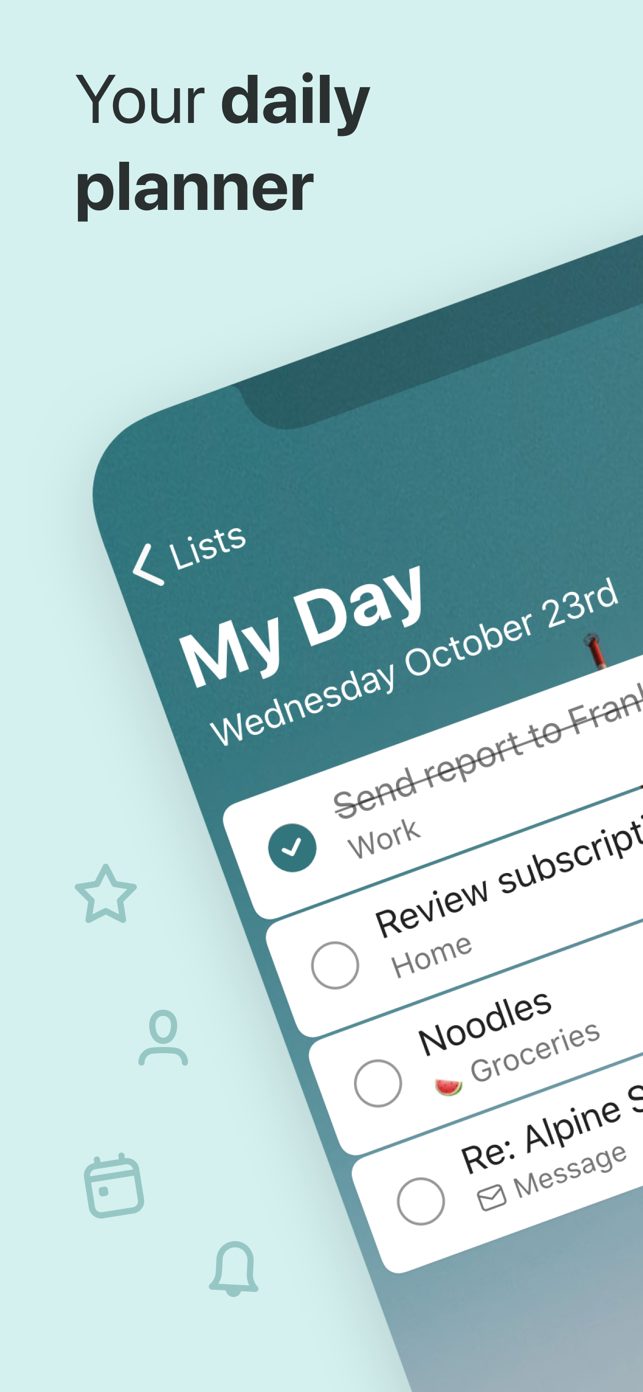
Microsoft To Do is the free answer for someone whose work life runs on Outlook. Flag an email in Outlook and it appears as a task, the tasks sync with Outlook’s own task list, and To Do runs on Apple Watch, Windows, Android, and the web as well as your iPhone and Mac. The My Day view is the nicest idea in it: each morning you pick from suggestions to build that day’s list, and it empties itself overnight.
Shared lists are free with a personal Microsoft account, and you can assign a task to someone on the list. There are no comments on tasks, though, and organization stays simple: lists, groups, subtasks (called steps), and the built-in smart lists, but only two priority levels and no saved filters. Repeating tasks cover every few days or chosen weekdays, but not rules like “the last Friday of the month”, and there are no location reminders.
The bigger worry is momentum. Microsoft has put its work into Planner and Outlook, and To Do’s updates have been bug fixes for a long time. The app remains available, but don’t expect it to get much better.
What it does
- Flagged Outlook emails become tasks
- My Day planner with daily suggestions
- Free shared lists with assigned tasks
- Apps on every major platform, including Apple Watch
Pros
- Completely free with a Microsoft account
- Works on Windows, Android, and the web as well as Apple devices
- Calm, uncluttered design
Cons
- No location reminders and only simple repeat rules
- Shallow organization, with no saved filters or sections
- Updates are mostly bug fixes
- Choose if:
- You live in Outlook at work and want your tasks there too
Things 3
The most polished app, bought once
#5 3.7/5
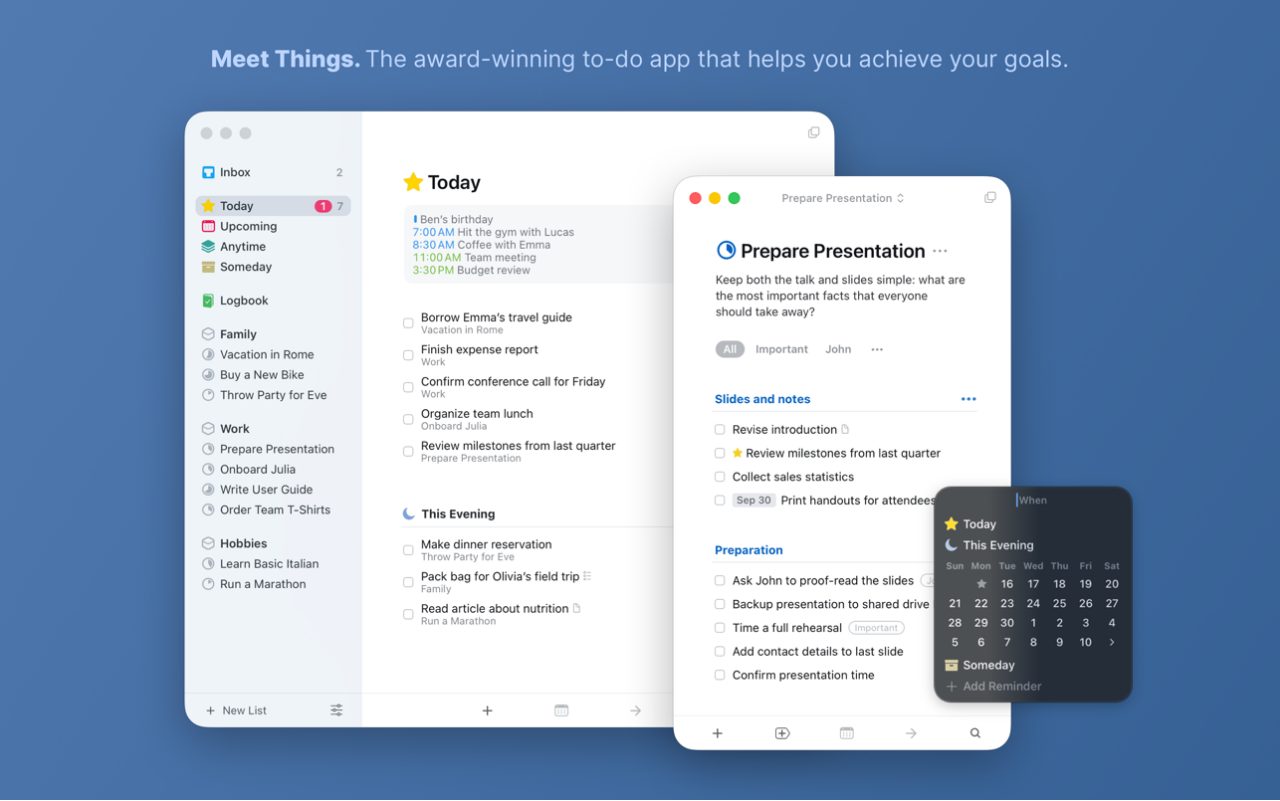
Things 3 is the best-looking to-do app here. Every screen has plenty of white space and careful type, completed tasks fade out with a small checkmark animation, and the Magic Plus button can be dragged to exactly where in a list you want the new task. It’s also well built for accessibility, with support for VoiceOver, Voice Control, larger text, and reduced motion, and its dark mode is properly done rather than an afterthought.
It earns that calm by being opinionated. Tasks go into areas (like Home or Work) and projects with headings. You can give a task a “When” date for the day you plan to start it and a separate deadline. Today shows what you’ve scheduled plus your calendar events above them, with a This Evening section for later, and Upcoming lays out the weeks ahead. Repeating tasks can follow a fixed schedule or restart a set time after you finish one. You type dates in plain words (“next Wed 8pm”), and there are widgets, a share sheet extension, Siri, Shortcuts, and a Watch app.
The gaps all point the same way: Things is for one person on Apple devices. You can’t share a list or assign a task, there are no location reminders, nothing nags you until you act, and there’s no Windows, Android, or web version. Pricing is $9.99 for iPhone (with the Watch app), $49.99 for Mac, and a separate purchase for iPad, all one-time, with free sync between them.
Things is worth buying over Reminders when you’ll open it dozens of times a day and the feel of it matters to you. If you never share lists and never leave Apple’s devices, it’s the app you’re most likely to still enjoy using a year from now.
What it does
- Areas, projects, headings, tags, and checklists
- Separate "When" start dates and deadlines
- Today view with your calendar events beside tasks
- One-time purchase per device, with free Things Cloud sync
Pros
- The most polished and pleasant design of any app here
- No subscription
- Strong accessibility support
Cons
- No sharing or assigning tasks
- Apple devices only
- No location reminders or alerts that repeat until you act
- Mac and iPad are separate purchases
- Skip if:
- You share chores with a partner or need your tasks on a Windows PC
Any.do
Daily planning with WhatsApp reminders
#6 3.4/5
Any.do is built around a morning routine: its Plan My Day screen walks you through today’s tasks and calendar to decide what you’ll actually do. It’s easy to pick up, runs on everything from iPhone to Windows and Android, and Premium adds location reminders, more flexible repeats, color tags, and reminders sent to you on WhatsApp.
It falls behind on value. Premium costs about the same as Todoist Pro ($4.99 a month billed yearly, or $7.99 month to month) but organizes tasks less well, and sharing with a partner needs the separate Family plan for four people ($9.99 a month). The interface is simple to the point of feeling bare in places.
Pros
- Plan My Day walks you through each day's tasks
- Reminders can come through WhatsApp
- Apps on every major platform
Cons
- Premium costs as much as Todoist Pro for less depth
- Sharing with a partner needs the more expensive Family plan
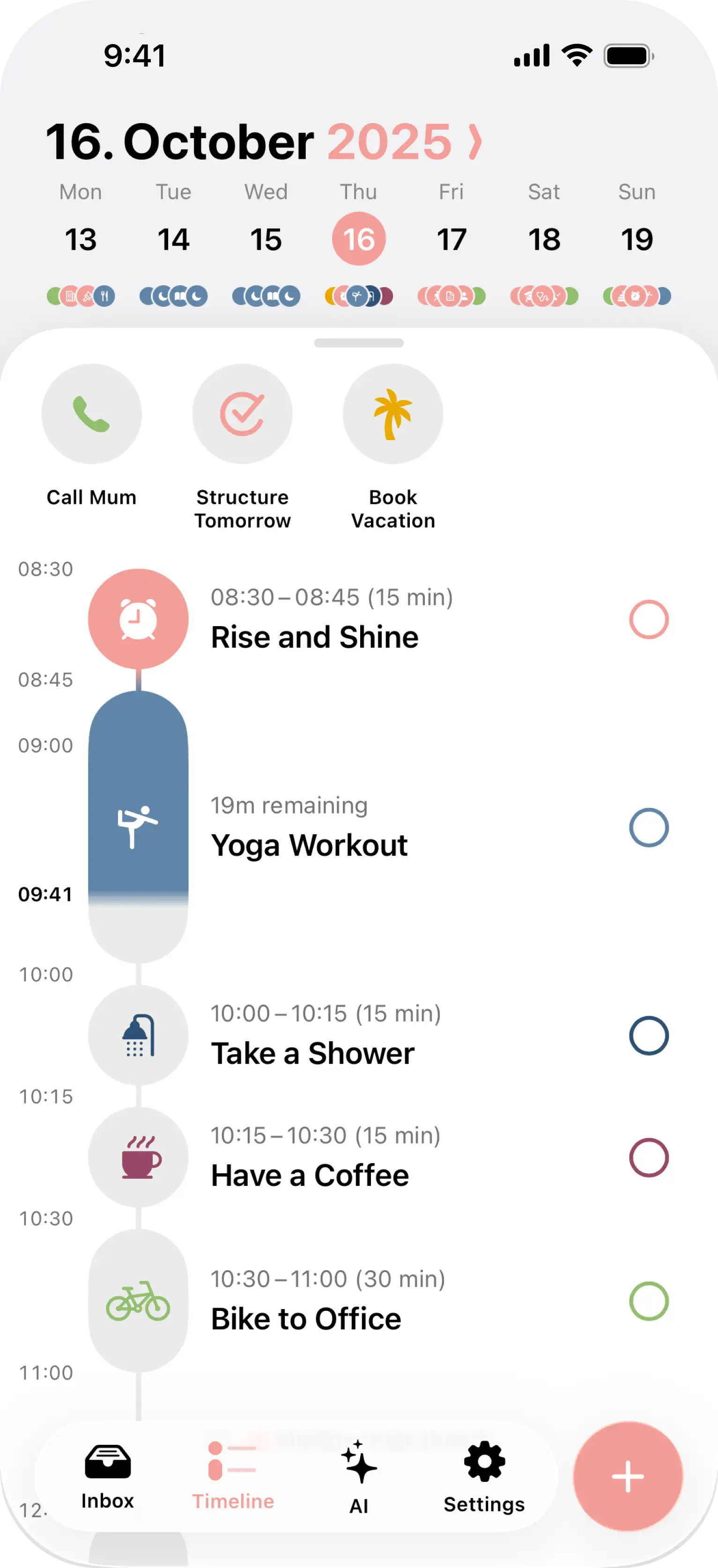
Structured - Daily Planner
Time blocking on a visual timeline
#7 3.2/5
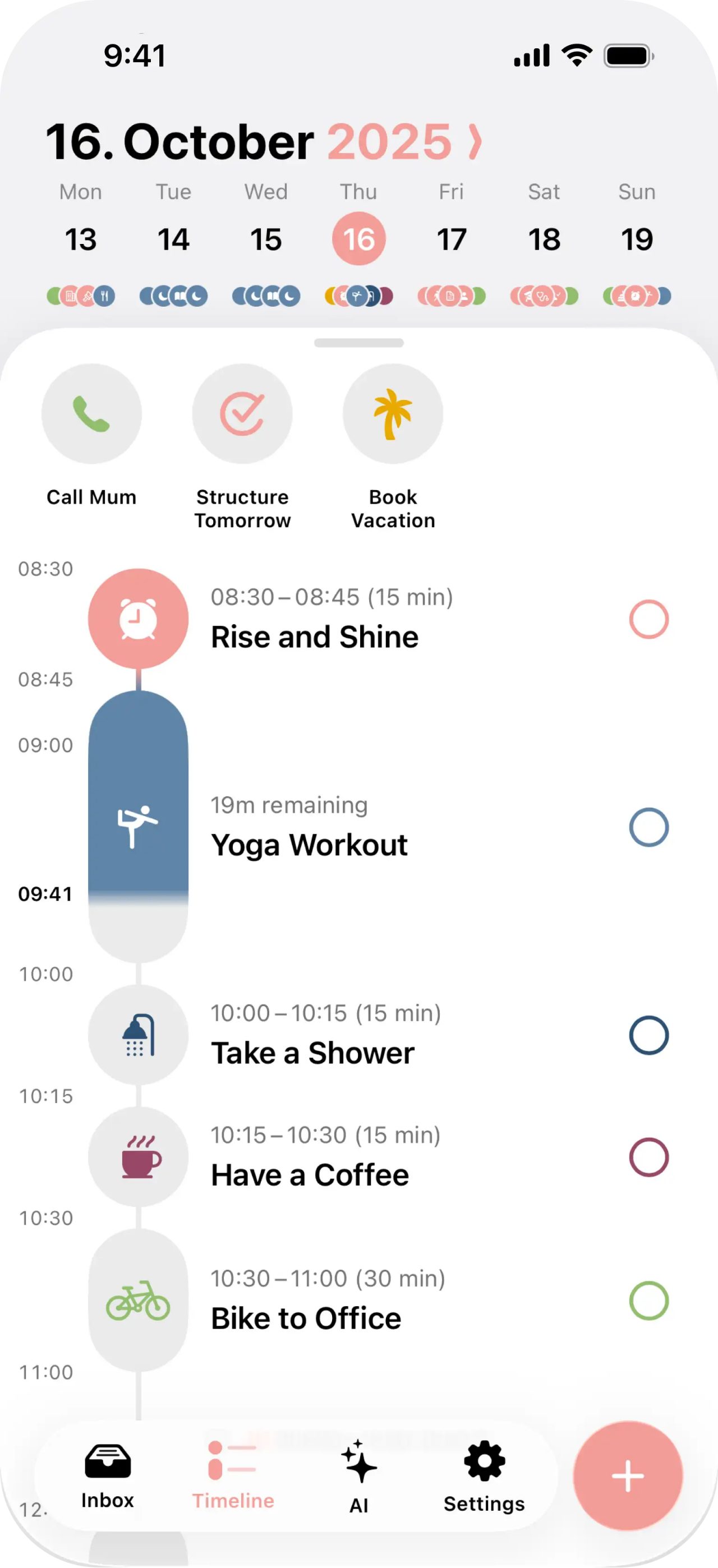
Structured is a day planner that lays your tasks on a colorful vertical timeline, each one a block with a start time and length, and shows the current task as a Live Activity on your lock screen. If you think in hours rather than lists, or you find a long to-do list overwhelming, seeing the day as a sequence of blocks can make it easier to choose what to do next.
Its timeline is no substitute for a backlog. There’s an Inbox for tasks you haven’t scheduled, but no projects or lists of your own, so it won’t hold a hundred things waiting for later. The free version also lacks repeating tasks and calendar import. Pro unlocks both with a yearly plan or a $99.99 lifetime purchase. It runs on iPhone, iPad, Mac, and Apple Watch, with Android and web versions that get new features later.
Pros
- The clearest view of your day by the hour
- Live Activity shows the current task on the lock screen
- A one-time lifetime option
Cons
- No projects or lists for a long backlog
- Repeating tasks and calendar import need Pro
Due - Reminders & Timers
Reminders that nag until you act
#8 3.1/5
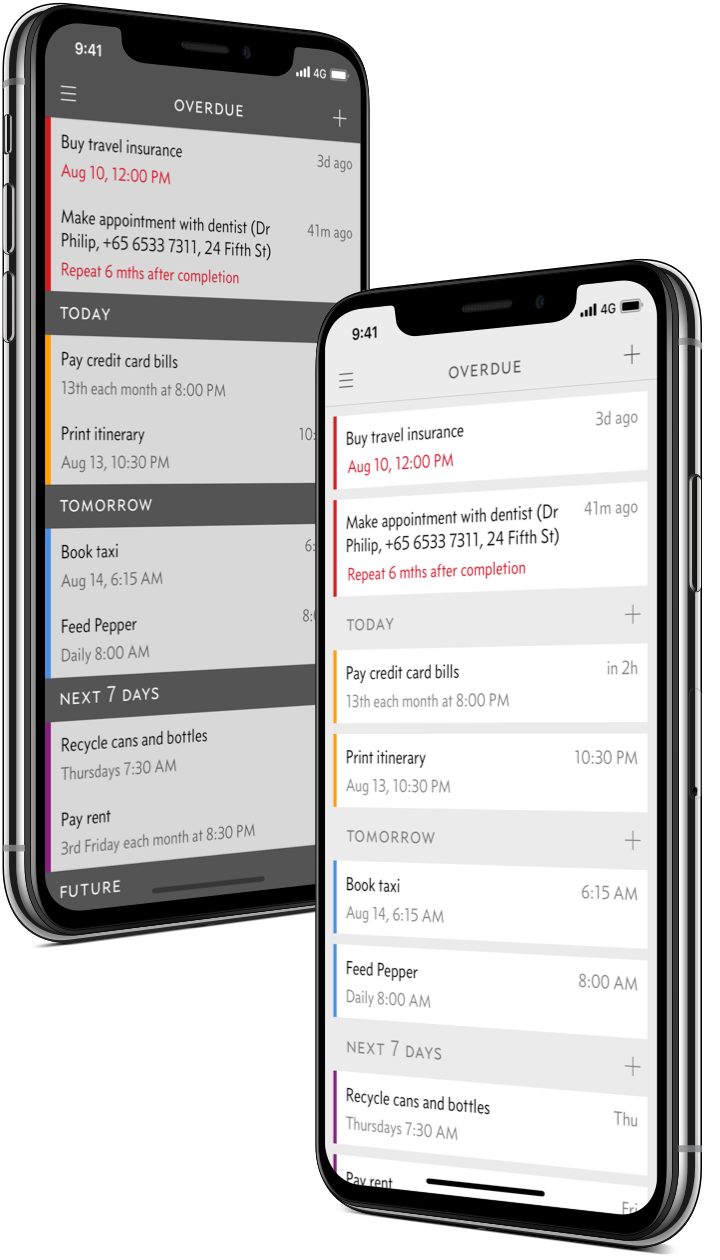
Due solves one problem better than anything else: you dismiss a notification and then forget. When a Due reminder fires, it keeps firing every minute, five minutes, or whatever interval you choose until you mark it done or reschedule it, and its alerts can ring through silent mode like an alarm. Adding one is just as quick: type “Dentist 3p Thu”, or tap one of the preset time buttons.
It keeps everything in one stream sorted by date (Overdue, Today, Tomorrow, the next seven days), so it’s a reminders app rather than a place to run projects. You can pair it with a list app when you need both. It’s $7.99 once for iPhone and iPad, with an optional $4.99 a year for features released after your first year, and the Mac app is a separate purchase. The design looks dated next to the other apps here.
Pros
- Alerts keep repeating until you act
- Fast entry with typed dates and preset times
- Cheap one-time price
Cons
- Not built for projects or long lists
- Dated look
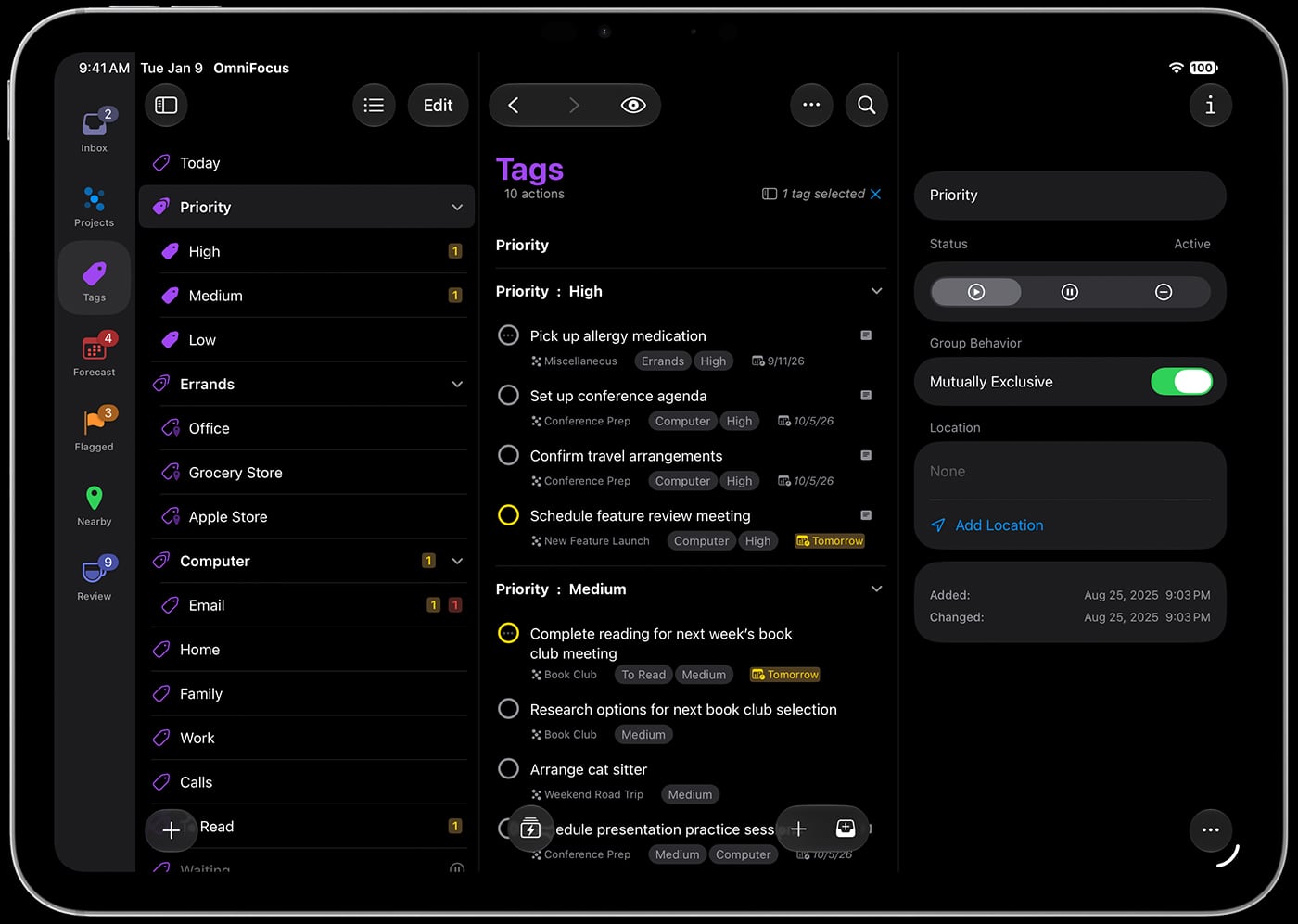
OmniFocus 4
Deep Getting Things Done system for Apple power users
#9 3.1/5
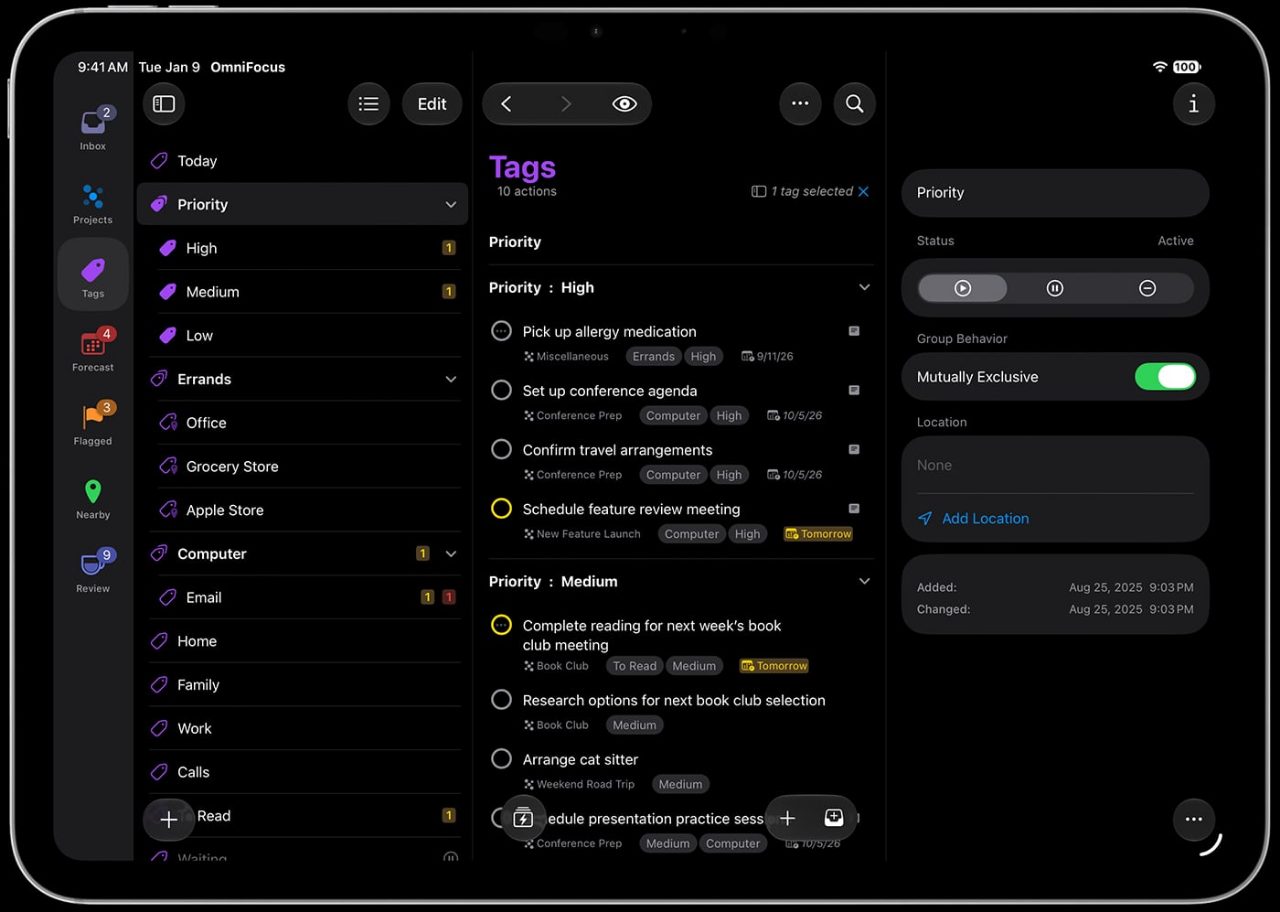
OmniFocus is for people who already run a serious system, usually David Allen’s Getting Things Done. Tasks can be deferred until a start date, grouped by tags for where you are or what you need, and kept in projects that run in order or in parallel. A weekly Review walks you through every project, Forecast shows tasks and calendar events together, and the Pro license adds custom perspectives (saved views of exactly the tasks you want) and automation.
The cost is time and money. Learning its projects, tags, and perspectives takes longer than with any other app here, and its interface puts more controls on screen than the others. A Standard license is $74.99 and Pro is $149.99, one-time, covering iPhone, iPad, Mac, and Watch; the web version, your only route from a Windows PC, comes only with the $99.99-a-year subscription. There’s no sharing at all.
Pros
- Defer dates, reviews, and custom perspectives for a full GTD system
- One license covers every Apple device
Cons
- Steep learning curve
- Expensive, with the web version only on the subscription
- No sharing
Google Tasks
Simple tasks inside Gmail and Google Calendar
#10 3.0/5
Google Tasks is worth having if Gmail and Google Calendar are where your day happens: you can turn an email into a task from Gmail’s side panel, and tasks with dates show up on your Google Calendar next to your events. The iPhone app is clean and free.
As a to-do app on its own, it’s the most basic here. You pick dates by hand rather than typing them. The app has no Today view, tags, or priorities, and it offers no location reminders or Apple Watch app. Personal Google accounts can’t share lists at all. It’s a fine place to park email follow-ups, not a system to run your life from.
Pros
- Turns Gmail messages into tasks
- Dated tasks appear on Google Calendar
Cons
- No typed dates, tags, or Today view
- No list sharing on personal accounts
How they compare
1–5 per criterion · select a score for its reasoning and any sources
| # | Product | Overall | Pleasant and quick to use , counts double | Fast capture | Reminders that get your attention | Organizing lots of tasks | Planning your day and week | Devices it works on | Cost over three years | Sharing lists with others , counts half |
|---|---|---|---|---|---|---|---|---|---|---|
| 1 | Todoist | 4.3 | 4 | 5 | 5 | 4 | 5 | 5 | 2 | 5 |
| 2 | TickTick | 4.3 | 4 | 5 | 4 | 5 | 5 | 5 | 2 | 5 |
| 3 | Apple Reminders | 4.2 | 4 | 4 | 5 | 4 | 4 | 4 | 5 | 4 |
| 4 | Microsoft To Do | 3.8 | 4 | 4 | 2 | 3 | 3 | 5 | 5 | 4 |
| 5 | Things 3 | 3.7 | 5 | 4 | 3 | 4 | 4 | 3 | 3 | 1 |
| 6 | Any.do | 3.4 | 3 | 4 | 4 | 3 | 4 | 5 | 2 | 2 |
| 7 | Structured - Daily Planner | 3.2 | 4 | 3 | 3 | 1 | 5 | 4 | 3 | 1 |
| 8 | Due - Reminders & Timers | 3.1 | 3 | 4 | 5 | 1 | 3 | 3 | 4 | 1 |
| 9 | OmniFocus 4 | 3.1 | 2 | 4 | 4 | 5 | 4 | 3 | 2 | 1 |
| 10 | Google Tasks | 3.0 | 3 | 2 | 2 | 2 | 4 | 4 | 5 | 1 |
Equal displayed overall scores are ordered by the earlier criteria; a known score comes before an unknown score. Identical scores use alphabetical order.
×2 = counts double in the overall score, ×½ = counts half.
How each criterion is scored
Pleasant and quick to use
Counts double in the overall score: A to-do app only helps if you keep opening it, and how it feels to use every day is what people name first when they stick with one app or abandon it.
How good the iPhone app is to open many times a day: how quickly you can see what's due, check things off and reschedule, how polished and consistent it looks and feels, and how long a newcomer takes to get comfortable. Judged from what reviewers and long-time users agree on, store ratings, and how the app works.
- 5 Among the best-regarded apps on iPhone for design and ease, praised widely by reviewers and long-time users
- 4 Clean and easy to pick up, with minor complaints such as busy screens or upgrade prompts
- 3 Easy enough, but bare, dated or pushy, with clear rough edges reviewers and users mention
- 2 Capable but hard to learn or rough, with frequent complaints about glitches, clutter or confusing layout
- 1 Awkward or unreliable enough that users widely complain and give up on it
Fast capture
How quickly a task gets in from wherever you are: typing a line that sets the date (and ideally the list or repeat) in one go, home and lock screen widgets, Siri and Shortcuts, the share sheet, Control Center or the Action button, and an Apple Watch app.
- 5 One typed line sets date, repeat and list or tags, plus widgets, Siri or Shortcuts, the share sheet and a Watch app
- 4 Typed dates and times plus most system shortcuts
- 3 Several system shortcuts (widgets, Siri, Watch), but dates are picked by hand or typed dates are a beta
- 2 Manual entry plus one or two shortcuts, with no typed dates
- 1 Only by opening the app and filling in fields
Reminders that get your attention
Whether the app makes sure you actually see a task, in the setup priced under cost: alerts at a set time, alerts that repeat or ring like an alarm until you act, location alerts, and how flexible repeating tasks are (such as "every third Wednesday" or "a week after I finish it").
- 5 Time alerts, flexible repeats, and alerts that repeat or ring until you act, usually with location alerts too
- 4 Time alerts and flexible repeats, plus either location alerts or alerts that repeat or ring until you act
- 3 Time alerts with flexible repeats, but no location alerts and nothing that repeats until you act
- 2 Time alerts with simple daily, weekly or monthly repeats
- 1 No dependable alerts
Organizing lots of tasks
How well the app holds a full life's worth of tasks, in the setup priced under cost: lists or projects grouped into areas or folders, sections, tags, subtasks, separate start and due dates, and saved filters or custom views that pull tasks together across lists.
- 5 Projects in folders or areas, sections, tags, subtasks, start or defer dates, and saved filters or custom views
- 4 Most of the toolkit, missing one big piece such as saved custom filters or separate start dates
- 3 Lists with subtasks, plus a few of tags, sections, groups or built-in smart lists
- 2 Lists and subtasks, with little else
- 1 A single inbox or list of reminders, with no lists or projects of your own
Planning your day and week
How well the app helps you decide what to do when, in the setup priced under cost: a Today view and an upcoming view, your calendar events shown next to your tasks, a calendar grid of tasks, and time blocking (giving tasks a start time and length on a timeline).
- 5 All of 4 plus a calendar grid with time blocking
- 4 Today and upcoming views with calendar events beside tasks, or tasks shown on a calendar, but no time blocking
- 3 Today and upcoming views, without your calendar events beside them
- 2 A list sorted or grouped by due date, with nothing else
- 1 No view of tasks by date
Devices it works on
Where the same tasks are available, in the setup priced under cost: iPhone, iPad, Mac and Apple Watch, plus apps or a web version for Windows, Android and other people's computers.
- 5 Full apps on iPhone, iPad, Mac, Watch, Windows, Android and the web
- 4 Apple devices plus a web version or Windows or Android apps with clear gaps, or broad coverage missing a Mac or Watch app
- 3 All the Apple devices most readers own, but nothing for Windows, Android or the web
- 2 iPhone plus some, but not all, of iPad, Mac and Watch
- 1 iPhone only
Cost over three years
What one person pays over three years for the app with everything a personal user would use, on an iPhone and a Mac or PC, taking the cheapest option that unlocks it (a one-time purchase per platform or the yearly plan), in US dollars. Free plans of paid apps are covered in the text, not here.
- 5 Free, with nothing held back
- 4 Under $40
- 3 $40 to $100
- 2 $100 to $200
- 1 More than $200
Sharing lists with others
Counts half in the overall score: Most people keep a to-do app for their own tasks; sharing decides the choice for the smaller group who run a household or small team from it.
Whether you can share a list with a partner, family or coworker in the setup priced under cost, assign tasks to each other, and talk about a task inside the app.
- 5 Shared lists with assigned tasks and comments on tasks
- 4 Shared lists with tasks assigned to people
- 3 Shared lists that everyone can edit, without assigning tasks
- 2 Sharing only through a dearer plan than the one priced under cost, or with tight limits
- 1 No shared lists
Todoist and TickTick are close. Todoist’s reminders are harder to miss, since they can ring as an alarm, and TickTick organizes and plans more on its own screens. Things ranks below Apple Reminders and Microsoft To Do because it can’t share a list and never leaves Apple’s devices. If neither of those matters to you, Things is the more enjoyable app to use every day.
Which one fits you
- You use a Windows PC or Android phone too: Todoist, or TickTick if you’d rather plan on a calendar. Microsoft To Do if it has to be free and you use Outlook.
- You’re all Apple and want to pay once: Things 3.
- You won’t pay anything: Apple Reminders. If you need Windows or Android, Microsoft To Do. TickTick’s free plan adds habit tracking, but calendar views need Premium.
- You share chores with a partner: Reminders if you both have iPhones; Todoist’s free plan if one of you doesn’t.
- You ignore notifications: Due for reminders that won’t stop, or mark tasks urgent in Reminders.
- You plan your day hour by hour: Structured, or TickTick Premium if you also need long lists.
- You run Getting Things Done with dozens of projects: OmniFocus.
The verdict
Apple Reminders is worth a week of your tasks before you spend anything. It costs nothing, it already syncs to your Mac and iPad, and with smart lists, shared lists, and urgent alarms it covers more than most people need. You’ll know it’s time to move on when you need your tasks on a Windows PC, your partner has an Android phone, or you want to type a whole task in one line and have the app sort it.
When you hit that wall, Todoist is the safest move. It gets a typed task into the right project faster than anything else here, runs everywhere, and its free plan is enough to find out whether you’ll outgrow five projects. TickTick is the better buy if your day revolves around a calendar, and it’s cheaper than Todoist Pro. If none of those walls apply and you simply want a better-made app on Apple devices, Things is the one: it costs less over a few years than any subscription here, and it’s the most pleasant way to look at a to-do list on an iPhone.
Frequently asked questions
Can I move my tasks out of Apple Reminders later?
Yes, but expect some manual work. Todoist, for example, can’t import straight from Reminders, so you paste each list in as text. With a handful of lists that takes minutes, so it’s no reason to avoid trying Reminders first.
Will reminders ring if my iPhone is on silent?
Normal notifications don’t. Apple Reminders’ urgent setting, Todoist’s urgent reminders on iOS 26 and later, and Due’s alarm-style alerts all ring through silent mode and Focus, which matters if you rely on your phone for medication or appointments.