Best AI meeting note-takers
Whether a bot sits in your call is a smaller choice than it looks. Fireflies.ai, Otter.ai, Fathom AI Notetaker and tl;dv can each send one into a Zoom, Google Meet or Microsoft Teams meeting to record it, transcribe it and write a summary, and all four can also take notes from your own computer instead, on at least one platform. Granola never sends a bot at all. Every one of them has a free plan, too.
What separates them is three other things: how much the free plan covers before you have to pay; whether you need the transcript as a file, or in your CRM, the customer database a sales team works from; and what the company does with your meetings afterwards, meaning whether it keeps the audio, trains its AI models on it, and where it stores it.
| Free plan | Cheapest paid plan, per person per month | Notes without a bot | Transcript as a file | |
|---|---|---|---|---|
| Fireflies.ai | Unlimited transcription once you turn on Auto Join; limited AI summaries | $10, billed annually | Mac and Windows app | PDF, DOCX, SRT subtitles, CSV, JSON or Markdown, from Pro |
| Otter.ai | 300 minutes a month, at most 30 minutes per conversation | $8.33, billed annually | Mac and Windows app | TXT on Free; PDF, DOCX and SRT on paid plans |
| Granola | No daily transcription limit; notes older than 30 days hidden | $14, billed monthly | Always; Mac and Windows | One CSV of all your notes |
| Fathom | Unlimited recordings and transcripts | $16, billed annually | Mac only, in beta; not for Teams | Copy and paste only |
| tl;dv | Unlimited recordings; full AI notes for the first 10 meetings ever | 18 euros, billed annually | Mac and Windows app | Copy and paste only, on paid plans |
Key facts
5 productsLicenses, requirements, and starting prices. Prices as of November 2026.
- License
- Unknown
- Runs on
- Windows 10 or newer
- macOS 12 or newer
- iOS
- Android
- Needs
- Unknown
- Price
- From a free plan or $10.00/month
- License
- Unknown
- Runs on
- macOS
- Windows
- iOS
- Android
- Needs
- A Google or Microsoft account
- Price
- From a free plan or $14.00/month
- License
- Unknown
- Runs on
- macOS
- Windows
- iOS
- Android
- Needs
- Unknown
- Price
- From a free plan or $8.33/month
- License
- Unknown
- Runs on
- macOS
- Windows
- iOS (iPhone)
- Needs
- Unknown
- Price
- From a free plan or $15.00/month
- License
- Unknown
- Runs on
- macOS (desktop app)
- Windows (desktop app)
- iOS
- Android
- Needs
- Unknown
- Price
- From a free plan or €18.00/month




1–5 per criterion · select a score for its reasoning and any sources
| # | Product | Overall | Free plan allowance | Price of the cheapest paid plan | Transcription languages | Where it can take notes | Notes without a bot in the call | Transcript export formats | API access | CRM sync | Control over stored recordings | AI training on your meetings | Security and admin |
|---|---|---|---|---|---|---|---|---|---|---|---|---|---|
| 1 | Fireflies.ai | 4.4 | 2 | 4 | 5 | 5 | 5 | 5 | 5 | 4 | 4 | 5 | 4 |
| 2 | Granola | 4.0 | 5 | 4 | 4 | 4 | 5 | 2 | 5 | 4 | 5 | 2 | 4 |
| 3 | Otter.ai | 4.0 | 3 | 5 | 3 | 5 | 5 | 4 | 5 | 5 | 4 | 1 | 4 |
| 4 | Fathom AI Notetaker | 3.6 | 5 | 3 | 4 | 4 | 3 | 1 | 5 | 5 | 4 | 2 | 4 |
| 5 | tl;dv | 3.5 | 2 | 3 | 4 | 5 | 5 | 1 | 5 | 5 | 2 | 4 | 3 |
Equal displayed overall scores are ordered by the earlier criteria; a known score comes before an unknown score. Identical scores use alphabetical order.
How each criterion is scored
Free plan allowance
How much meeting time the free plan transcribes and summarizes, counting any per-meeting length cap, and whether the allowance renews each month or is a one-time total for the life of the account. A meeting that still gets a basic summary after a monthly quota of richer summaries runs out counts as summarized. Limits on how long notes stay visible, or on storage, are not part of this score.
- 5 No known cap on the number or total length of meetings transcribed and summarized
- 4 Renews monthly and covers 10 hours or more a month, with meetings of an hour or longer
- 3 Renews monthly, but covers meetings of 30 minutes or less, or under 10 hours a month
- 2 Full transcripts or summaries only up to a one-time allowance that does not renew, such as the first few meetings or a fixed number of credits
- 1 No free plan, or only a time-limited trial
Price of the cheapest paid plan
Price per person per month of the cheapest paid plan one person can buy, as the vendor's pricing page shows it: the annual-billing price where the plan offers one, otherwise the monthly price. A price shown only in euros is compared at face value, one euro counted as one dollar, so the score doesn't move with exchange rates. A plan that needs two or more seats is not one a single person can buy.
- 5 Under 10 a month
- 4 10 to 14.99 a month
- 3 15 to 19.99 a month
- 2 20 to 29.99 a month
- 1 30 or more a month, or price only on request
Transcription languages
How many spoken languages the vendor lists as supported for transcription, counting regional variants of one language (such as Spanish for Mexico and Spain) once. Languages the vendor marks as beta count the same as the others, and a stated total such as "100+ languages" counts as that number, because the vendor offers them to every user.
- 5 50 or more languages
- 4 20 to 49 languages
- 3 Six to 19 languages
- 2 Two to five languages
- 1 English only
Where it can take notes
How many of these meeting sources it can transcribe: Zoom, Google Meet, Microsoft Teams, Webex, other call apps (such as Slack huddles or phone calls), in-person conversations recorded on a phone or computer, and uploaded audio or video files. Capture of a computer's system audio that the vendor documents as working in any call app counts for Webex and for other call apps.
- 5 All seven
- 4 Five or six of the seven
- 3 Four of the seven
- 2 Three of the seven
- 1 One or two of the seven sources
Notes without a bot in the call
Whether it can take notes without adding a visible participant (a bot) to the meeting, by capturing audio on your own computer or in the browser, and for which call apps and operating systems. Features marked beta count.
- 5 Without a bot in any call app on both macOS and Windows
- 4 Without a bot in any call app on one desktop operating system (macOS or Windows)
- 3 Without a bot in several named call services, on one operating system or in the browser
- 2 Without a bot in one call service only, such as Google Meet through a browser extension
- 1 Only through a bot that joins the call as a participant
Transcript export formats
How many file formats a transcript or meeting note can be downloaded in, on any plan, such as plain text, DOCX, PDF, Markdown, CSV, JSON and subtitle formats (SRT, WebVTT). Copying to the clipboard, share links and audio or video downloads do not count.
- 5 Six or more file formats, including a subtitle format (SRT or WebVTT)
- 4 Four or five file formats, including DOCX or PDF
- 3 Two or three file formats
- 2 One file format
- 1 No file download; copy or share link only
API access
Ways for your own programs or AI assistants to read meetings and transcripts, on any plan: a connector for automation services (Zapier, Make), a public API, webhooks that fire when a meeting is processed, and an MCP server that AI assistants can connect to.
- 5 As 4, plus an MCP server for AI assistants
- 4 As 3, plus webhooks when a meeting is processed
- 3 A public API that returns transcripts or notes
- 2 Automation connectors (such as Zapier) only
- 1 None known
CRM sync
Whether meeting notes go to a customer relationship manager (CRM) such as HubSpot or Salesforce directly, without an automation service in between, on any plan, and whether it writes meeting details into chosen CRM fields or properties rather than only attaching a note or activity.
- 5 As 4, plus it writes meeting details into fields or properties you choose (such as a deal's next steps)
- 4 Direct sync with both HubSpot and Salesforce
- 3 Direct sync with one of HubSpot or Salesforce
- 2 Only through an automation service such as Zapier
- 1 No known CRM connection
Control over stored recordings
Which of three controls over stored meetings it documents, on any plan: each person can set their own meetings to be deleted automatically after a period; an administrator can set a retention period for the whole workspace; and transcripts can be kept without storing the audio or video, by default or as a setting.
- 5 All three controls
- 4 Two of the three controls
- 3 One of the three controls
- 2 Meetings can be deleted by hand, with none of the three controls
- 1 No known way to delete meetings
AI training on your meetings
What the vendor's own privacy, security or help pages say about using your recordings and transcripts to train AI models, its own or its AI providers', and what you can do to stop it. Removing names and other identifying details before training does not change the score.
- 5 As 4, plus agreements that its AI providers don't train on or keep your data
- 4 Never used to train AI models
- 3 Used for training only if you opt in
- 2 Used for training by default, with an opt-out
- 1 Used for training by default, with no known way to opt out
Security and admin
How many of these six the vendor documents on any plan: a SOC 2 Type II report, ISO 27001 certification of the vendor itself (not only of its hosting provider), HIPAA-compliant use for health data, single sign-on through a company identity provider (SSO), automatic user provisioning (SCIM), and storing data in the EU, either for every customer or as an option.
- 5 All six
- 4 Four or five
- 3 Three
- 2 One or two
- 1 None of the six
Fireflies.ai
Best all-round for work calls
#1 4.4/5
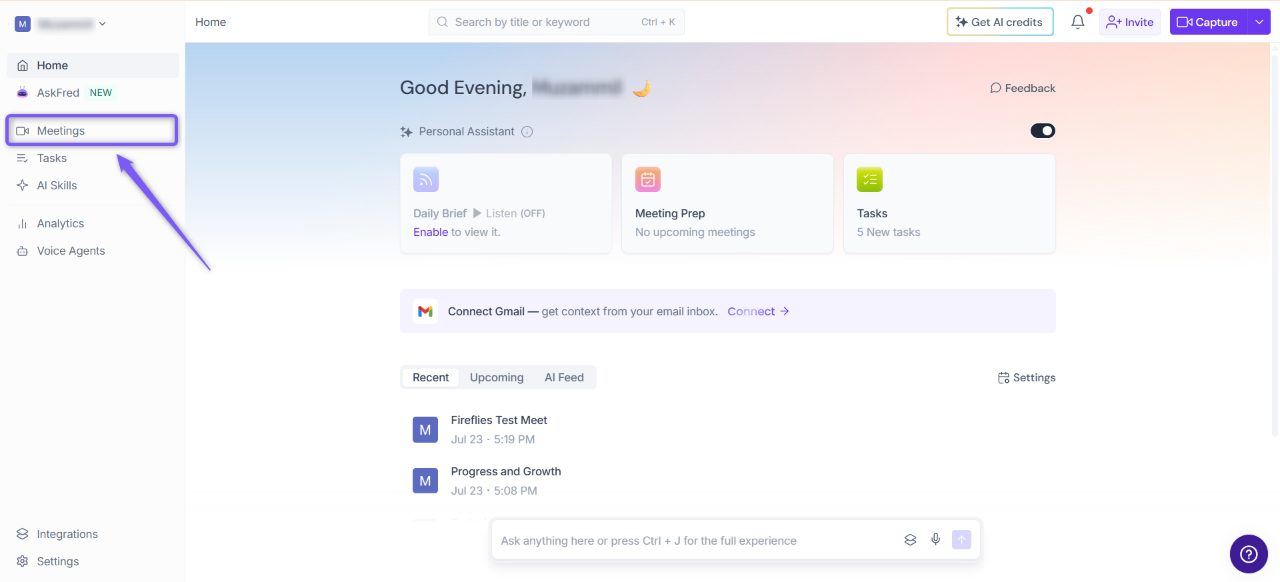
Fireflies.ai covers almost every way a meeting happens. Its bot joins Zoom, Google Meet, Teams and Webex, its desktop app for Mac and Windows takes notes in other video calls and Slack huddles without a bot, the phone app records in-person meetings, and you can upload audio and video files. It’s the pick for most work calls: no other product here pairs that reach with as many export formats and as firm a line on training.
Otter.ai costs a little less, but Fireflies earns the difference in three places. It covers English, Spanish, French, Portuguese, Italian and over 100 more languages in beta, exports CSV, JSON and Markdown on top of Word and subtitle formats, and doesn’t train AI on your meetings or let the companies it works with keep your data, though the training promise comes with the words “by default”.
The free plan is where Fireflies is weakest. Transcription is unlimited once you turn on Auto Join, the setting that sends the bot to your calendar meetings automatically, but AI summaries are limited. If you want a summary of every meeting, plan on Pro.
What it does
- Bot for Zoom, Google Meet, Microsoft Teams and Webex
- Desktop app for Windows and macOS that takes notes without a bot
- An API for your own scripts, and webhooks that notify your server when a meeting is transcribed
- An MCP server, which lets AI assistants read your meeting notes
Pros
- Transcribes over 100 languages, most of them in beta
- Never uses meetings for AI training, and its vendors keep none of your data
- Records in-person meetings in the phone app and transcribes uploaded MP3, MP4, WAV and M4A files
- Syncs notes, summaries and action items to HubSpot and Salesforce
Cons
- The free plan stores only 400 minutes of meetings in total; older ones must be deleted to make room
- Downloading transcripts starts at the Pro plan
- Its CRM sync attaches notes to contacts and deals; it doesn't write details into CRM fields you pick, such as a deal's next steps, which Otter.ai, Fathom and tl;dv do
- Automatic deletion and the mode that keeps no recording are Enterprise features
- Skip if:
- Anyone who wants a summary of every meeting without paying.
Granola
If you want no bot and no recording kept
#2 4.0/5
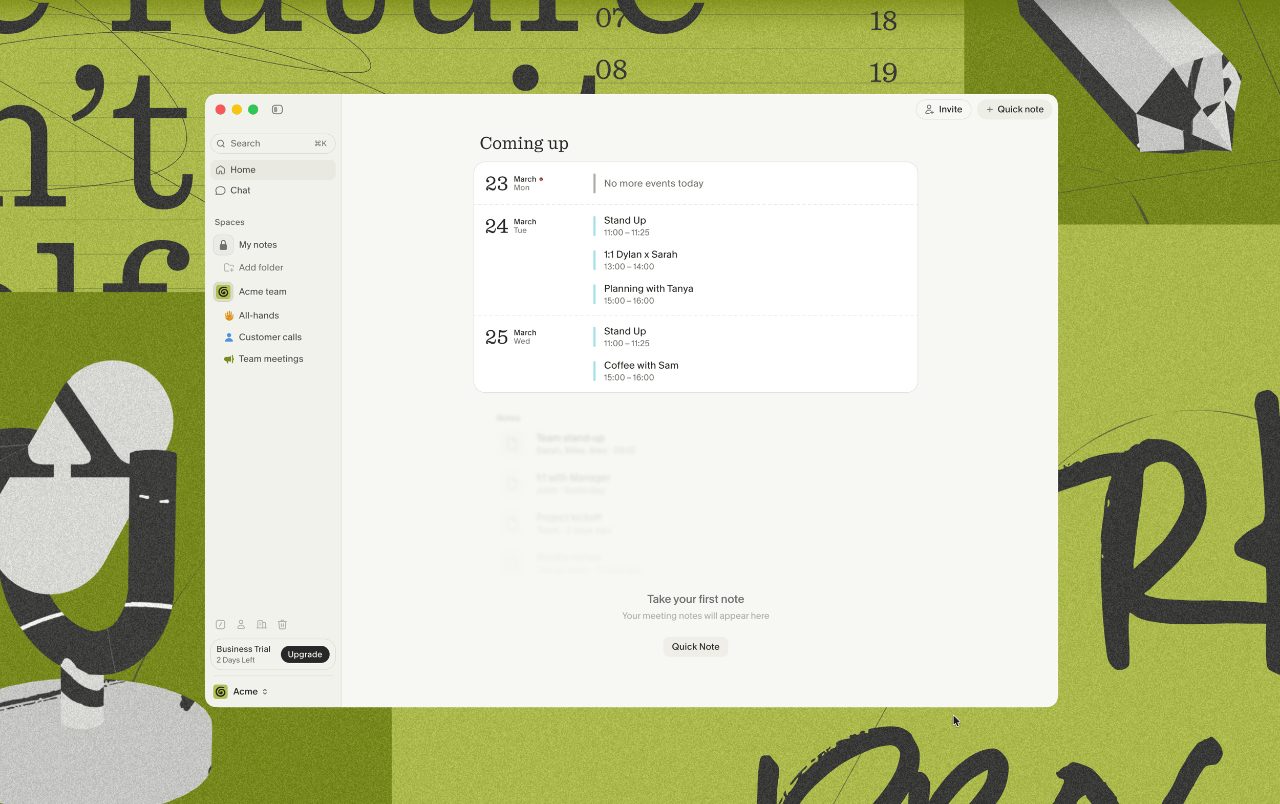
Granola is a notepad more than a recorder. It captures your microphone and your computer’s sound in any meeting app on Mac or Windows, never sends a bot, and deletes the audio once the transcript is done. Fireflies.ai, Otter.ai and tl;dv can take notes without a bot too, but each still has a bot that can join your calls. Granola is the pick for people who want no bot at all and no recording kept: there’s no bot to manage, and no audio is ever stored.
It also gives you the most control over what’s kept. You can set your own transcripts to delete themselves after a period you choose, Enterprise admins can set one period for the whole workspace, and there’s never any audio to delete in the first place.
The free plan has no daily transcription limit, but the app shows only the last 30 days of notes until you move to Business, at $14 a month billed monthly.
Keeping no recording means there’s nothing to replay or clip later. Granola also uses anonymized meeting data to improve its models unless you opt out, while Fireflies.ai and tl;dv never train on meetings.
What it does
- Captures microphone and system audio in any meeting app on macOS and Windows
- Phone apps for in-person meetings and outbound calls
- API, webhooks and MCP access to notes and transcripts
- Can post an automatic message telling others you're using it
Pros
- Never adds a bot to your meetings
- Deletes the audio after transcription, and transcripts can delete themselves for one person or a whole workspace
- No daily transcription limit on the free plan
Cons
- Keeps no recording to replay or share
- Exports only a CSV, sent by email
- Uses anonymized meeting data for training unless you opt out
- Stores data in the United States only
- Skip if:
- Anyone who needs to replay or share a meeting recording, and teams that need their data stored in the EU.
Otter.ai
Cheapest paid plan
#3 4.0/5
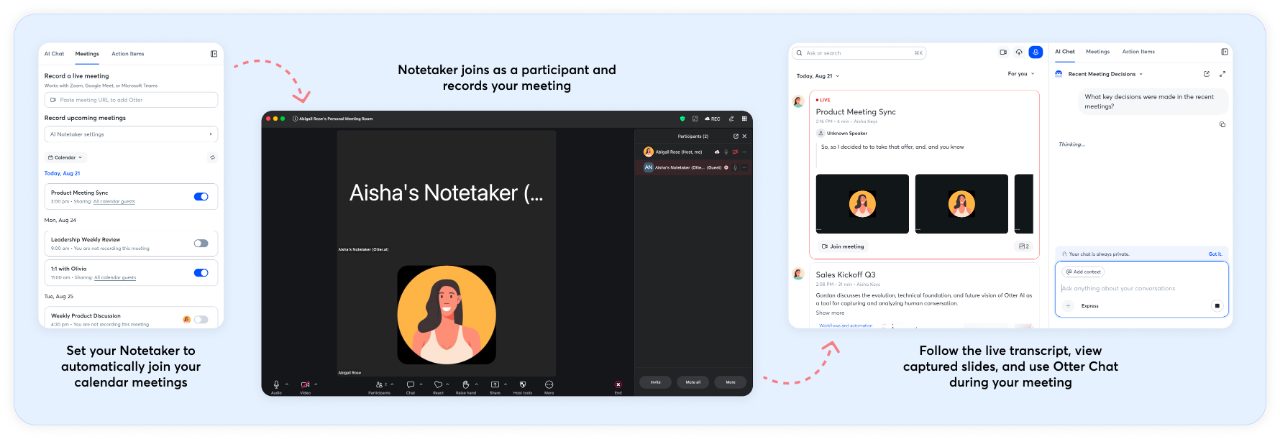
Otter.ai has a bot for Zoom, Teams and Google Meet, a desktop app that records any conversation without a bot, and phone apps. It’s the pick if price matters most and its languages cover your meetings: Pro is the cheapest paid plan of the five at $8.33 a month, billed annually.
For that money you get files and a CRM that fills itself in. Transcripts export as TXT, PDF, DOCX and SRT, and the Salesforce and HubSpot sync can write meeting insights into the deal properties and fields you choose. Pro caps each meeting at 90 minutes and a workspace at five members, so a two-hour workshop or a larger team means Business, which allows four hours per meeting.
The weak spot is training. Otter automatically trains its own models on de-identified recordings and transcripts, with no way to opt out. Its AI providers don’t train on your data; Otter itself does. If that rules it out, Fireflies.ai is the closest alternative for a little more money.
Otter finishes level with Granola, and they suit different people. Otter keeps your audio, exports it and costs less; Granola never sends a bot, deletes the audio after transcribing, and lets you opt out of training.
What it does
- Bot for Zoom, Microsoft Teams and Google Meet
- Records any conversation without a bot, from its Mac or Windows app
- Exports transcripts as TXT, PDF, DOCX and SRT, with bulk export on Business
- MCP server on every plan; API and webhooks on Enterprise
Pros
- Cheapest paid plan of the five, at $8.33 a month billed annually
- Writes meeting insights into the HubSpot deal properties and Salesforce fields you choose
- Records in-person conversations and transcribes Zoom Phone calls
Cons
- Trains its own models on de-identified recordings and transcripts, with no opt-out
- Transcribes six languages: English, Spanish, French, German, Japanese and Chinese
- The free plan transcribes at most 30 minutes of each conversation and keeps only the 25 most recent conversations
- No EU storage option; it uses Amazon Web Services, based in the United States
Fathom AI Notetaker
If you want to stay on a free plan
#4 3.6/5
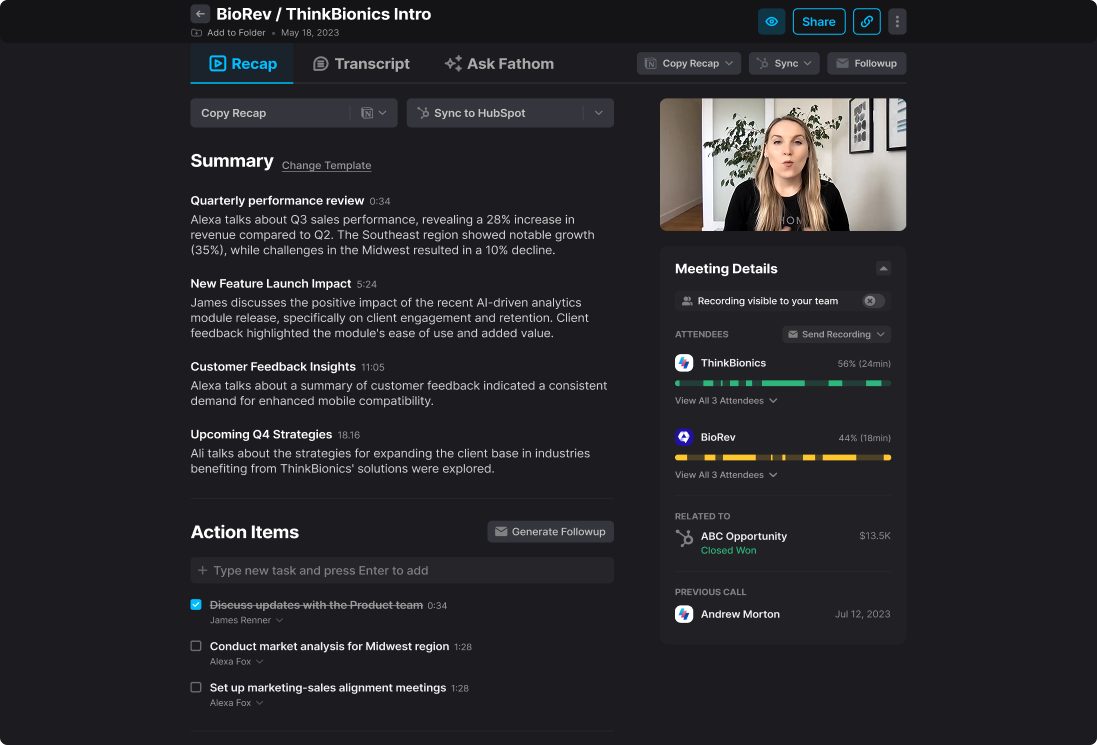
Fathom gives away the part most people pay for: unlimited recordings and transcripts, kept with no time limit, and a summary of every call. Five calls a month get advanced summaries, which can follow one of over 15 meeting templates such as the BANT sales framework, and the rest get the general summary. It’s the pick for anyone who wants notes on work calls without paying, especially a small sales team: syncing to HubSpot, Salesforce or Close is included for up to three users per email domain.
Granola’s free plan also has no daily transcription limit, but it hides notes older than 30 days. Fathom keeps every recording visible, which makes it the better free plan to stay on.
It ranks lower because of what you can’t do with it: you can’t upload a recording made elsewhere, and Webex isn’t supported. Fathom also uses de-identified meeting data to improve its own models unless you opt out.
What it does
- Meeting bot for Zoom, Meet and Teams
- Bot-free capture in Zoom, Google Meet and Slack huddles, in beta
- iPhone app for in-person conversations
- Public API and webhooks, plus an official MCP server
Pros
- CRM sync with HubSpot, Salesforce and Close on the free plan, for up to three users per email domain
- Writes meeting insights into CRM fields on the Business plan
- Transcribes 38 languages
Cons
- Transcripts can only be copied, not downloaded as a file
- Can't transcribe recordings made elsewhere
- Bot-free capture is a Mac-only beta and doesn't cover Microsoft Teams
- Stores data in the United States only
- Skip if:
- Anyone who needs to transcribe uploaded recordings, and Windows users who want notes without a bot.
tl;dv
If your data should stay in Europe
#5 3.5/5
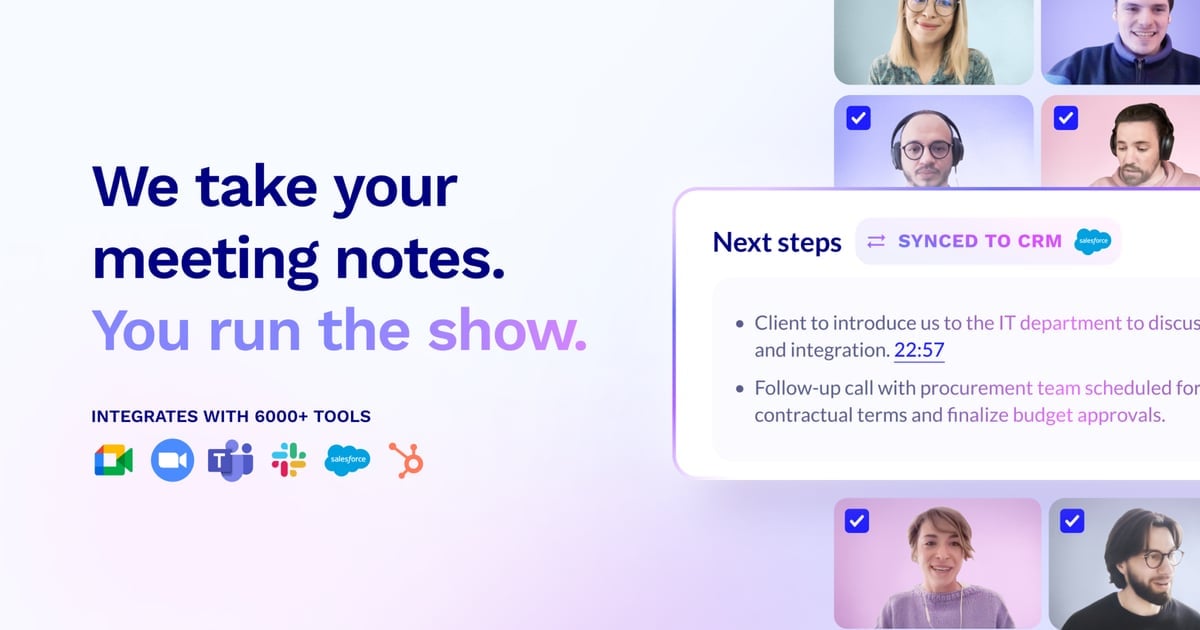
tl;dv keeps all its data centers in Europe, and it’s the only one of the five that does. Fireflies.ai offers Enterprise customers private storage in a location they choose, but not specifically in the EU. tl;dv is the pick for teams that need meeting data kept in the EU: it also never uses recordings to train AI, and its HubSpot and Salesforce workflows update fields on contacts, deals and opportunities.
It records almost anything. The bot covers Zoom, Google Meet and Teams, the desktop app records any call app on Mac or Windows without a bot, Slack huddles and Discord included, the mobile app records in-person meetings, and you can upload files.
Its weak side is housekeeping: recordings are deleted one at a time, with no automatic deletion option. The free plan gives unlimited recordings and transcripts, but its AI notes cover whole meetings only for your first 10 meetings ever, then only the first 10 minutes of each. Pro costs 18 euros a month, billed annually.
What it does
- Meeting bot for Zoom, Meet and Teams
- Records any call app without a bot, from the desktop app
- Mobile app for in-person meetings, and file uploads
- An API, webhooks and MCP access on paid plans
Pros
- All its data centers are in Europe
- Never uses recordings or transcripts to train AI
- HubSpot and Salesforce workflows update fields on contacts, deals and opportunities
- Single sign-on is available to all users
Cons
- Transcripts can only be copied, and only on paid plans
- Full AI notes cover only the first 10 meetings of a free account's life
- Meetings are capped at 3 hours
- Skip if:
- Anyone who needs transcripts as downloadable files.
How to choose
- You take notes on many kinds of work calls and want one tool for all of them: Fireflies.ai.
- You want the lowest price: Otter.ai, if its languages cover your meetings.
- You don’t want your meetings used for AI training: Fireflies.ai or tl;dv, which don’t train on them. Granola and Fathom let you opt out.
- You want no bot at all and no recording kept anywhere: Granola.
- You don’t want to pay: Fathom.
- Your meetings are in many languages: Fireflies.ai, with over 100 counting the beta ones.
- You need transcripts as files: Fireflies.ai or Otter.ai.
- Your sales team wants CRM fields filled from calls: Otter.ai, Fathom on Business, or tl;dv.
- Your data must stay in the EU: tl;dv.
- You want notes without a bot in the call: on Windows, Fireflies.ai, Otter.ai, Granola or tl;dv; on a Mac, the same four or Fathom’s beta.
Frequently asked questions
Which AI note-takers work with Webex?
Fireflies.ai’s bot joins Webex calls. Otter.ai, tl;dv and Granola record any call app from their Mac and Windows desktop apps, which covers Webex without a bot. Fathom records live meetings on Zoom, Google Meet and Microsoft Teams, plus Slack huddles in its bot-free beta, but doesn’t cover Webex.
Do these tools keep a recording of my meeting?
Granola doesn’t: it deletes the audio once the transcript is done. Fathom has a Transcript capture mode that records no audio or video. Fireflies.ai has a mode that keeps only transcripts and summaries on Enterprise, and Otter.ai lets admins remove audio from conversations. tl;dv keeps recordings, and on its free plan deletes them after 3 months.