Best sheet music reader apps for musicians going paperless
A sheet music app needs to turn the page when you need it. A missed tap or an extra page turn can leave you lost halfway through a piece, especially with both hands on your instrument. All these apps display PDFs; their page-turn controls, markup and library tools are what make the difference at rehearsals and gigs.
Start with the tablet you own. On an iPad, get forScore. It’s the most polished reader there is, and you pay for it once. On an Android or Windows tablet, get MobileSheets, which is the only reader on those platforms that matches forScore feature for feature. Whichever you pick, budget for a Bluetooth page-turn pedal too; it does more for your confidence on stage than any feature in these apps.
The rest of the field fits narrower jobs. Newzik is the one to look at when a whole ensemble needs to share parts and markings. Piascore is a free iPad reader with the public-domain IMSLP library built in, and the free Musicnotes app also works as a basic reader for your own PDFs on almost any tablet.
What each app costs and where it runs
| App | Native apps | What you pay |
|---|---|---|
| forScore | iPad, iPhone, Mac | $24.99 once; optional Pro at $14.99 a year |
| MobileSheets | Android, Windows, iPad, iPhone, Mac | $15.99 once on Apple devices; bought separately for Android and for Windows |
| Newzik | iPad, iPhone, Mac; web app elsewhere | Free for 3 scores; $24.99 once for up to 1,000; $44.99 a year for everything |
| Piascore | iPad, iPhone, Mac | Free; $5.99 one-time upgrade |
| Musicnotes | iPad, iPhone, Android, Windows, Mac | Free; you pay for the arrangements you buy |
Prices are from the US App Store; Android and Windows purchases use their own stores.
forScore
The iPad reader to beat
#1 4.5/5
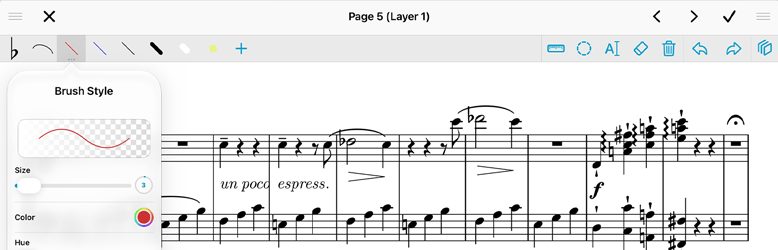
forScore is the app other readers get compared with, and it earns that. It opens big PDFs fast, turns pages instantly, and treats the Apple Pencil as a real pencil: pens, music stamps, text and layers are all in the base app, and the toolbar slides down to the line you’re marking so you don’t have to reach across the score. Pedal turns, half-page turns and links that jump you back to the repeat sign are all built in, and it stays quick with a library of a thousand scores or more.
The library side is just as strong. You tag scores by composer, genre or key, search instantly, split an anthology into separate pieces with bookmarks, and build setlists for each service or gig. iCloud sync of your scores, markings, setlists and recordings is included, and one purchase covers your iPad, iPhone and Mac.
Some extras need the forScore Pro subscription. The base app does everything most musicians need, but a few headline features now sit behind Pro at $14.99 a year: face gestures (turning the page by winking, turning your head or moving your lips), about 400 extra stamps, and timed sharing. Face turning is a nice backup, not a reason to subscribe; it depends on your camera and on holding your face still, which singers and wind players find hard. The bigger long-term question is that forScore is Apple-only. If your next tablet might be Android, the PDFs come with you, but the library you built around them doesn’t.
What it does
- Pedal, half-page and repeat-link page turns in the base app
- Apple Pencil markup with stamps, text and layers
- Tags, search, bookmarks for anthologies, and setlists
- Free iCloud sync between your iPad, iPhone and Mac
Pros
- The fastest, most polished reader on iPad
- One purchase covers everything most players need on stage
- Markup that feels close to pencil on paper
- Shares scores and setlists with players who don't use forScore
Cons
- Apple devices only
- Face-gesture page turns need the Pro subscription
- The current version needs iPadOS 18, which rules out older iPads
- Skip if:
- Your band mixes iPads with Android or Windows tablets and you want everyone in the same app
MobileSheets
The answer for Android and Windows
#2 4.4/5
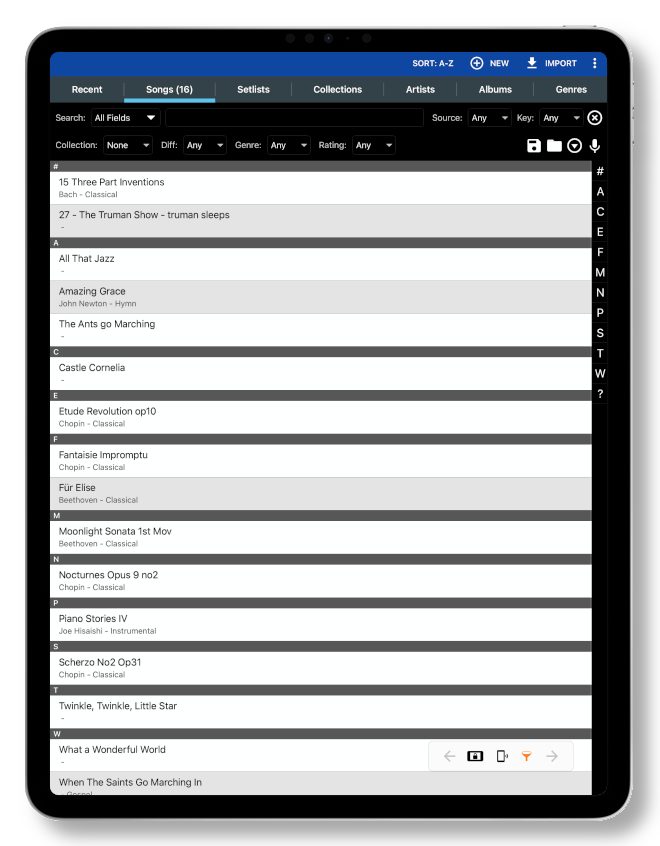
On Android or Windows, MobileSheets is the reader to buy. It has the full performance kit: Bluetooth and USB pedals (including two- and four-pedal models), half-page and two-page views, link points for repeats and codas, auto-scroll, and face gestures such as an open mouth or a smile, all without a subscription. One iPad user who has gigged with it for three years wrote that it crashes now and then while annotating but has “NEVER crashed on a gig.”
Its library tools go further than forScore’s in places. It reads ChordPro and text charts as well as PDFs, so a band that plays from both notation and chord sheets can keep everything in one app. It can split a whole fake book into individual songs from a song index saved as a CSV spreadsheet, and a free Windows companion app lets you edit metadata and setlists on a computer. Connect Tablets links several devices, on any platform, to share songs and setlists or to show two pages across two tablets.
The price of all that is a steep learning curve. MobileSheets puts a lot of settings in front of you, and the first week takes real patience in a way forScore doesn’t demand. Pricing is per platform: one App Store purchase ($15.99) covers your iPad, iPhone and Mac, while Android and Windows are separate purchases in their own stores, each covering every device you own on that platform. Android users can try it first with the free MobileSheets Trial app. On an iPad, MobileSheets is a reasonable alternative to forScore if you want face gestures without a subscription or play in a mixed-platform band; otherwise forScore is the smoother daily companion.
What it does
- Pedal, half-page, two-page, auto-scroll and face-gesture page turns
- PDFs plus ChordPro and text charts in one library
- Splits fake books into songs and edits the library from a computer
- Links tablets to share songs and setlists across platforms
Pros
- The only full-featured reader on Android and Windows
- Every feature included in a one-time price
- Runs on every major tablet platform, so a mixed band can share one app
Cons
- Takes much longer to learn than forScore
- Android and Windows each need their own purchase
- Markup tools are capable but less refined with an Apple Pencil than forScore's
- Choose if:
- You play from chord charts and notation and want both in one app

Newzik
For ensembles sharing parts
#3 3.8/5
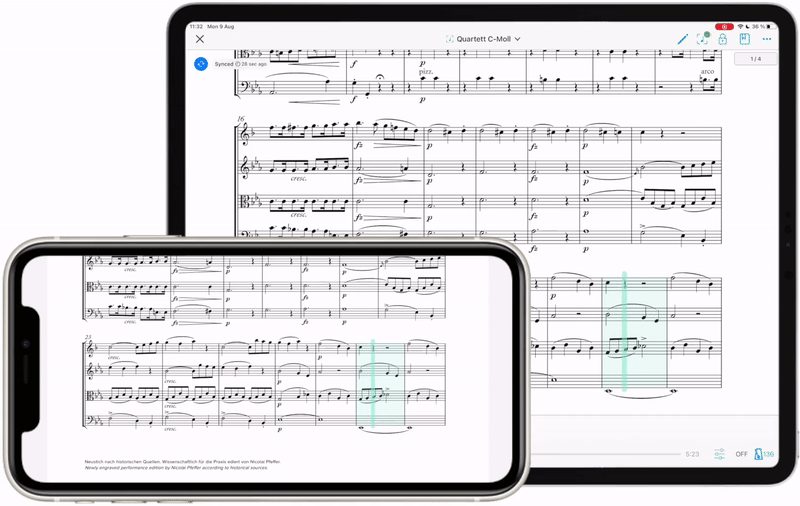
Newzik is built around a different problem from the two above: keeping an ensemble on the current version of every part. A conductor, section leader or teacher sets up a shared project, invites the players, and scores and markings sync to everyone in real time. When the bowing changes in rehearsal, the change reaches every stand without anyone emailing a PDF. Opera houses and orchestras use it for exactly that, and it shows in the design.
As a personal reader it’s good rather than great. Pedal turns, layered markup, a metronome, tuner and recorder are all there, and its LiveScore feature uses AI to convert a PDF into playable notation you can transpose or export. But face-gesture turns, an unlimited library and unlimited projects need Premium ($44.99 a year or $9.99 a month on the App Store, or $179 for life). The free tier holds three scores, and the one-time Essentials plan ($24.99) holds up to 1,000 songs with a single shared project. The other limit is the hardware: there is no Android or Windows app, so players without an Apple device fall back to the web app.
What it does
- Shared projects that sync scores and markings to a whole group
- LiveScore conversion of PDFs into playable, transposable notation
- Pedal and (with Premium) face-gesture page turns
- Metronome, tuner and recorder
Pros
- The best way to keep an ensemble's parts and markings in step
- Runs on iPad, iPhone, Mac and in a web browser
- A one-time plan exists for individual players with modest libraries
Cons
- The full feature set needs the more expensive Premium plan
- No native Android or Windows app
- Free tier is only enough to try it
- Choose if:
- You direct or teach a group and want to push parts and markings to everyone

Piascore
Free iPad reader with IMSLP built in
#4 3.6/5
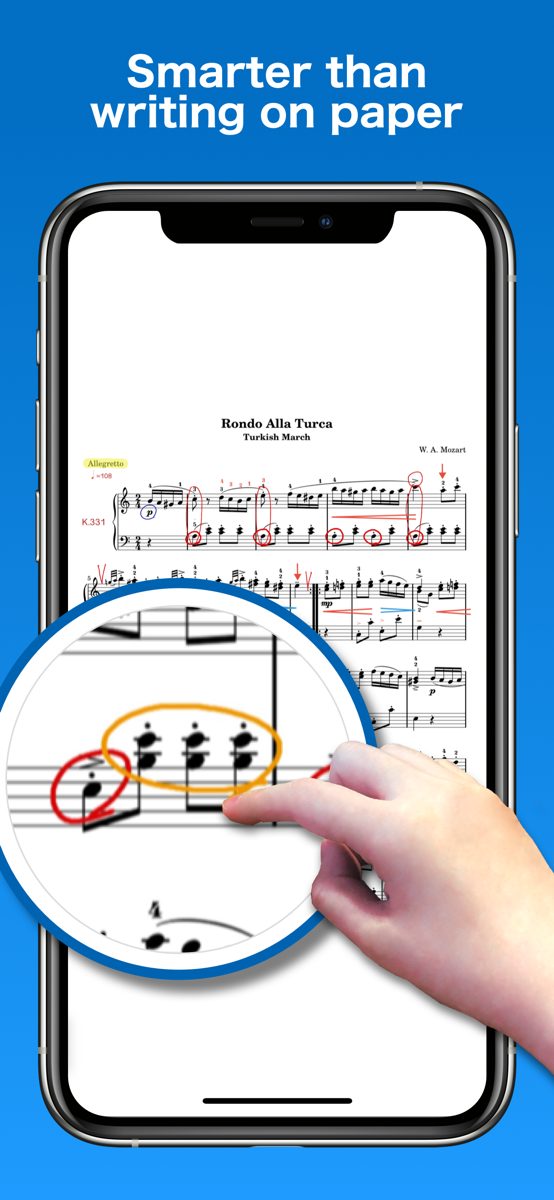
Piascore is where a lot of students start, and for good reason: the app is free, and it searches IMSLP (the huge library of public-domain classical scores) from inside the app, so you can have the Bach or Brahms you need on the stand in a minute. It covers the performance basics too, with AirTurn pedal support, half-page turns with a divider you can move, buttons for repeat and D.S. jumps, and wink turns. An optional companion app on an iPhone ($1.99) can turn pages for you as well. Pens, stamps and text boxes handle markup, and a metronome, tuner and recorder are included.
It’s a lighter tool than forScore, though. Ensemble sharing is limited, and one barbershop singer and harpist found that after an accidental turn “it takes a while before it will let you turn again.” The optional upgrade, called Full Upgrading, costs $5.99 once. Check your iPad first: the current version needs iPadOS 26, so an iPad that can’t update to it can’t run Piascore, while MobileSheets still supports iPadOS 15.
What it does
- IMSLP's public-domain library searchable inside the app
- Pedal, half-page, wink and repeat-button page turns
- Pens, stamps, text, metronome, tuner and recorder
Pros
- Free to start, with a cheap one-time upgrade
- Easy to learn
- The quickest route to classical repertoire you don't own yet
Cons
- Apple devices only, and the current version needs iPadOS 26
- Little support for sharing with an ensemble
- Fewer library tools than forScore or MobileSheets

Musicnotes
Free, cross-platform and simple
#5 2.5/5
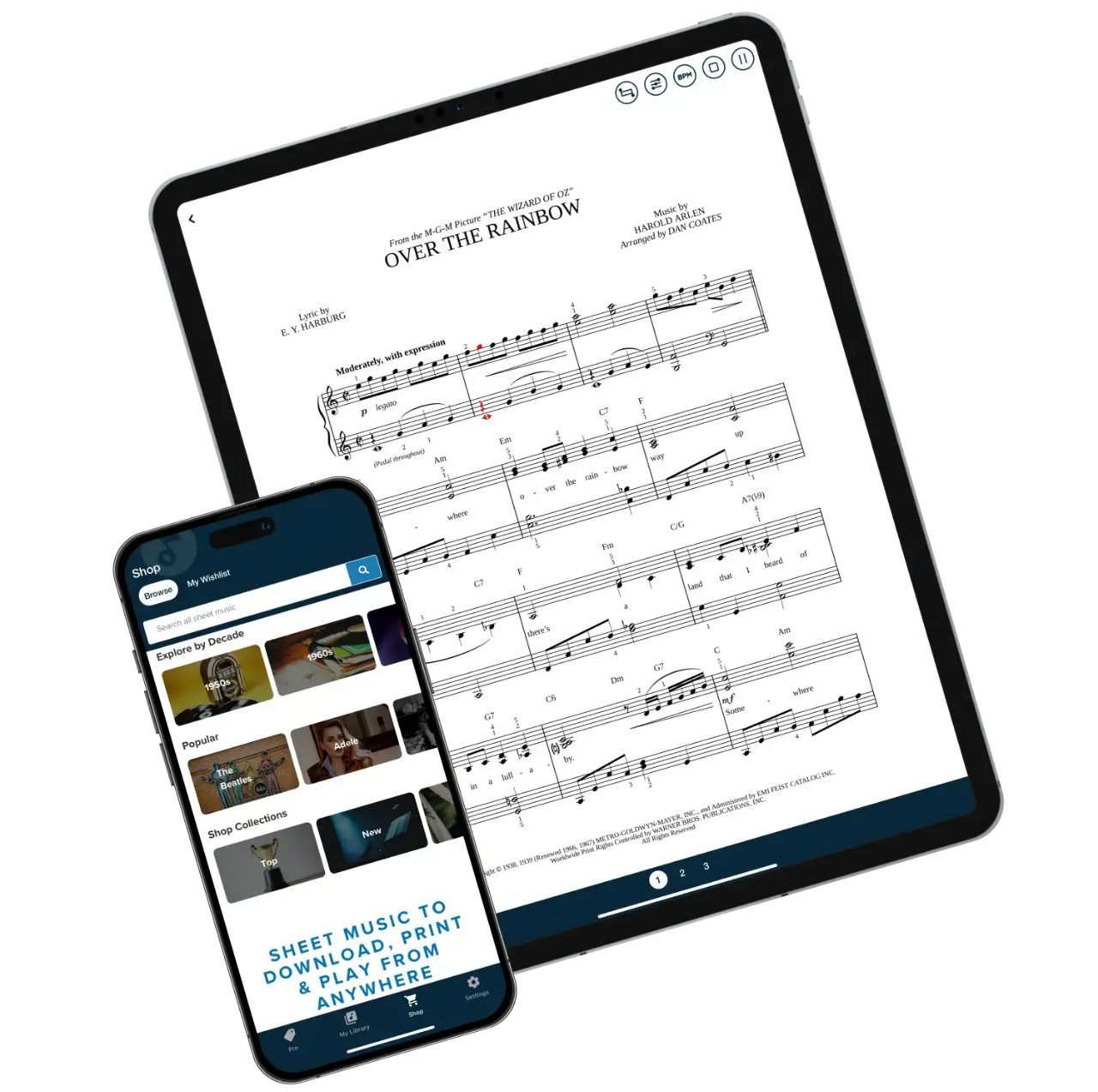
Most people know Musicnotes as a store, and its app as the place their purchased arrangements live. Fewer realize the free app also imports your own PDFs and organizes them into set lists and folders, on iPad, Android, Windows, Mac and Kindle Fire. It works with AirTurn and PageFlip pedals, and your set lists, folders and markings sync between devices. For a casual player on an Android tablet who mostly plays pop, film or musical theater arrangements bought from Musicnotes, that can be all the reader they need.
It stops being enough once you lean on it. The app is built for playing purchased arrangements, and its markup and performance tools for your own scores are basic next to forScore or MobileSheets. The playback, transposing and looping that make Musicnotes arrangements fun don’t work on imported PDFs either, because the app only sees them as pictures. Treat it as a free starting point; if you find yourself fighting it, MobileSheets is the step up on the same tablet.
What it does
- Imports your own PDFs alongside Musicnotes purchases
- Set lists and folders that sync between devices
- Pedal page turns
- Playback, transposition and looping for purchased arrangements
Pros
- Free on almost every tablet, including Android and Windows
- Simple enough to use on day one
Cons
- Basic markup on your own PDFs
- No playback or transposition for imported PDFs
- Few tools for performing from a large library
If you need the music, not just a reader
A reader shows the music you already have. Some apps sell or rent the music itself, and classical players often wonder whether one of those could replace a reader. Usually it can’t, but it can sit next to one.
- nkoda is a subscription catalog of more than 110,000 editions from publishers such as Bärenreiter, Boosey & Hawkes and Breitkopf, at $14.99 a month or $149.99 a year on the App Store. You can upload your own PDFs too, but paying that much to read your own files makes no sense; it’s worth it for players who keep learning new repertoire. Catalog scores and the markings on them stay inside nkoda, so cancelling means losing your marked-up parts.
- Henle Library sells Henle’s Urtext editions, which aim to preserve the composer’s original notation, piece by piece, with alternative fingerings and bowings you can switch on and off and a jump from your part to the full score. It can import your own PDFs on iPad, a feature that is still being improved. A violinist on violinist.com, Lydia Leong, said she uses it mainly to format Henle scores and export them as PDFs into forScore, and that’s a sensible pattern: buy in Henle, perform from your reader.
- Enote is an iPad and iPhone app with 80,000+ classical scores on a Premium subscription (€99.99 a year). Your own imported PDFs are free and unlimited, but it’s built around its catalog, and forScore or Piascore are the more proven performance tools on the same iPad.



Don’t forget IMSLP either: it’s free, and Piascore searches it from inside the app.
If your band reads chord charts
Worship teams, cover bands and singer-songwriters often play from chord charts more than from notation. A dedicated songbook app reflows lyrics and chords to fit the screen and transposes them to any key, which a PDF reader can’t do.
- OnSong is the long-standing favorite of worship teams. It imports PDFs and can even transpose chords it detects in a PDF, but drawing on your music, band sync and control of connected MIDI instruments need Premium at $59.99 a year.
- SongbookPro does the chord-chart job on Android, iPad and Windows for a one-time purchase on each platform ($5.99 on the App Store), with a free version limited to 12 songs. It imports PDFs, but its strengths are text charts.

If your band mixes chord charts with staff notation, MobileSheets handles ChordPro and PDFs in one library, which saves running two apps.
The scores
1–5 per criterion · select a score for its reasoning and any sources
| # | Product | Overall | Page turns on stage , counts double | Marking up parts | Polish and ease of use | Library and setlists | Sharing with a band or ensemble | Cost of the full reader | Tablets it runs on , counts half | Practice tools , counts half |
|---|---|---|---|---|---|---|---|---|---|---|
| 1 | forScore | 4.5 | 5 | 5 | 5 | 5 | 4 | 4 | 2 | 4 |
| 2 | MobileSheets | 4.4 | 5 | 4 | 3 | 5 | 4 | 5 | 5 | 4 |
| 3 | Newzik | 3.8 | 4 | 4 | 4 | 4 | 5 | 2 | 3 | 4 |
| 4 | Piascore | 3.6 | 4 | 3 | 4 | 4 | 2 | 5 | 2 | 4 |
| 5 | Musicnotes | 2.5 | 2 | 2 | 4 | 2 | 1 | 4 | 5 | 1 |
×2 = counts double in the overall score, ×½ = counts half.
How each criterion is scored
Page turns on stage
Counts double in the overall score: A missed or slow page turn mid-performance is the failure readers fear most, and it is the one thing paper does better.
How safely the app gets you to the next bar with your hands busy, in the app as a musician would set it up for a gig. Judged from the documented turn methods (Bluetooth page-turn pedals, half-page turns that show the top of the next page early, links that jump back for repeats and codas, face or head gestures) and from what performing users report about missed or slow turns.
- 5 Pedal turns, half-page turns, repeat links and a hands-free option such as face gestures, with a record of dependable use on stage
- 4 Pedal turns, half-page turns and repeat links, with occasional reliability complaints or one of them hard to set up
- 3 Pedal turns plus either half-page turns or repeat links
- 2 Works with a pedal, but has no half-page turns or repeat links, or users report turns that fail in performance
- 1 Tap or swipe only, with no pedal support
Marking up parts
How well you can write in your music the way you would with a pencil on paper. Judged from the documented tools (stylus or Apple Pencil drawing, music symbol stamps, text, layers you can hide or keep separate for different conductors) and from how users describe the feel and reliability of writing on the page.
- 5 A full pen and stamp set with layers, writing that users describe as quick and natural, and a stylus treated as a first-class tool
- 4 Pens, stamps, text and layers, with some complaints about precision or missing tools
- 3 Freehand drawing with several pens, text and some music stamps, without layers
- 2 Basic freehand drawing and text
- 1 No markup, or only highlights
Polish and ease of use
How quickly a musician can find what they need and how smooth the app feels with a real library: speed of opening and turning large PDFs, how clear the menus are, and how long it takes to learn. Judged from reviewers and users, weighted by how widely a view is shared.
- 5 Fast with large libraries and easy to pick up, the app other readers are measured against
- 4 Clear and quick for everyday reading, with a few rough edges or features that are hard to find
- 3 Capable but cluttered; users say it takes real time to learn, while praising what it does
- 2 Usable, but with a steep learning curve and frequent complaints about bugs or speed
- 1 Users widely describe it as confusing, slow or unstable
Library and setlists
How well the app handles a whole library of your own music: importing PDFs from the places musicians keep them, tagging and searching by composer, genre or key, splitting a fake book or anthology into separate pieces, and building setlists for a gig or service.
- 5 As 4, plus splitting large books into separate pieces and bulk editing from a computer or companion tool
- 4 Setlists, tags and search for an unlimited personal library, without a way to split large books into pieces
- 3 Setlists, search and some metadata, but built mainly around another kind of content or with limits on how many scores you can keep
- 2 Imports your own PDFs into folders or simple setlists, with little metadata or search
- 1 Opens your own PDFs only as single files, with no setlists
Sharing with a band or ensemble
What the app does when several musicians play from tablets together: sending scores and setlists to other players with or without annotations, linking tablets so page turns follow one device, and a shared library a director keeps up to date for everyone.
- 5 A shared library or project a director updates for the whole group, with annotations syncing to every player
- 4 As 3, plus linking nearby tablets so page turns or song changes follow one device
- 3 Sends scores, setlists and annotations to other players, including those on other apps
- 2 Sends scores or setlists to other users of the same app
- 1 No sharing beyond exporting a PDF
Cost of the full reader
What one musician pays over a few years for the reader features this page is about (pedal turns, annotation, setlists and an unlimited personal library), on one platform. Paid music, store credits and catalog subscriptions don't count.
- 5 Free, or one-time purchase of 40 US dollars or less, with every reader feature included
- 4 One-time purchase of 40 US dollars or less, with some performance features in an optional subscription
- 3 A subscription under 30 US dollars a year, or a one-time price with a cap on your library or other real limits
- 2 A subscription of 30 to 60 US dollars a year
- 1 A subscription above 60 US dollars a year
Tablets it runs on
Counts half in the overall score: Most readers already own the tablet they'll use, so this decides the choice mainly for Android and Windows owners and mixed bands.
Which tablets have a native app, and whether your library and markings sync between your own devices: iPad, Android tablets and Windows tablets.
- 5 Native apps on iPad, Android and Windows, with sync
- 4 Native apps on two of iPad, Android and Windows
- 3 Apple devices, with Android or Windows reached only through a web app or a compatibility layer
- 2 Apple devices only, with sync between them
- 1 One tablet platform, with no sync between devices
Practice tools
Counts half in the overall score: Useful at home, but most readers choose a reader for rehearsals and performances and already own a metronome and tuner.
How many of these practice aids the app builds in for your own PDFs: a metronome, a tuner or pitch reference, audio or backing tracks linked to a score with looping, recording yourself, and playback or transposition of the notation.
- 5 All five
- 4 Three or four of the five
- 3 Two of the five
- 2 One of the five
- 1 None of the five
How to choose
- You have an iPad: forScore. Choose MobileSheets instead if your bandmates use Android or Windows tablets, or if you want face-gesture turns without a subscription.
- You have an Android or Windows tablet: MobileSheets. Start with the Android trial if you’re unsure.
- You run a choir, orchestra or studio: Newzik for the shared projects, as long as your players have Apple devices or are happy in a browser.
- You don’t want to pay: Piascore on a recent iPad, or the Musicnotes app on anything else.
- Your iPad is old: check the minimum version before you buy. MobileSheets supports iPadOS 15, forScore needs iPadOS 18 and Piascore needs iPadOS 26.
- You mostly read chord charts: SongbookPro or OnSong, or MobileSheets if notation is in the mix too.
Before you move your whole library in
You’re going to put years of markings into whichever app you choose, so check how you’d get them out. Keep your original PDFs in a folder you control, not only inside the app. forScore and MobileSheets can both export a score as a PDF with your markings on it, and both make backups; forScore’s iCloud sync is not a backup, and it only shares a library between devices signed into the same Apple ID. Moving between apps later means re-importing PDFs; tags, setlists and editable markings generally don’t carry across. That’s the strongest argument for MobileSheets in a band that hasn’t settled on one kind of tablet: it’s the one app here that follows you to any platform.
The verdict
For most musicians this comes down to two one-time purchases. If you play from an iPad, forScore is the reader to settle into: it’s fast, the Pencil markup is the best there is, and $24.99 covers everything you’ll use on stage. Pro is optional. If you play from an Android or Windows tablet, MobileSheets gives you the same capabilities and a few extras, such as chord charts and fake-book splitting, at the cost of a slower start. It’s also the better pick on an iPad when the people you play with use other tablets.
Newzik answers a different question, keeping a whole group’s parts in step, and it’s worth its subscription for a director who would otherwise spend rehearsal breaks emailing PDFs. Piascore and Musicnotes are good free starting points. If you need more library tools or finer control over markup, forScore and MobileSheets give you room to grow.
Frequently asked questions
Is a pedal better than face gestures?
For performing, yes. A Bluetooth pedal turns the page exactly when you press it, while face gestures depend on the camera, the lighting and how still you keep your head. Face gestures make a good backup when your feet are busy, as they are for organists and drummers.
Can these apps transpose a PDF?
Not directly, because a PDF is a picture of the music. Newzik’s LiveScore can convert a PDF into notation that you can transpose, and Musicnotes can transpose arrangements bought from Musicnotes. Chord-chart apps such as OnSong and SongbookPro transpose text charts.
We scored 5 products on 8 criteria using 93 quotes, 29 of them from the products' own websites. How our rankings work